Developers can access the power of both Windows and Linux at the same time on a Windows machine. The Windows Subsystem for Linux (WSL) lets developers install a Linux distribution (such as Ubuntu, OpenSUSE, Kali, Debian, Arch Linux, etc) and use Linux applications, utilities, and Bash command-line tools directly on Windows, unmodified, without the overhead of a traditional virtual machine or dualboot setup.
What is WSL ?
It is Windows Subsystem for Linux (WSL)
So first of all we have to enable some feature on
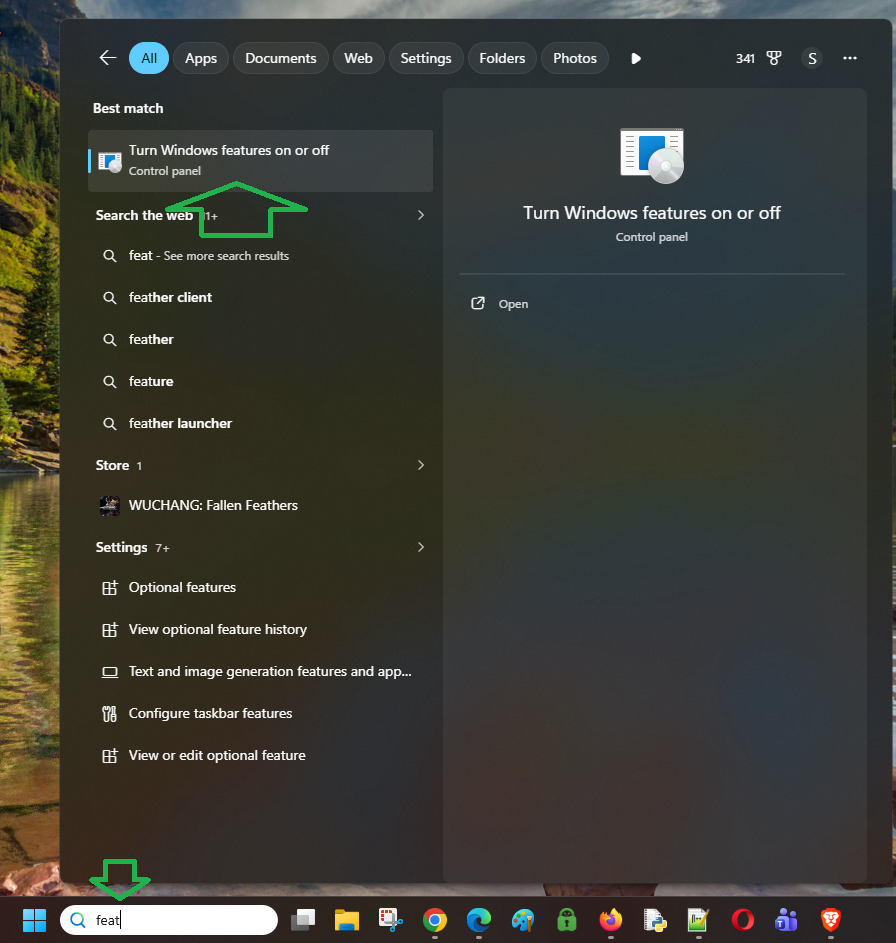
Let’s search for feat and then it will show you turn Windows feature on or off.
Just click on it. You scroll down, there’s two options that you have to enable.
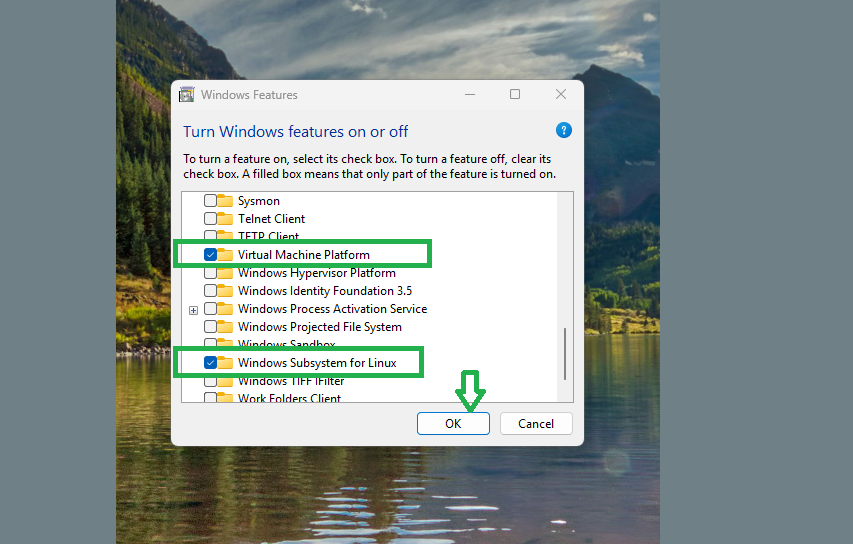
The first one is a virtual machine platform. And the next thing that you have to enable is Windows subsystem for Linux.
click OK.
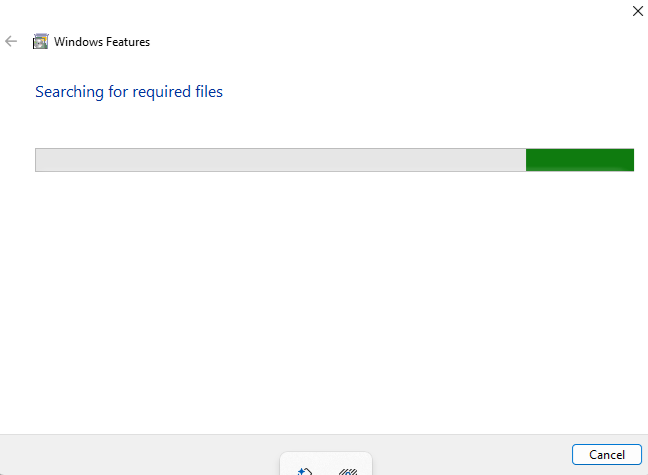
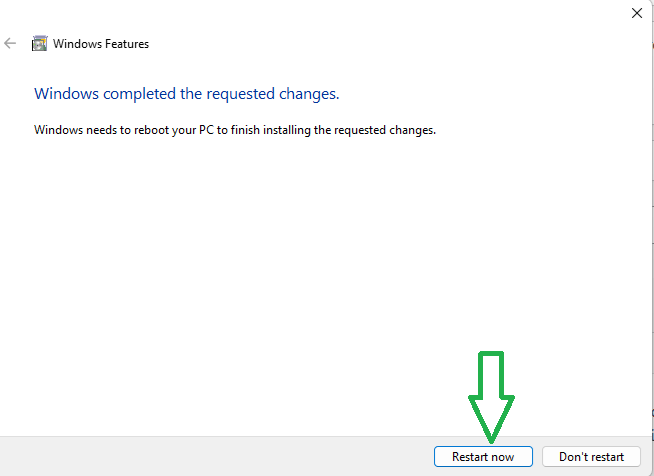 And then it will ask you to restart your computer. You just click on restart now.
OK, after your computer has restarted, we are going to check if the WSL has been installed completely on our computer.
Just type cmd prompt and open the command prompt
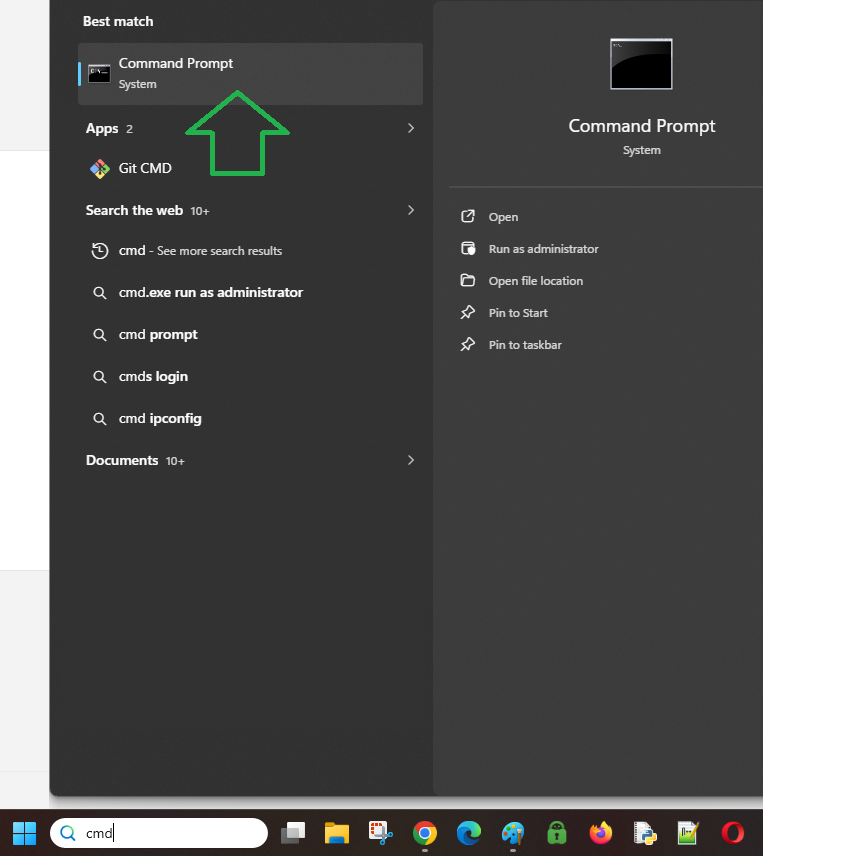
and then type
the WSL–status. The Windows Subsystem for Linux is not installed. You can install by running ‘wsl.exe –install’.
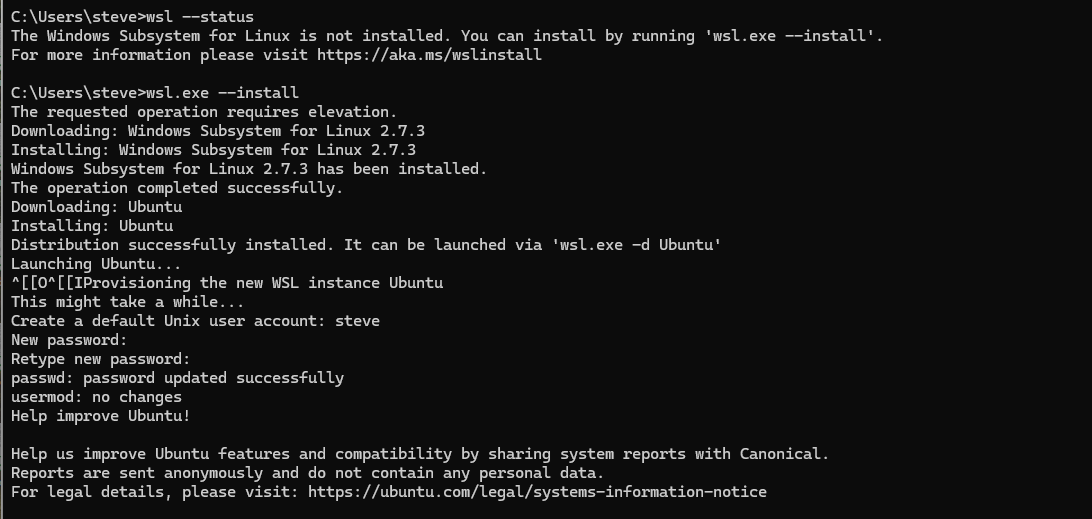
wsl.exe --install
The requested operation requires elevation.
Downloading: Windows Subsystem for Linux 2.7.3
Installing: Windows Subsystem for Linux 2.7.3
Windows Subsystem for Linux 2.7.3 has been installed.
The operation completed successfully.
Downloading: Ubuntu
Installing: Ubuntu
Distribution successfully installed. It can be launched via ‘wsl.exe -d Ubuntu’
Launching Ubuntu…
This might take a while…
Create a default Unix user account: steve
New password:
Retype new password:
passwd: password updated successfully
Now. Your default ubuntu installed.
Ubuntu is running on your window computer.
Type
cd /
You will go to your root directory.
ls -al
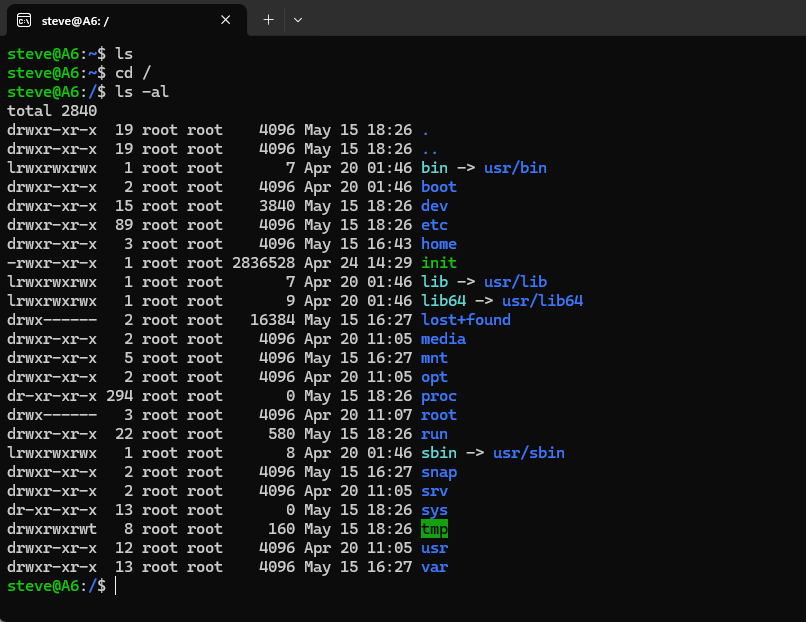
sorry, you can go you can go to root directory.
If you want to access any folder or any files on your windows, you can go to root directory and then go to mnt folder.
cd mnt
And you can find your C here. All the windows file you can find it in your C drive.
if I create a directory createdbyubuntu in my C drive 0linux folder.
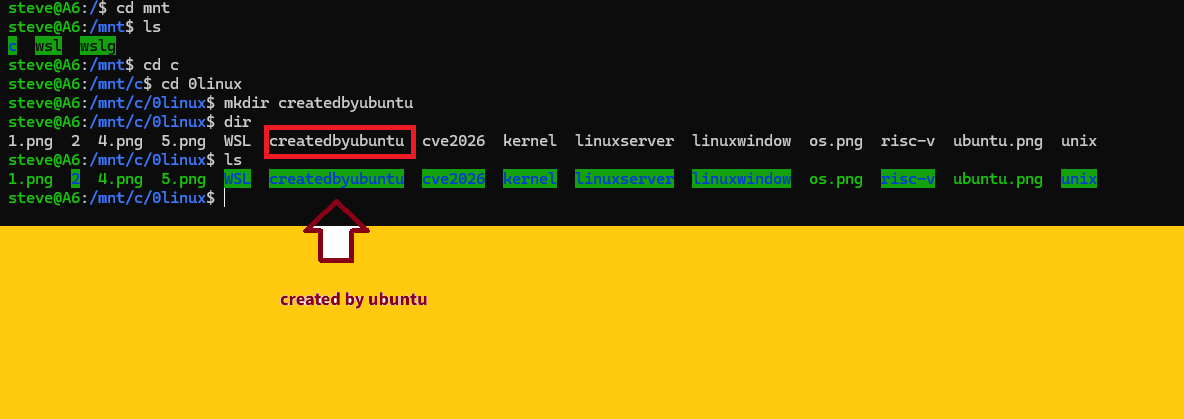
I can also find it by window explorer
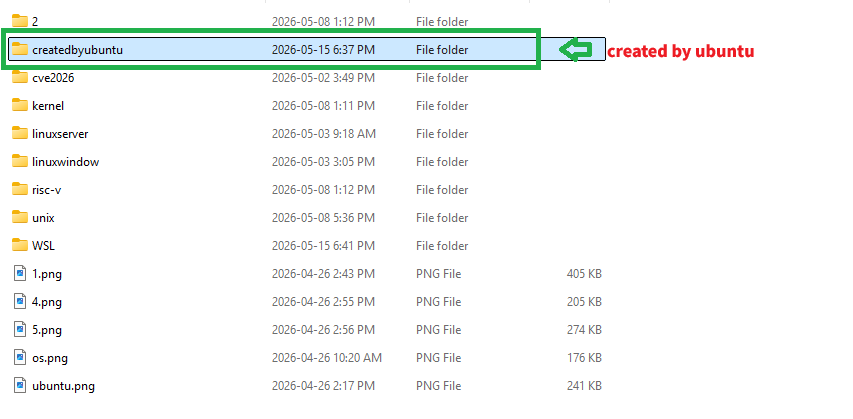
all folders and files on my windows can be accessed and modified in my Linux platform.
for example, all the other folders and files in my 0linux folder are created by window, and I can access them and modify them in my Ubuntu Platform.
Update your ubuntu to the newest version.
sudo apt update
check your current Ubuntu version
lsb_release -a
steve@A6:/$ lsb_release -a
No LSB modules are available.
Distributor ID: Ubuntu
Description: Ubuntu 26.04 LTS
Release: 26.04
Codename: resolute
lsb_release -d
Description: Ubuntu 26.04 LTS
How to run Ubuntu ?
click window and Ubuntu:
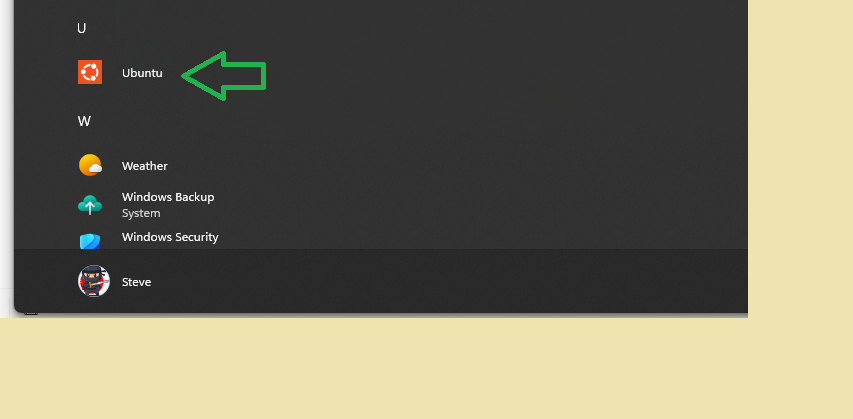 You will enter your Ubuntu Linux platform.