You compile a C program and run it in two terminals. Both runs use the same executable file, but each has its own identity, its own variables, and its own progress.
How does the operating system keep them separate? And what happens when one program waits for input while another continues running?
The answer begins with the process.
A process connects the instructions stored in a program to the work happening inside a running computer. Understanding it brings together several operating system concepts: memory protection, CPU scheduling, system calls, and threads.
In this tutorial, we will use a small C program to make those concepts visible.
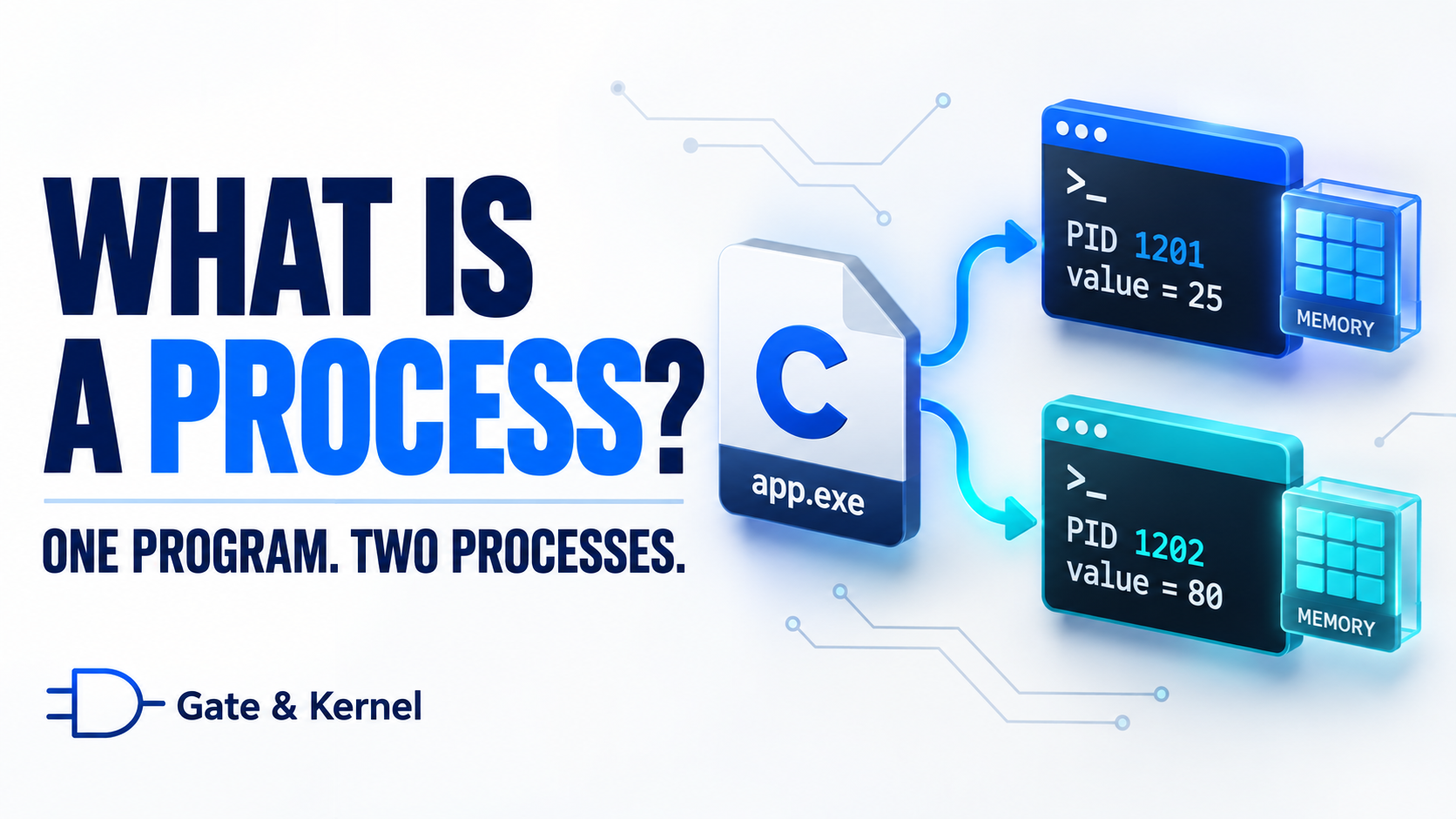
1. A Program Is Not the Same as a Process
A program is a set of instructions that describes how to perform a task.
When you write C code, those instructions begin as source text. Compiling and linking the code produces an executable file containing machine instructions and other information needed to start the program.
While that executable sits on a storage device, it is not performing the task. It is stored information.
A process is an instance of a program in execution, together with the memory, resources, and execution state needed to carry out its work.
Think of a program as a recipe. A process is one cooking session that follows the recipe. The session needs ingredients, workspace, and a record of which step comes next.
The same recipe can support several separate cooking sessions. Likewise, the same executable can be used to create several processes.
Each process can receive different input, maintain different data, and finish at a different time.
Also, “in execution” does not mean the process is using the CPU continuously. It can remain alive while waiting for input or waiting for its next opportunity to run.
2. One Application Can Use Several Processes
An application is software that provides a useful function to the user, such as a browser, text editor, or music player.
A process is a unit that the operating system manages.
These concepts are related, but one application does not necessarily equal one process.
A simple application may perform most of its work inside one process. A complex application can divide its work among several cooperating processes.
For example, a browser may use separate processes for web content, graphics work, and other services. This can help isolate failures and restrict access to sensitive resources.
One browser tab does not necessarily correspond to exactly one process. The relationship depends on the browser’s design and the pages being used.
Similarly, opening another application window does not always create another process. An existing process may manage the new window.
Some processes have no visible window at all. They work in the background, handling tasks such as printing, synchronization, or network services.
The number of windows on your screen therefore does not tell you how many processes exist.
3. A Small C Program We Can Observe
Let’s create a program that displays its identity, shows a variable, and waits for input.
This example is intended for Linux. It uses standard C input and output functions, plus getpid(), which returns the calling process’s identifier.
getpid() is a POSIX function, not a standard C function. POSIX is a family of operating system interface standards supported by Linux and other Unix-like systems.
#include <stdio.h>
#include <unistd.h>

int main(void)
{
    int value = 10;

    printf("PID: %ld\n", (long)getpid());
    printf("Address of value: %p\n", (void *)&value);
    printf("Initial value: %d\n", value);

    printf("Enter a new integer: ");
    fflush(stdout);

    if (scanf("%d", &value) != 1) {
        fprintf(stderr, "Invalid input.\n");
        return 1;
    }

    printf("PID %ld now has value = %d\n",
           (long)getpid(), value);

    return 0;
}
The variable value begins with the value 10.
The expression &value obtains its address. The %p format prints a pointer value, and the cast to void * supplies the pointer type required by that format.
The call to fflush(stdout) flushes pending standard output, ensuring that the prompt is not left sitting in the C library’s output buffer while the program waits.
The program checks whether scanf() successfully converted one integer. For this experiment, enter a small number such as 25 or 80.
Save the file as process_demo.c. On a Linux system with GCC installed, compile it with:
gcc -Wall -Wextra process_demo.c -o process_demo
Then run it:
./process_demo
Leave it waiting at the input prompt. Open another terminal, go to the same directory, and run the same executable again.
You now have two processes created from the same program.
4. Different Process IDs, Independent Variables
Each terminal displays a PID, short for process identifier.
The two active processes have different PIDs. The operating system uses these identifiers to distinguish them, even though both are executing the same program.
Now enter 25 in the first terminal.
The first process changes its variable, prints the result, and exits. The second process remains at its own input prompt.
Enter 80 in the second terminal. That process prints 80 and exits.
There is one variable declaration in the source code, but each process has its own instance of that variable. Changing one does not change the other.
You can inspect the processes while both are still waiting. In a third terminal, substitute their actual PIDs into this command:
ps -p 1234,1235 -o pid,stat,comm
The ps command displays process information. Here, it shows the process identifiers, state information, and command names.
A process waiting for terminal input will commonly show a state beginning with S, meaning interruptible sleep. Additional characters can describe other attributes.
A PID identifies a particular process, not a program forever. Running the program again creates a new process, normally with a different PID. The system can also reuse IDs after earlier processes have ended.
5. Each Process Has Its Own Memory View
Look at the addresses printed by the two processes.
They may be different. Modern systems often use Address Space Layout Randomization, or ASLR, which varies the locations of parts of a process’s memory layout.
But what if the two addresses happen to be the same? Would that mean both processes are using the same variable?
No. Matching virtual addresses do not establish shared memory.
A virtual address is an address interpreted within a process’s virtual address space. An address space is the set of addresses available in that environment.
The operating system and processor hardware cooperate to translate virtual addresses into physical memory locations. The hardware supporting this translation is called the Memory Management Unit, or MMU.
The same virtual address in two processes can refer to different physical memory.
Think of apartment 201 in two different buildings. The apartment number is the same, but the locations are different because the buildings are different.
Similarly, a memory address must be interpreted within the appropriate memory context.
This system also supports protection. A normal application cannot simply choose an address and read or overwrite another process’s private memory.
Processes can deliberately share selected memory through operating system mechanisms. The system may also share read-only program code behind the scenes.
Separate address spaces therefore do not mean that every byte must have a separate physical copy. They mean that each process has a controlled view of memory.
6. What Else Belongs to a Process?
A process needs more than instructions and one variable.
Its memory can include program code, global variables, a heap, and thread stacks.
Global variables exist for the lifetime of the program. The heap is a memory area used to support dynamic allocation, such as memory requested through malloc().
A stack tracks active function calls and related information. Each thread has its own stack. In our example, value will typically occupy space in the initial thread’s stack.
These are useful implementation concepts, although the C language itself does not require every variable to occupy a particular physical memory region.
The operating system also tracks resources and attributes associated with the process, including open files, security credentials, and its current working directory.
Security credentials help determine what the process is allowed to access. The working directory provides the starting location for relative file paths.
On Linux, a process commonly refers to an open file or another input/output resource through a file descriptor: a small integer used to identify that reference.
For a program launched normally from a terminal, standard input, standard output, and standard error commonly use descriptors zero, one, and two.
The operating system maintains internal records to organize this information. Textbooks often describe a Process Control Block, or PCB. Real systems can distribute the information across several related structures.
7. How Does a Process Start?
When you enter ./process_demo, the shell interprets your command.
The shell is the program that accepts commands and arranges for them to run.
For a typical external command, it arranges for another process to execute the requested program. The detailed Unix process-creation mechanism deserves its own lesson; here, we will focus on what must be prepared.
The system establishes the program’s memory mappings, makes executable code available, prepares startup information, and sets up the initial execution environment.
Memory mappings describe how regions of virtual memory relate to underlying memory or other backing storage.
Startup information can include command-line arguments and environment variables. Arguments are values supplied when launching a program. Environment variables provide named settings that programs can read.
If the executable uses shared libraries, supporting startup software arranges for those libraries to be available. A shared library contains reusable code, such as common input and output routines.
Execution then proceeds through startup code that eventually calls main().
The operating system does not simply jump straight into your C source code. It works with the compiled program and its startup machinery.
Nor must it copy the entire executable into RAM immediately. Many systems bring portions into physical memory as they are needed.
8. Running, Ready, and Waiting
Our program spends part of its lifetime waiting for keyboard input.
During that time, its process still exists. Its memory and resource references remain available, and the system retains the information needed to continue.
However, when input is unavailable, the thread performing the read normally blocks.
Blocking means execution cannot continue until a required event occurs.
Three basic states help explain this behavior:
- Running: instructions are currently executing on a CPU.
- Ready: execution could continue, but it is waiting for CPU time.
- Waiting, or blocked: execution cannot continue until an event occurs.
Our program has one thread, so these states provide a simple description of its execution.
While the thread waits for input, the operating system can run something else. It does not need to repeatedly execute our program just to check whether we have typed a number.
Once input becomes available, the thread can become ready. It still needs to be selected to run before it can continue.
In a process containing multiple threads, different threads can have different states. One may wait for input while another performs calculations.
That is why one state label for an entire process does not always describe all of its activity.
9. How Processes Share the CPU
Your computer can have more runnable threads than available CPU execution capacity.
The operating system uses a scheduler to decide which ready thread should run next.
For a simple example, imagine a single CPU core that executes one thread at a time. A core is a processing unit capable of executing instructions.
One thread runs for a while. It may then block, finish, or be interrupted so another ready thread can run.
An operating system that can interrupt a running thread to schedule other work provides preemptive scheduling. This helps prevent an ordinary CPU-intensive application from keeping the processor indefinitely.
Scheduling allows multiple tasks to make progress during overlapping periods. This is called concurrency.
With multiple CPU cores, different threads can also execute at the same time. This is called parallelism.
Concurrency concerns managing overlapping work. Parallelism concerns simultaneous execution.
CPU time is not necessarily divided equally. Priorities, workload behavior, and scheduling policies influence the decisions.
Also, a process that is waiting for input does not need an equal turn just because it exists. The scheduler selects from work that is ready to execute.
10. What Happens During a Context Switch?
When the operating system changes which thread is executing, it performs a context switch.
A context is the execution information needed to pause work and resume it later.
This includes register values and information about where instruction execution should continue. Registers are small, fast storage locations inside the CPU.
The system saves the necessary state of the outgoing thread and restores the state of the incoming thread.
If the incoming thread belongs to a different process, the system also changes the active memory context as required.
It does not normally copy the entire process’s memory during a context switch. The process’s memory remains available while another thread executes.
This is how our C program can pause, allow other work to run, and later continue with its data intact.
Context switches have a cost. Saving and restoring state takes time, and changing workloads can affect processor caches, which hold recently used instructions and data.
A context switch is also different from a user-mode-to-kernel-mode switch.
User mode restricts application privileges. Kernel mode allows the operating system’s core to perform privileged operations.
A thread can enter kernel mode to request a service and return to user mode without the scheduler switching to another thread.
11. How a Process Uses Operating System Services
Our C program performs both ordinary computation and input/output operations.
Updating a variable is ordinary program execution. It does not require a system call merely because a value changes.
Reading terminal input and writing terminal output require services managed by the operating system.
The functions printf() and scanf() belong to the C library. They handle tasks such as formatting numbers and converting text into values.
When necessary, the library uses system calls to request underlying operations from the kernel.
A system call is a controlled way to request a service from the operating system’s privileged core.
There is not necessarily one system call for every library call. Libraries can buffer data, temporarily keeping it in memory to process or transfer it efficiently.
In our example, scanf() may eventually need an underlying read operation. If no input is available, that operation can block, allowing another thread to run.
Processes can also request services for communication with other processes. This is called interprocess communication, or IPC.
A pipe can carry data from one process to another. For example:
printf '25\n' | ./process_demo
Here, the shell connects the output of the command on the left to the input of our program on the right. Our program receives 25 through standard input instead of waiting for someone to type it.
Other IPC mechanisms include sockets, which provide communication endpoints, and shared memory, which allows processes to access an explicitly shared memory region.
Process isolation therefore does not prevent cooperation. It makes cooperation use defined mechanisms.
12. Processes and Threads Are Different
A process provides a resource and protection environment. A thread carries out a sequence of instructions inside that environment.
Our example has one thread. More complex programs can create several.
Threads within the same process share its address space and many resources. Each thread still has its own execution state and stack.
For example, an application might use one thread to respond to user actions and another to perform a lengthy calculation.
Because the threads share an address space, they can access the same data when the program is designed to allow it.
That is different from our two separately launched processes, which each have their own instance of value.
Sharing data introduces a coordination problem. If multiple threads access and modify shared data without appropriate synchronization, results can depend on the timing of their operations.
Such timing-dependent behavior can produce a race condition.
Separate processes generally provide a stronger memory-isolation boundary. Threads provide convenient sharing within one process.
A serious memory error in one thread can damage data used by other threads in the same process. Separate address spaces help limit that kind of damage across processes, although shared resources and dependencies can still spread the effects of failures.
The choice depends on how much sharing, protection, and coordination the application needs.
13. How a Process Ends—and What We Have Learned
When our program successfully prints the updated value, it returns zero from main().
For this C program, that initiates normal program termination. Standard library cleanup occurs, and the process eventually exits.
The operating system reclaims its private memory and releases its references to resources such as open files. Shared resources can remain available if other processes still use them.
The process also provides an exit status, which other software can use to determine how it finished.
On Linux, a small amount of process information remains after exit until the parent collects the status. This is sometimes called a zombie process. It is no longer executing; it is a remaining bookkeeping entry.
A process can also terminate because of an error or an authorized request to stop it.
Cleanup does not guarantee that unsaved work is preserved. If an editor crashes before saving a document, releasing its memory does not recover the missing text.
The executable file, however, remains on the storage device. Running it again creates another active instance.
Our small experiment has shown the key ideas:
One executable can support multiple processes. Each process has its own identity and controlled memory environment. A process can wait without continuously using the CPU, and its threads can resume because the system preserves their execution state.
The operating system schedules execution, manages resources, and provides controlled services through the kernel.
A program describes the work. A process gives that work a managed environment in which to happen.
The next question is: can a running program create another process?
In the next lesson, we will explore how fork() creates a child process in Linux—and why both processes continue after the same function call.
14. Conclusion
A program is a stored set of instructions. A process is an active instance of that program, together with the memory, resources, and execution state needed to run it.
Our C example made this distinction visible. Running the same executable in two terminals created two processes with different PIDs and independent variables. Each process had its own virtual address space, and changing one process’s variable did not change the other’s.
We also saw that a process can exist without continuously using the CPU. While it waits for input, the operating system can run other work. When execution resumes, the program continues with its data and execution state intact.
Behind these simple observations, the operating system manages memory protection, schedules threads, tracks resources, and provides services through system calls.
A process provides the environment; its threads carry out the instructions.
The next question is: how can a running program create another process? In the next lesson, we will explore fork() in Linux and follow the execution of a parent process and its child.