Modern graphics processors can contain thousands of computing cores, while a typical desktop CPU may have only eight, twelve, or sixteen cores.
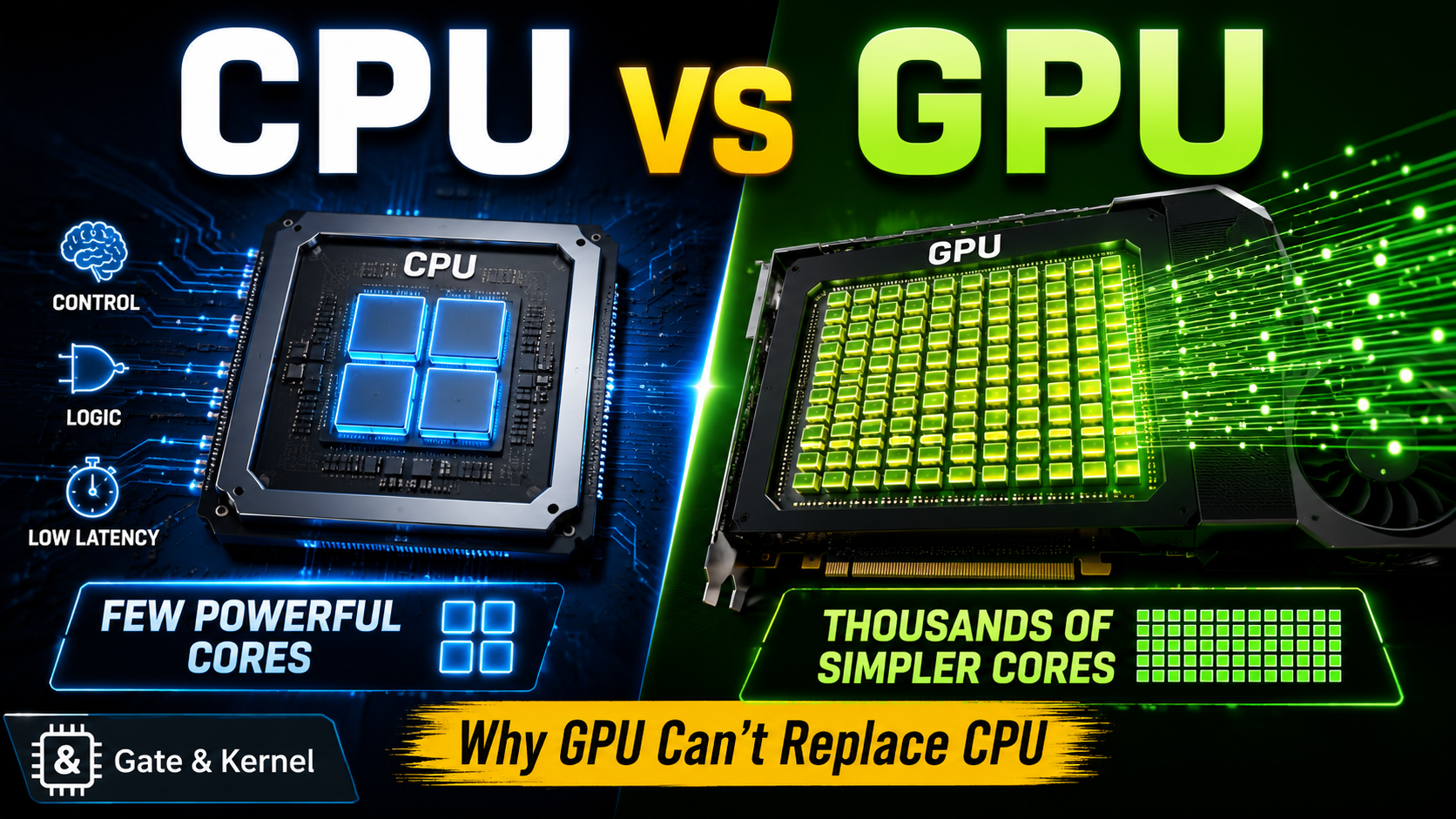
At first glance, the comparison seems almost unfair.
If a GPU has thousands of cores and a CPU has only a handful, shouldn’t the GPU be thousands of times more powerful? And if GPUs are so good at artificial intelligence, scientific computing, video processing, and gaming, why do computers still need CPUs?
The answer is that a GPU core and a CPU core are designed for very different kinds of work.
A CPU is built to handle complex instructions, unpredictable decisions, operating-system tasks, and workloads that must finish with very low latency.
A GPU is built to perform large numbers of similar calculations at the same time.
The GPU does not replace the CPU because the two processors solve different problems. Modern computers need both.
What Is a CPU?
The central processing unit, or CPU, is the main general-purpose processor in a computer.
It runs the operating system, launches applications, manages files, handles user input, controls hardware devices, processes network activity, and coordinates most of the work performed by the system.
A CPU is designed to execute many different kinds of instructions, including:
- Arithmetic operations
- Logical operations
- Branches and decisions
- Memory loads and stores
- Function calls
- System calls
- Interrupt handling
- Device-control operations
The CPU must be able to switch quickly between unrelated tasks.
One moment, it may be processing keyboard input. The next moment, it may be running a web browser, receiving network packets, decompressing a file, scheduling another program, or responding to a hardware interrupt.
These workloads are often unpredictable.
The CPU may not know which instruction will be needed next, which branch a program will take, or where the next piece of data will be located in memory.
For this reason, CPU cores are extremely sophisticated.
A modern CPU core may include:
- Advanced branch prediction
- Out-of-order execution
- Speculative execution
- Large multi-level caches
- Complex instruction decoders
- Multiple execution units
- Hardware prefetchers
- Precise interrupt handling
- Memory-protection mechanisms
- Virtual-memory support
All of this hardware helps the CPU execute a single instruction stream as quickly as possible.
The CPU is optimized for low latency.
Its goal is not simply to perform many calculations. Its goal is to finish each important task quickly, even when the instructions are complex or unpredictable.
What Is a GPU?
The graphics processing unit, or GPU, was originally designed to accelerate computer graphics.
Rendering a three-dimensional scene requires enormous numbers of similar calculations.
For every frame, the system may need to process:
- Millions of vertices
- Millions of pixels
- Texture coordinates
- Lighting calculations
- Color values
- Shadows
- Reflections
- Transparency
- Image filters
These calculations are often highly parallel.
For example, the color of one pixel can often be calculated independently from the color of another pixel. Instead of processing pixels one at a time, a GPU can process many pixels simultaneously.
This led GPU designers to build processors containing large numbers of relatively simple arithmetic units.
Modern GPUs are now used for much more than graphics. They can accelerate:
- Artificial intelligence
- Machine learning
- Scientific simulations
- Video encoding
- Image processing
- Cryptocurrency calculations
- Engineering applications
- Three-dimensional rendering
- Data analytics
- Weather modeling
However, the fundamental design philosophy remains the same.
A GPU is optimized for throughput.
Its goal is to complete an enormous amount of similar work over time, even if the latency of one individual task is not especially low.
CPU Cores and GPU Cores Are Not Equivalent
The word core creates a great deal of confusion.
A CPU core is not directly comparable to a GPU core.
A modern CPU core is a powerful, largely independent processor. It can execute a complex instruction stream, make decisions, handle interrupts, run operating-system code, and work efficiently on tasks with irregular control flow.
A GPU core is usually a much smaller arithmetic execution resource.
Depending on the manufacturer, GPU computing resources may be called:
- CUDA cores
- Stream processors
- Shader processors
- Execution units
- Vector lanes
- Arithmetic logic units
These names do not always describe exactly the same type of hardware.
Even GPUs from different generations of the same manufacturer may organize their computing units differently. Therefore, comparing the number of GPU cores across different architectures can be misleading.
A GPU containing several thousand arithmetic units does not contain several thousand complete CPU-like processors.
Instead, those arithmetic units are grouped into larger structures.
For example, a GPU may organize execution resources into:
- Streaming multiprocessors
- Compute units
- Work groups
- Warps
- Wavefronts
- Thread blocks
Many GPU threads share instruction-control hardware, caches, registers, and scheduling resources.
This design saves space and power, allowing the GPU to dedicate more transistors to arithmetic operations.
The tradeoff is that individual GPU threads are less independent than CPU threads.
A Few Powerful Cores Versus Thousands of Simpler Units
The difference between a CPU and a GPU can be understood as a difference in transistor priorities.
A CPU dedicates a large percentage of its transistor budget to making individual instruction streams run faster.
This includes hardware for:
- Predicting branches
- Reordering instructions
- Reducing memory delays
- Handling complex dependencies
- Maintaining precise program state
A GPU dedicates a much larger percentage of its transistor budget to arithmetic throughput.
Instead of using most of its chip area to accelerate one or two instruction streams, the GPU uses that area to provide many parallel execution units.
This makes the GPU extremely powerful when the same operation must be applied to a large amount of data.
Imagine that a program must multiply one million numbers by the same value.
A CPU might process several numbers per instruction using vector instructions and multiple cores.
A GPU can divide the work among thousands of parallel threads.
However, imagine that a program must execute a long sequence of decisions:
- Read a configuration file.
- Check the operating system.
- Open a network connection.
- Wait for a response.
- Choose one of several processing paths.
- Update a database.
- Handle an error.
- Send a result to another application.
This task contains branches, dependencies, delays, system calls, and unpredictable events.
A CPU is much better suited to this kind of work.
Latency Versus Throughput
The most important difference between CPUs and GPUs is not simply the number of cores.
It is the difference between latency and throughput.
Latency is the time required to complete one task.
Throughput is the amount of work completed during a period of time.
A CPU is optimized to minimize the latency of individual tasks.
A GPU is optimized to maximize total throughput across many tasks.
Consider a restaurant analogy.
A CPU is like a highly skilled chef who can prepare many different meals, adjust recipes, respond to special requests, and solve unexpected problems.
A GPU is more like a large food-production line designed to prepare thousands of identical meals.
The production line can produce far more meals per hour, but it is not necessarily better at preparing one customized meal.
Likewise, a GPU can process enormous batches of similar data, but it may be inefficient when a task is small, sequential, unpredictable, or filled with different branches.
How GPUs Execute Thousands of Threads
GPUs achieve high throughput by running very large numbers of lightweight threads.
However, these threads are not always executed completely independently.
Many GPUs use an execution model in which groups of threads perform the same instruction at the same time on different data.
Nvidia commonly describes this model as SIMT, or Single Instruction, Multiple Threads.
A group of threads, often called a warp, advances through instructions together.
AMD uses a related concept commonly called a wavefront.
Suppose 32 GPU threads are processing 32 pixels.
All 32 threads may execute an instruction that calculates brightness. Each thread performs the same operation, but it uses the data for a different pixel.
This is very efficient.
Problems appear when threads in the same group take different branches.
For example:
if (pixel_brightness > threshold)
{
    make_pixel_white();
}
else
{
    make_pixel_black();
}
Some threads may enter the first branch, while others enter the second.
Because the threads share execution control, the GPU may need to execute both paths separately while disabling threads that do not belong to the active path.
This is called branch divergence.
Branch divergence reduces efficiency because some GPU execution lanes remain idle.
CPU cores are generally much better at handling complicated and unpredictable branch behavior.
Why the CPU Still Controls the Computer
The CPU remains the primary processor because a computer requires much more than arithmetic throughput.
The operating system depends on the CPU to perform tasks such as:
- Scheduling processes
- Managing virtual memory
- Handling interrupts
- Controlling storage devices
- Processing network traffic
- Enforcing security permissions
- Running device drivers
- Managing filesystems
- Responding to user input
- Coordinating applications
These tasks often involve small amounts of work that must be completed immediately.
They also involve many decisions and dependencies.
For example, when you open a file, the computer may need to:
- Interpret the file path.
- Check access permissions.
- Search filesystem metadata.
- Locate the data on a storage device.
- Allocate memory.
- Ask a device driver to read the data.
- Handle an interrupt when the operation completes.
- Copy the data to the application.
- Report any errors.
This is not a large batch of identical arithmetic operations.
It is a chain of different operations, many of which depend on previous results.
The CPU is designed for exactly this type of work.
The GPU Usually Depends on the CPU
In many systems, the GPU operates as an accelerator rather than a completely independent computer.
The CPU prepares the work and sends commands to the GPU.
A simplified GPU workflow looks like this:
- The CPU launches an application.
- The application prepares data in system memory.
- The CPU allocates GPU resources.
- Data is transferred or mapped into GPU-accessible memory.
- The CPU submits commands to the GPU.
- The GPU executes thousands of parallel threads.
- The GPU stores the results.
- The CPU uses, displays, saves, or transfers those results.
Even when the GPU performs most of the calculations, the CPU still manages the application, operating system, input, output, files, networking, and overall program flow.
In gaming, for example, the CPU may handle:
- Game logic
- Artificial intelligence for characters
- Physics coordination
- Input processing
- Audio
- Networking
- Scene preparation
- Draw-call submission
The GPU then performs much of the graphics workload, including:
- Vertex processing
- Rasterization
- Texture sampling
- Pixel shading
- Lighting
- Ray tracing
- Image reconstruction
The final game depends on both processors.
A powerful GPU paired with a very slow CPU can produce a CPU bottleneck. The GPU may remain partially idle because the CPU cannot prepare work fast enough.
Why Every Program Cannot Use Thousands of GPU Cores
To use a GPU effectively, a problem must usually contain enough parallel work.
Some tasks are naturally parallel.
Other tasks are fundamentally sequential.
Consider this simple dependency:
Step B needs the result of Step A.
Step C needs the result of Step B.
Step D needs the result of Step C.
These steps cannot all run at the same time.
No matter how many GPU cores are available, Step D cannot begin before Step C is complete.
This is one reason that more cores do not automatically make every program faster.
A program may contain both parallel and sequential sections.
The parallel part can be accelerated by a GPU, but the sequential part must still be executed in order.
This limitation is closely related to Amdahl’s Law, which explains why the maximum speedup of a program is limited by the portion that cannot be parallelized.
If only half of a program can be accelerated, making that half infinitely fast still cannot make the entire program more than twice as fast.
Real programs also contain overhead.
Before the GPU begins useful work, the system may need to:
- Allocate GPU memory
- Transfer input data
- Compile or load a GPU kernel
- Submit commands
- Synchronize threads
- Wait for results
- Transfer output data
For a small task, this overhead may take longer than simply running the task on the CPU.
Memory Architecture Matters
CPU and GPU performance also depends heavily on memory.
A CPU typically has several levels of low-latency cache.
A common hierarchy includes:
- L1 cache
- L2 cache
- Shared L3 cache
- Main system memory
The CPU uses sophisticated cache logic and prefetching to reduce the time spent waiting for data.
GPUs often have much greater memory bandwidth.
High-end GPUs may use specialized memory systems designed to move enormous amounts of data every second.
This is valuable for graphics, artificial intelligence, and scientific computing because these workloads frequently process large arrays, textures, matrices, and tensors.
However, high bandwidth is not the same as low latency.
The GPU may tolerate memory delays by switching between groups of threads. When one group waits for data, another group can use the execution units.
This works well when thousands of threads are available.
A CPU often tries to reduce the delay experienced by a small number of active threads.
Once again, the CPU focuses on latency, while the GPU focuses on throughput.
Dedicated GPUs and Data-Transfer Overhead
A dedicated GPU normally has its own video memory.
The CPU uses system memory, while the GPU uses graphics memory.
Data may need to move between the two memory spaces through an interconnect such as PCI Express.
This transfer can become a performance bottleneck.
Suppose a GPU calculation takes only one millisecond, but transferring the input and output data takes five milliseconds.
The total operation takes at least six milliseconds.
In this case, the GPU’s arithmetic performance is not the only factor that matters.
Programmers must consider:
- Data-transfer size
- Transfer frequency
- Memory layout
- Synchronization
- Kernel-launch overhead
- Cache behavior
- Data reuse
Efficient GPU programs try to keep data close to the GPU and perform enough calculations to justify the transfer overhead.
Integrated GPUs Change the Memory Model
An integrated GPU is located inside the same processor package or chip as the CPU.
Integrated GPUs commonly share system memory with the CPU.
This can reduce the need to copy data between separate memory systems.
Modern system-on-a-chip designs may provide even tighter integration, allowing CPU cores, GPU units, and other accelerators to access a shared memory architecture.
However, shared memory does not make the CPU and GPU identical.
They still contain different execution hardware and remain optimized for different workloads.
The main advantage is that communication can become faster and more energy-efficient.
This is especially useful in:
- Laptops
- Smartphones
- Tablets
- Small computers
- Game consoles
- Energy-efficient workstations
Why GPUs Are So Effective for Artificial Intelligence
Modern artificial-intelligence workloads rely heavily on matrix and vector operations.
A neural network may need to perform enormous numbers of multiply-and-accumulate operations.
These calculations are highly parallel.
For example, many elements of a matrix can be calculated independently.
A GPU can distribute the work across thousands of execution units.
Modern GPUs may also include specialized hardware for AI operations, such as tensor-processing units inside the GPU architecture.
These units can accelerate lower-precision calculations commonly used in machine learning.
That does not mean the CPU becomes unnecessary.
The CPU still performs tasks such as:
- Loading the model
- Preparing input data
- Managing files
- Running application logic
- Scheduling GPU work
- Handling network requests
- Processing user commands
- Coordinating multiple accelerators
- Managing errors and exceptions
During AI inference, the GPU may perform most of the matrix calculations, but the CPU still runs the surrounding application.
During AI training, the CPU may also manage data loading, preprocessing, storage, networking, and communication between multiple GPUs.
Why Operating Systems Do Not Simply Run on GPUs
A general-purpose operating system requires strong support for:
- Interrupts
- Exceptions
- Privilege levels
- Virtual memory
- Process isolation
- Precise control flow
- Device management
- Context switching
- Low-latency response
- Complex system calls
Traditional GPUs are not designed to replace the CPU in these areas.
GPU threads are optimized to perform parallel numerical work. They are not normally intended to independently run complete desktop applications, respond directly to every hardware interrupt, or manage a conventional operating system.
Some modern GPUs have become increasingly programmable, and some include advanced scheduling, memory-management, and virtualization features.
However, these improvements do not change the fundamental division of labor.
The CPU remains the general-purpose control processor.
The GPU remains a high-throughput accelerator.
Workloads That Usually Favor the CPU
A CPU is often the better choice for workloads with:
- Complex branching
- Sequential dependencies
- Small data sets
- Low-latency requirements
- Irregular memory access
- Frequent system calls
- Heavy operating-system interaction
- Complicated program logic
- Many unrelated tasks
- Limited parallelism
Examples include:
- Operating-system services
- Web-browser logic
- Compilers
- Database transactions
- File compression
- Application startup
- Network control software
- Scripting languages
- Device drivers
- Many server workloads
Some of these applications can use GPUs for specific sections, but their main control flow usually remains on the CPU.
Workloads That Usually Favor the GPU
A GPU is often the better choice when a workload contains:
- Large amounts of parallel data
- Repeated arithmetic operations
- Similar instructions applied to many elements
- High memory-bandwidth requirements
- Enough work to hide scheduling overhead
- Limited communication between threads
Examples include:
- Three-dimensional graphics
- Neural-network training
- Neural-network inference
- Image filtering
- Video processing
- Scientific simulations
- Matrix multiplication
- Molecular modeling
- Financial modeling
- Rendering
- Large-scale data processing
The best GPU workloads can divide a problem into thousands or millions of similar tasks.
CPU and GPU Comparison
| Feature | CPU | GPU |
|---|---|---|
| Primary goal | Low latency | High throughput |
| Core design | Few powerful cores | Many simpler execution units |
| Control flow | Handles complex branching well | Best with similar instruction paths |
| Parallelism | Limited to moderate | Massive parallelism |
| Cache design | Large, sophisticated caches | Designed to support many active threads |
| Operating system | Runs the main operating system | Usually works as an accelerator |
| Best workloads | General-purpose and sequential tasks | Large parallel numerical workloads |
| Memory focus | Low-latency access | High bandwidth |
| Task switching | Very flexible | Most efficient with large batches |
| Independence | Runs complete applications | Usually depends on CPU coordination |
This table is a simplification.
Modern CPUs include vector units and many cores, while modern GPUs include caches, schedulers, control processors, and increasingly sophisticated execution hardware.
The boundary between them continues to evolve.
However, their main design priorities remain different.
Can a GPU Replace a CPU in the Future?
GPUs will continue to become more capable.
They may gain:
- Better task scheduling
- More flexible control flow
- Improved memory systems
- Stronger virtualization
- More independent execution
- Tighter CPU integration
- Better support for general-purpose programming
At the same time, CPUs are also becoming more parallel.
Modern CPUs may include:
- More cores
- Wider vector instructions
- AI accelerators
- Integrated GPUs
- Specialized media engines
- Security processors
- High-performance interconnects
The future is unlikely to belong to one universal processor that replaces everything.
Instead, computing is becoming increasingly heterogeneous.
A modern system may combine:
- General-purpose CPU cores
- GPU execution units
- Neural-processing units
- Video encoders
- Image-signal processors
- Security engines
- Digital-signal processors
- Storage accelerators
- Networking accelerators
Each type of processor handles the work it performs most efficiently.
The CPU coordinates these components and runs the general-purpose software environment.
Why More Cores Do Not Automatically Mean More Performance
Processor performance cannot be measured by core count alone.
Other important factors include:
- Clock speed
- Instructions completed per clock cycle
- Memory latency
- Memory bandwidth
- Cache size
- Cache efficiency
- Branch-prediction accuracy
- Instruction-level parallelism
- Software optimization
- Thermal limits
- Power consumption
- Data-transfer overhead
- Workload parallelism
A program designed for one CPU thread may not automatically use sixteen CPU cores.
Likewise, a program written for a CPU will not automatically use thousands of GPU execution units.
Software must be designed to expose parallel work.
Developers may need to restructure algorithms, organize memory carefully, reduce branch divergence, minimize data transfers, and divide the workload into GPU-friendly operations.
Hardware capability is only useful when software can take advantage of it.
A Simple Example: Rendering a Game Frame
A modern video game demonstrates how CPUs and GPUs cooperate.
The CPU may:
- Read keyboard, mouse, or controller input.
- Update the positions of players and objects.
- Run game rules and character behavior.
- Process networking.
- Prepare the scene.
- Decide which objects should be visible.
- Submit rendering commands.
The GPU may then:
- Transform object vertices.
- Process geometry.
- Rasterize triangles.
- Sample textures.
- Calculate lighting.
- Apply shaders.
- Perform ray-tracing operations.
- Generate the final image.
The CPU determines what is happening in the game.
The GPU calculates how the game should look on the screen.
Neither processor can deliver the complete experience efficiently by itself.
A Simple Example: Running an AI Application
Consider an AI chatbot running on a local computer.
The CPU may:
- Start the application.
- Load configuration files.
- Read the user’s prompt.
- Tokenize the text.
- Allocate memory.
- Load model data.
- Submit matrix operations.
- Manage output generation.
- Display the result.
- Save conversation history.
The GPU may perform the large matrix multiplications used by the neural network.
The GPU does much of the numerical heavy lifting, but the CPU still manages the application and coordinates the complete process.
The final system is a partnership.
The Real Meaning of Thousands of GPU Cores
When a GPU specification lists thousands of cores, it does not mean that the GPU contains thousands of full-featured processors equivalent to CPU cores.
It means the GPU contains a very large collection of arithmetic resources designed to work together on parallel workloads.
Those resources can deliver extraordinary performance when:
- The problem can be divided into many similar tasks.
- Enough threads are available.
- The data is arranged efficiently.
- Branch divergence is limited.
- Memory bandwidth is used effectively.
- Communication overhead is controlled.
When these conditions are not met, many GPU cores may remain idle or operate inefficiently.
A smaller number of sophisticated CPU cores may complete the task faster.
Conclusion
The CPU and GPU are both processors, but they are built around different priorities.
The CPU is optimized for flexibility, complex control flow, low latency, and general-purpose computing.
The GPU is optimized for massive parallelism, high arithmetic throughput, and high-bandwidth data processing.
A GPU can contain thousands of computing units because each unit is smaller and shares more control hardware with neighboring units.
A CPU contains fewer cores because each core is designed to independently handle complex and unpredictable instruction streams.
That is why thousands of GPU cores do not replace the CPU.
The CPU runs the system, manages decisions, handles irregular work, and coordinates applications.
The GPU accelerates large groups of similar calculations.
Modern computing is not a competition in which one processor must defeat the other.
It is a collaboration.
The CPU provides control.
The GPU provides parallel power.
And when the two work together, the computer becomes far more capable than either processor could be alone.