Introduction
If you want to understand Linux, you need to understand three things:
- What is an operating system
- What is a kernel
- What is Linux
Most tutorials explain them separately.
But in real systems, they are connected.
Let’s break it down in a simple way.
🧠 What is an Operating System?
An operating system (OS) is the software that controls your computer.
It sits between:
- your hardware (CPU, memory, disk)
- and your applications (browser, apps, games)

- A computer system is organized in layers.
- At the bottom, we have hardware: CPU, memory, and devices.
- Above that is the kernel. It controls everything.
- Then comes the operating system.
- And finally, applications that users interact with.
💡 Simple Explanation
Think of an operating system as a manager.
👉 It manages:
- programs
- files
- hardware
- users
Without an operating system, your computer is just a machine with no control.
⚙️ What Does an Operating System Do?
Here are the main responsibilities:
1. Process Management
- Runs programs
- Controls which program uses CPU
2. Memory Management
- Allocates RAM to programs
- Prevents programs from interfering with each other
3. File System Management
- Organizes files and folders
- Controls access permissions
4. Device Management
- Communicates with hardware
- Keyboard, disk, network, etc.
🖥️ Examples of Operating Systems
Common operating systems include:
- Windows
- macOS
- Linux
🧠 What is a Kernel?

The kernel is the core part of an operating system.
It directly interacts with hardware.
👉 It controls:
- CPU
- memory
- devices
- processes
💡 Simple Way to Understand
Hardware → Kernel → Operating System → Applications
👉 Linux = the kernel layer
🧠 Why the Kernel Exists
There are many types of hardware:
- CPUs
- disks
- network cards
If every program had to manage hardware directly, software would be extremely complex.
👉 The kernel solves this problem.
✅ What the Kernel Does
1. Hardware Abstraction
The kernel hides hardware details.
👉 It provides a standard interface for programs
2. Security
- prevents programs from accessing data they shouldn’t
- isolates processes
3. Resource Management
The kernel controls:
- CPU usage
- memory allocation
- device access
🧠 Real Insight
In real systems,
applications never access hardware directly.The kernel controls everything.
What is Linux?

Now we can answer the real question.
Most people say:
Linux is an operating system
That is not completely correct.
⚠️ The Truth
Linux is actually a kernel.
📦 Then What Do We Use?
We don’t use the kernel alone.
We use Linux distributions.


You may have heard of:
- Ubuntu
- Debian
- CentOS
These are called Linux distributions (distros).
🧩 What is a Linux Distribution?
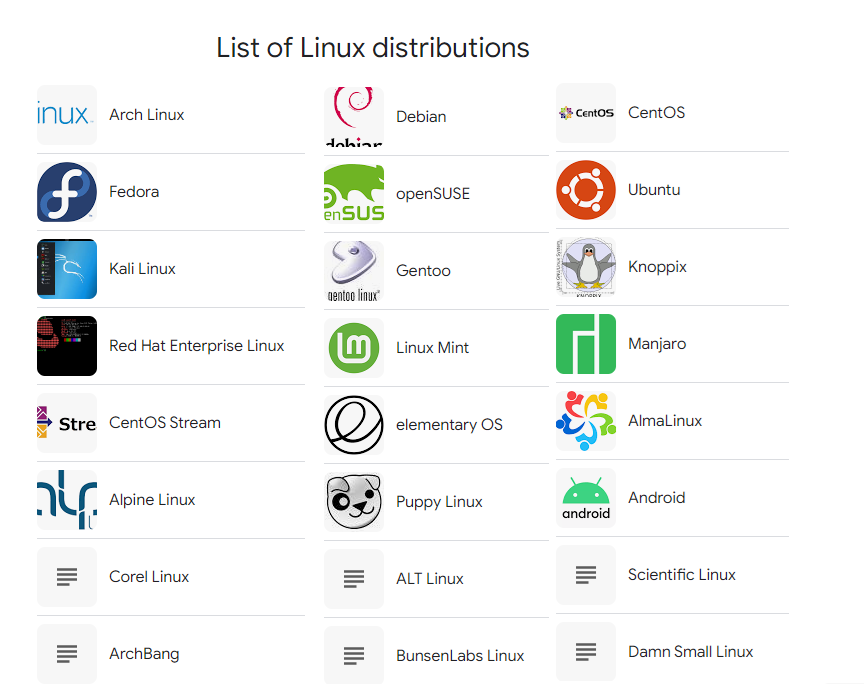
A Linux distribution includes:
- Linux kernel
- system tools
- package manager
- software
👉 So when people say:
“I use Linux”
They usually mean:
“I use a Linux distribution.”
🌍 Why is Linux Important?
Linux is everywhere.

💻 Servers
Most websites you visit run on Linux.
☁️ Cloud
Cloud platforms like AWS and Google Cloud use Linux.
📱 Mobile

Android is based on Linux.
🧠 Real-World Insight
In real systems:
Linux is preferred because it is stable, flexible, and efficient.
⚠️ Common Beginner Mistake
Many beginners try to:
- memorize commands
- follow tutorials blindly
But they don’t understand:
how the system actually works
✅ Better Approach
Focus on:
- understanding concepts
- knowing why things work
- practicing real scenarios
🧪 Simple Example
Try these commands in a Linux terminal:
uname -a
whoami
👉 These simple commands already show:
- system information
- current user
🎯 Summary
Let’s recap:
- An operating system manages your computer
- The kernel is the core of the OS
- Linux is a kernel, not a full OS
- A Linux distribution is what you actually use