What Is the Linux Kernel?
Learning Objectives
By the end of this lesson, students should be able to:
- Understand what the Linux kernel is and why it exists
- Explain how the kernel connects hardware and software
- Describe key responsibilities: CPU, memory, devices, processes
- Identify major kernel subsystems and their roles
- Understand basic concepts like system calls, virtual memory, and multitasking
1. Introduction: What Is the Linux Kernel?
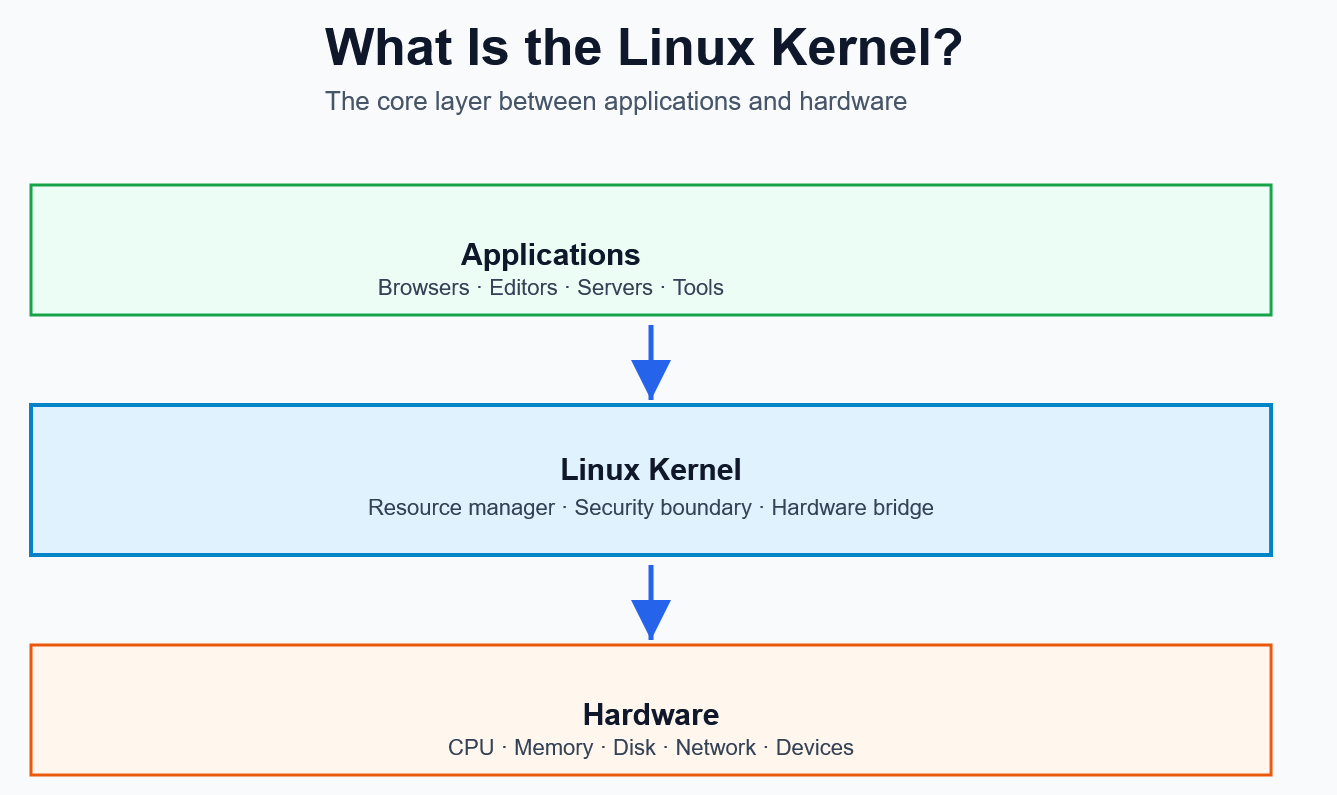
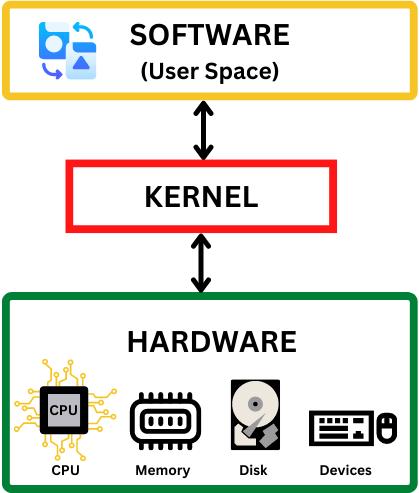
The Linux Kernel is the core component of the Linux operating system. It sits between applications and hardware, acting as a bridge that allows software to communicate with physical devices.
- It controls hardware resources
- It ensures programs run correctly
- It enables multiple applications to share the system safely
👉 Without the kernel, software cannot interact with hardware.
Key Facts
- Open-source (anyone can study or modify it)
- Created by Linus Torvalds in 1991
- Used in servers, desktops, smartphones (e.g., Android), embedded systems
2. How Linux Kernel Works
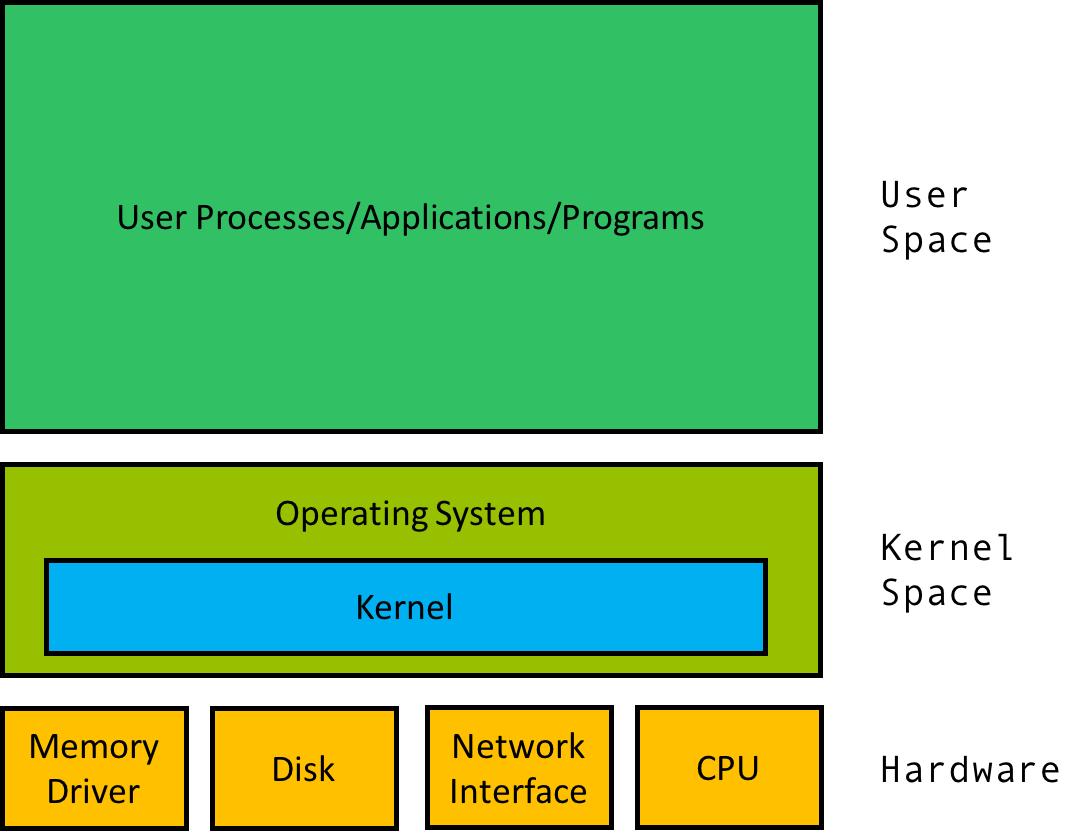
The Linux kernel works as the core layer between applications and hardware, managing all system resources through controlled interactions. When a program needs something—such as reading a file, allocating memory, or sending data—it makes a system call to the kernel. The kernel then schedules CPU time among processes, allocates and protects memory using virtual memory, communicates with hardware through device drivers, and ensures that processes remain isolated from each other. By coordinating these tasks efficiently, the kernel enables multiple programs to run simultaneously while maintaining system stability, security, and performance.
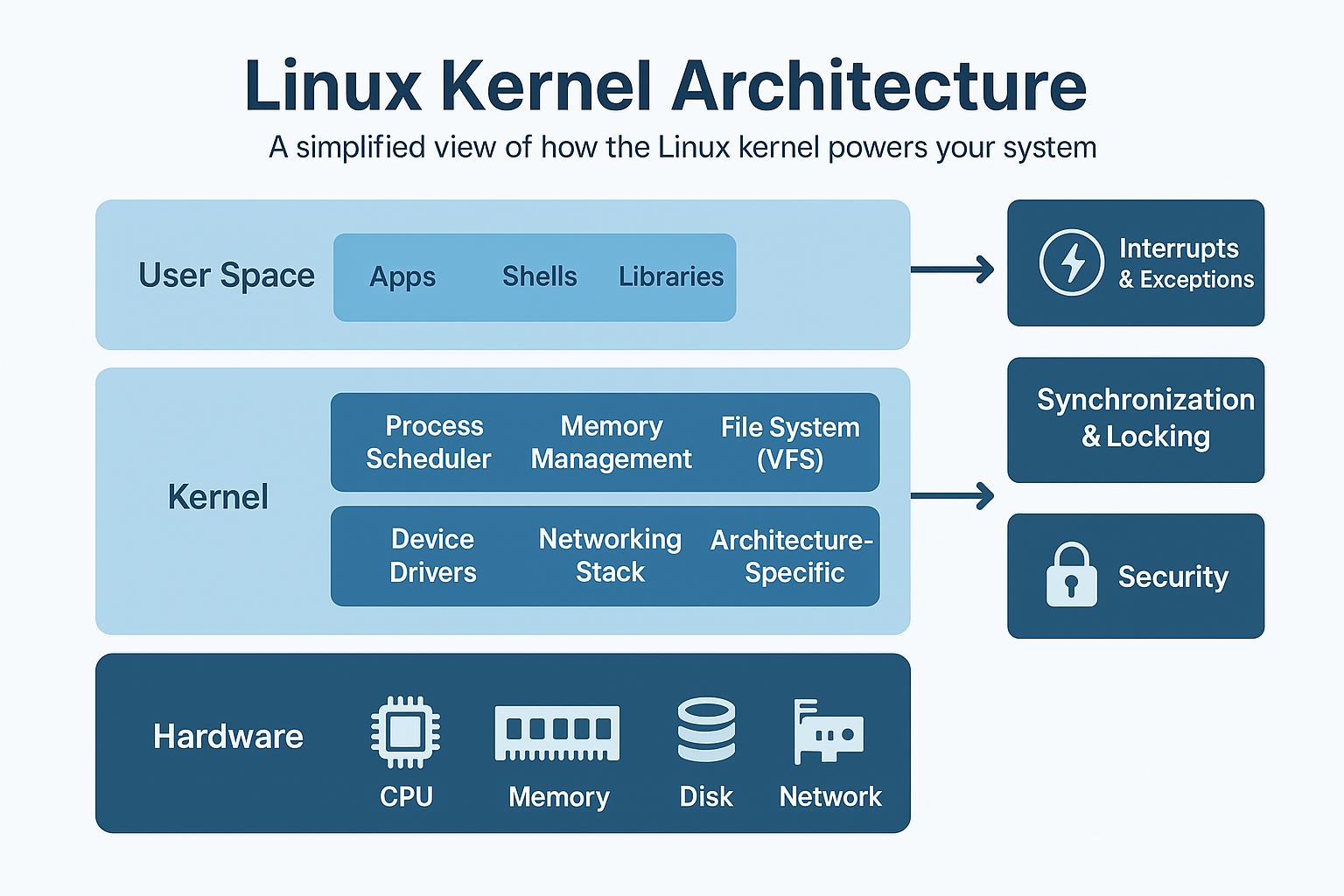
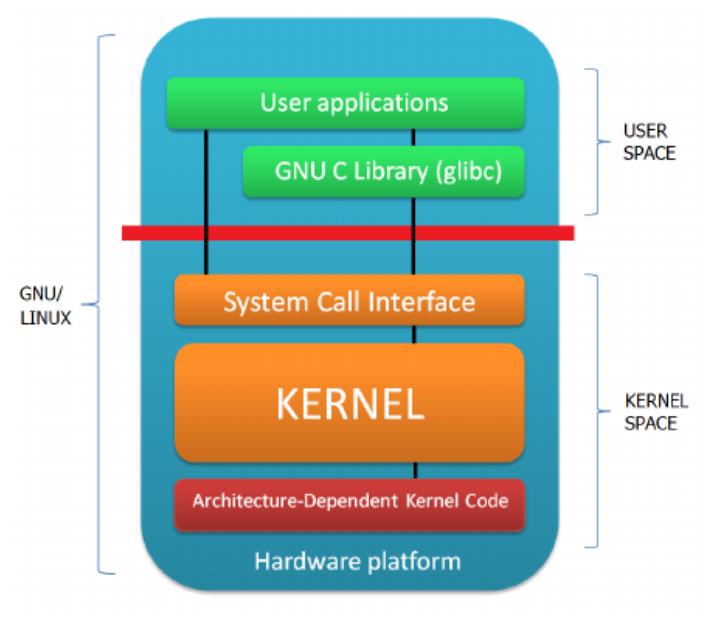
Conceptual Flow:
- Applications request services (e.g., read file, send data)
- Kernel processes the request
- Hardware executes the action
- Results go back through the kernel to the application
3. Why Do We Need a Kernel?
Modern computers run multiple processes at the same time. Without coordination, chaos would occur.
The kernel ensures:
- Fair CPU usage
- Safe memory allocation
- Controlled device access
- Process isolation
Core Responsibilities
- 🧮 CPU scheduling
- 🧠 Memory management
- 💾 File system control
- 🔌 Device management
- 🌐 Networking
- 🔄 Process communication
4. Core Subsystems of the Linux Kernel
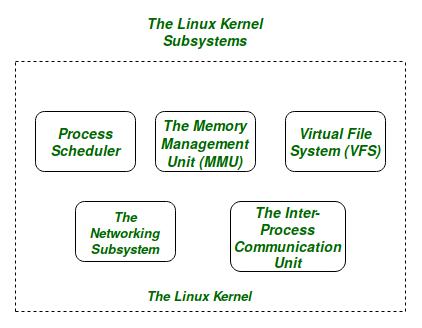
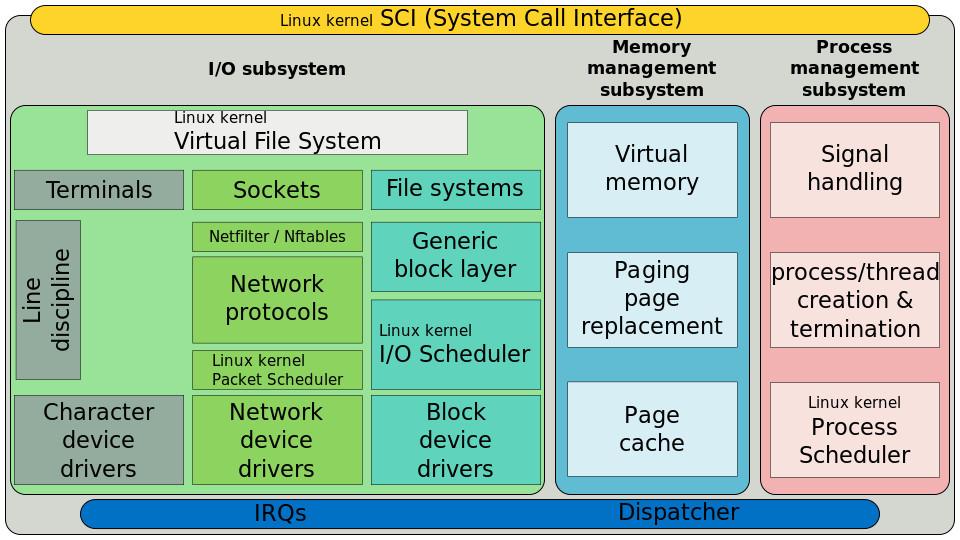
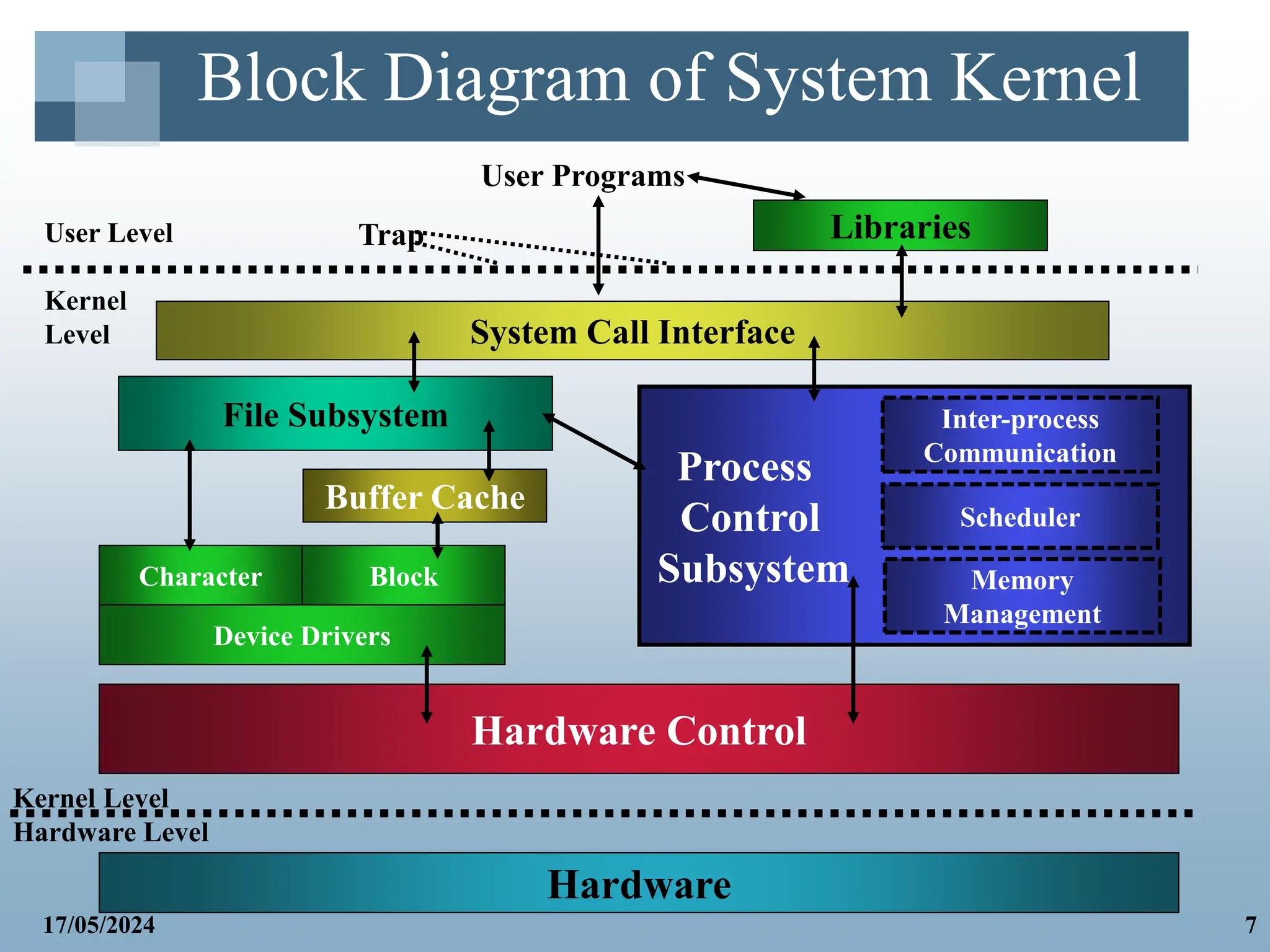
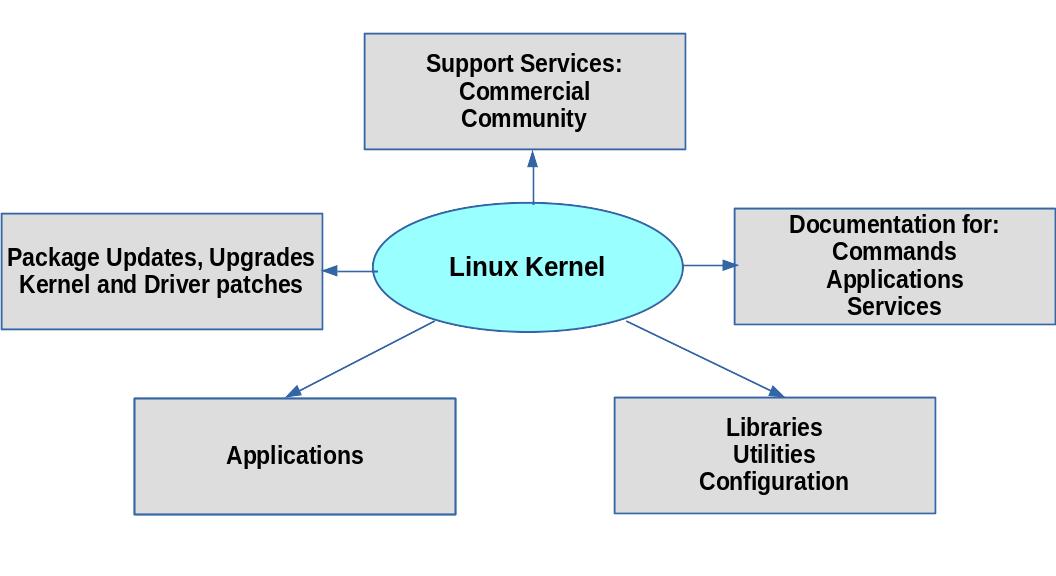
The Linux kernel is modular and composed of several subsystems:
4.1) Process Scheduler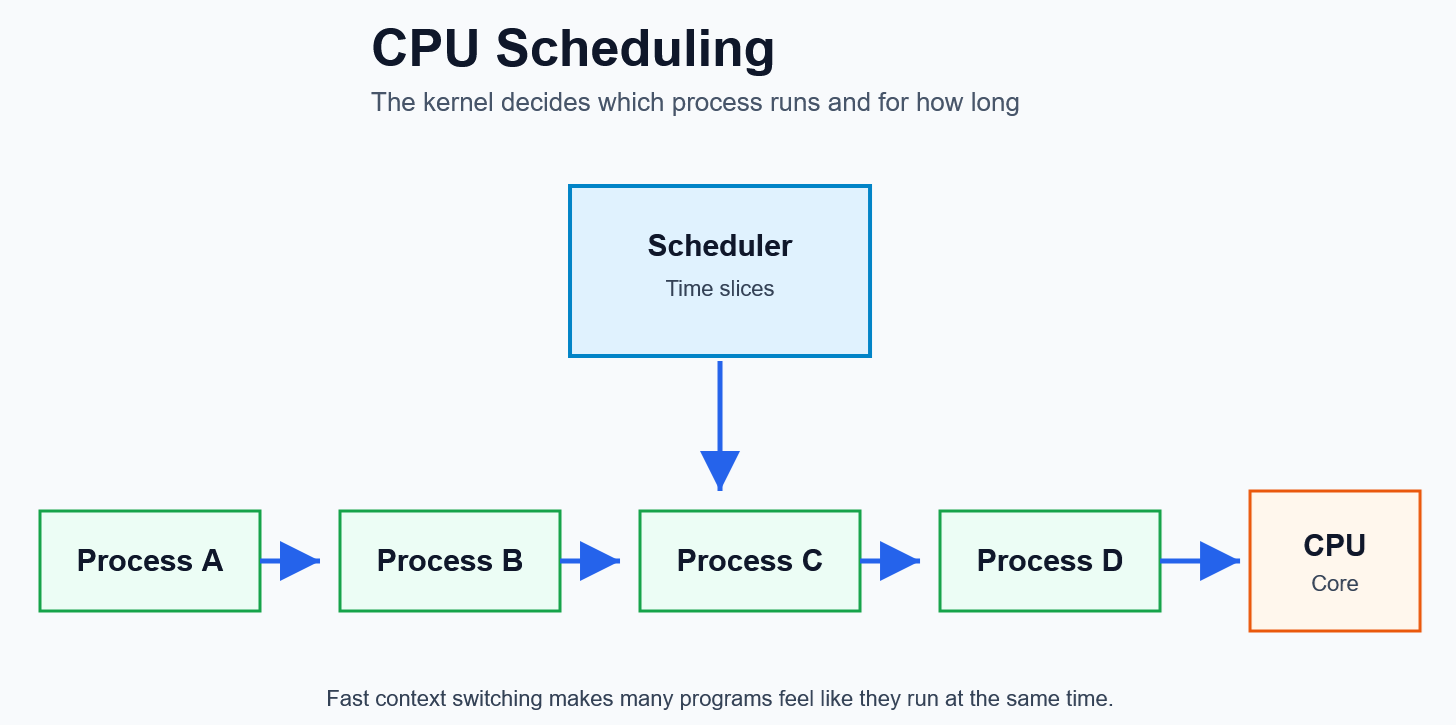
- Decides which process runs next
- Enables multitasking
- Ensures fairness and efficiency
👉 Think of it as a traffic controller for the CPU
4.2) Memory Management (MMU)
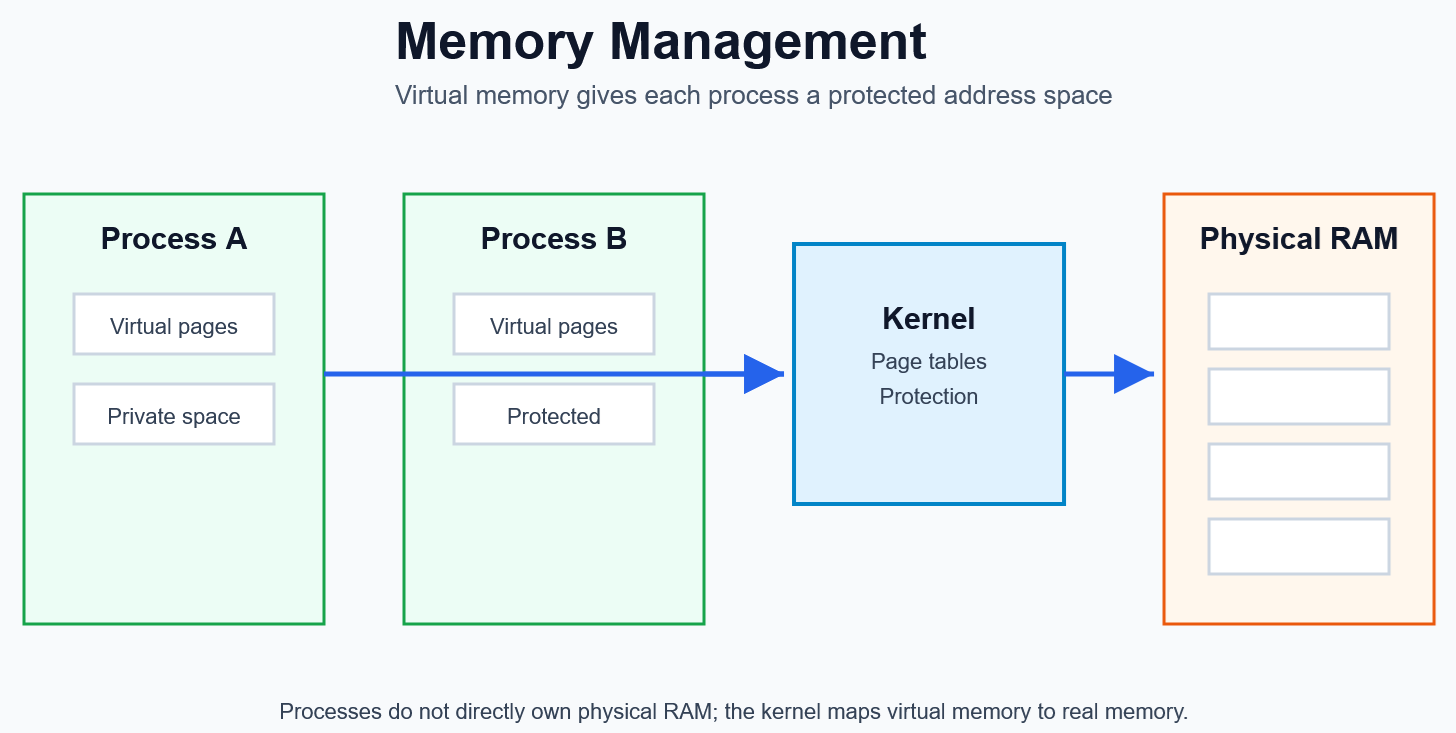
- Allocates and frees RAM
- Provides virtual memory
- Protects processes from each other
👉 Each program thinks it owns its own memory
4.3) Virtual File System (VFS)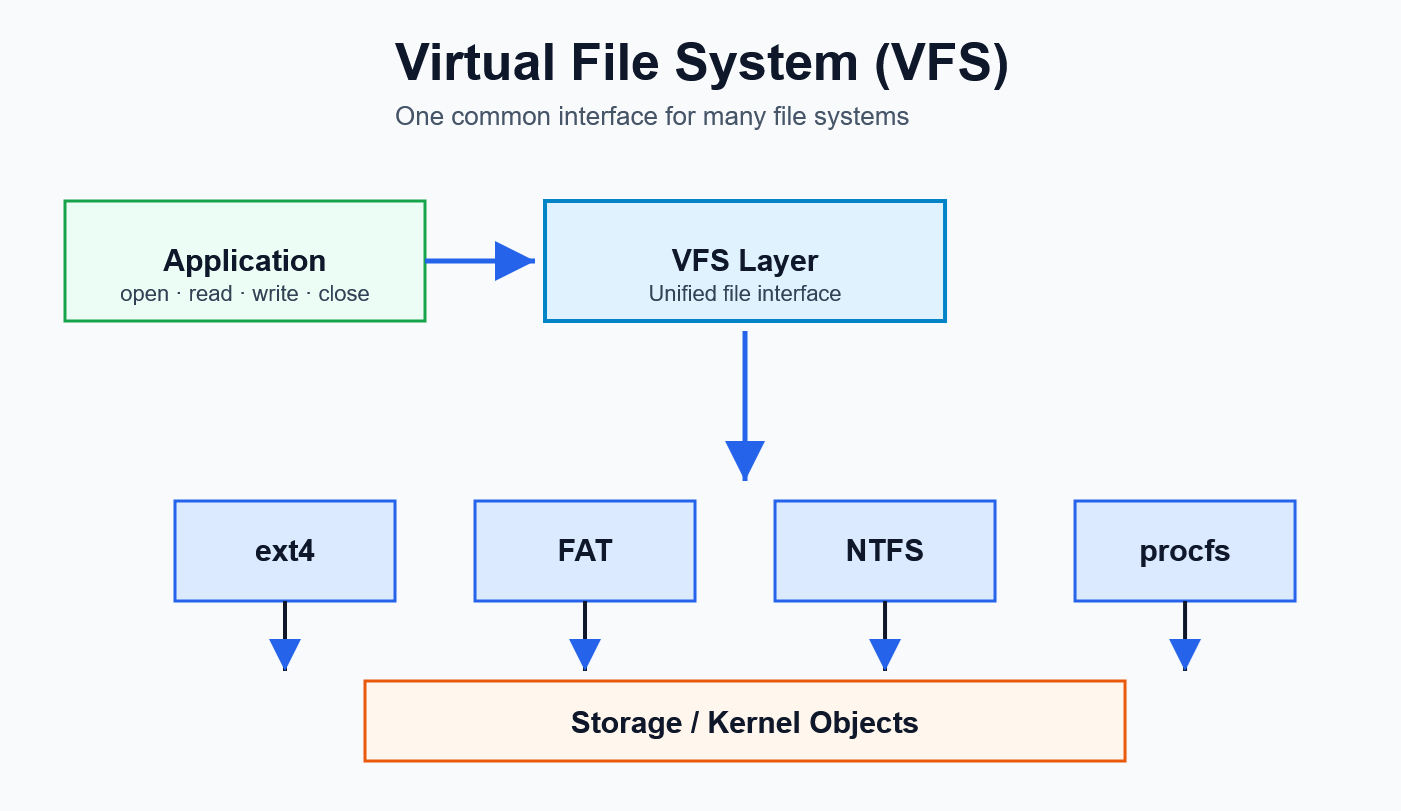
- Provides a unified interface for files
- Supports multiple file systems (ext4, FAT, NTFS)
- Abstracts storage devices
👉 Everything in Linux looks like a file
4.4) Networking Subsystem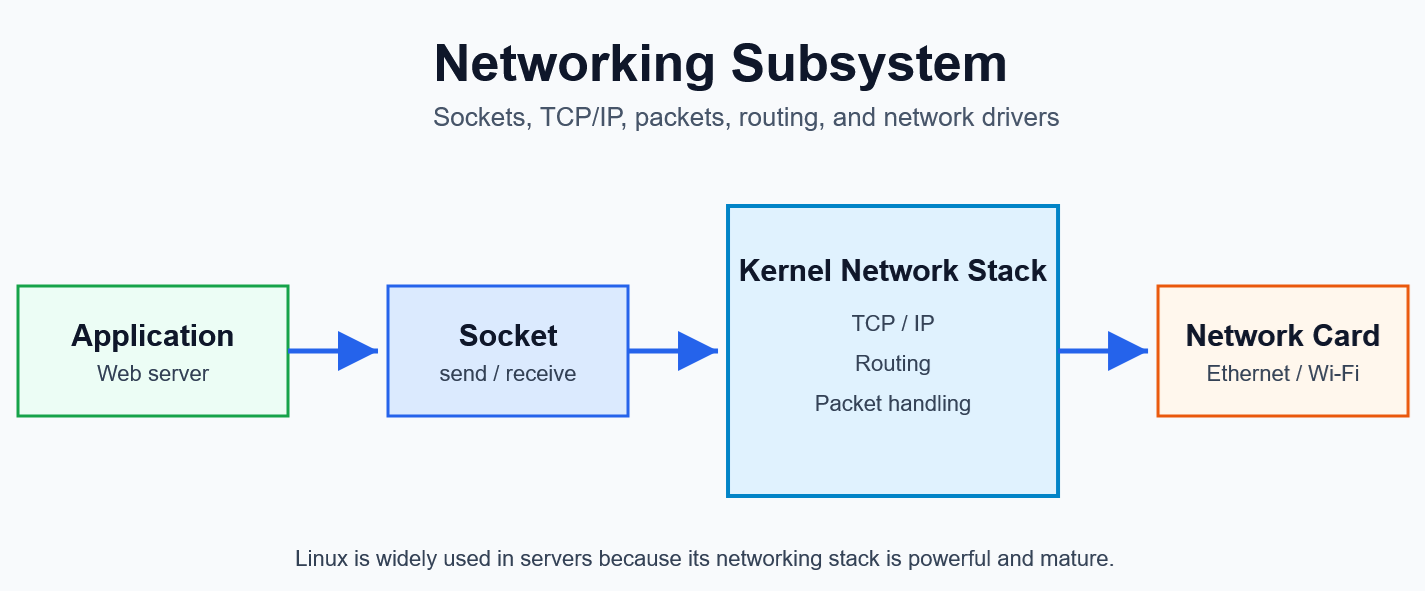
- Handles TCP/IP communication
- Manages sockets
- Routes packets
👉 Enables internet, servers, and distributed systems
4.5) Inter-Process Communication (IPC)
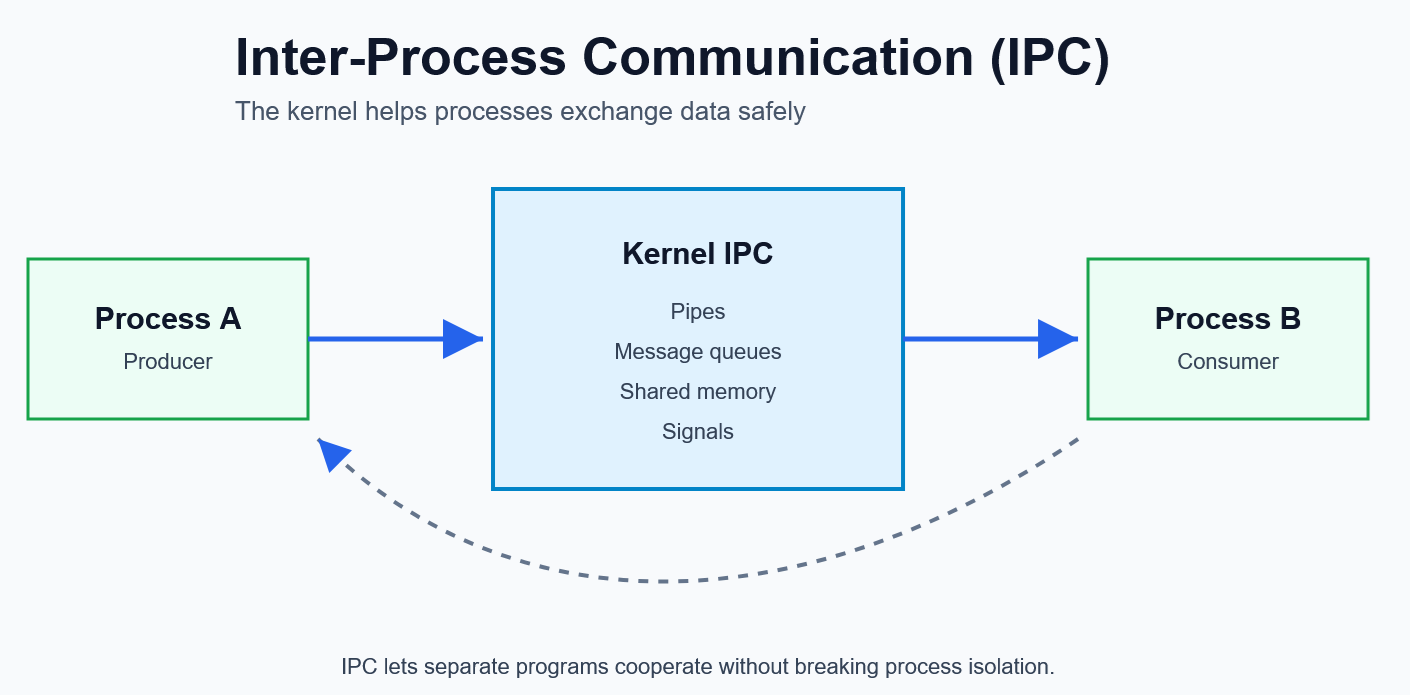
Allows processes to communicate and synchronize.
Common methods:
- Pipes
- Message queues
- Shared memory
- Signals
- Semaphores
👉 Essential for building complex software systems
5. Additional Key Concepts
System Calls
Applications cannot directly access hardware.
Instead, they use system calls:
open(), read(), write(), fork()
👉 These are controlled entry points into the kernel
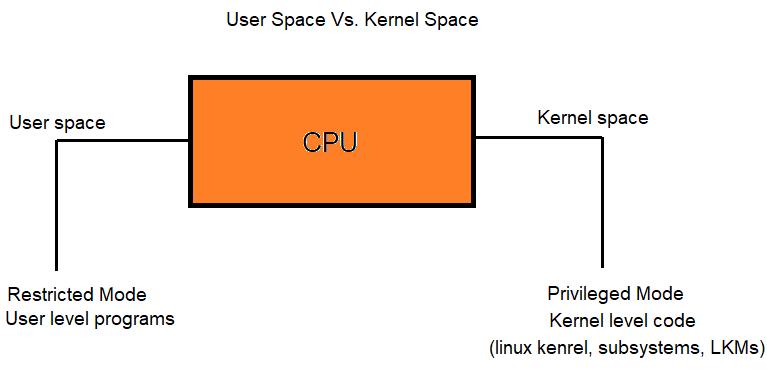
User Space vs Kernel Space
- User Space → Applications run here
- Kernel Space → Core system operations
👉 Separation improves security and stability
Multitasking
- Multiple processes run “at the same time”
- Achieved via context switching
6. Real-World Analogy
Think of the kernel as a city manager:
| Component | Analogy |
|---|---|
| CPU | Workers |
| Memory | Workspaces |
| Kernel | Manager |
| Processes | Tasks |
| Devices | Machines/tools |
👉 The manager ensures everything runs smoothly without conflict.
7. Example: What Happens When You Open a File?
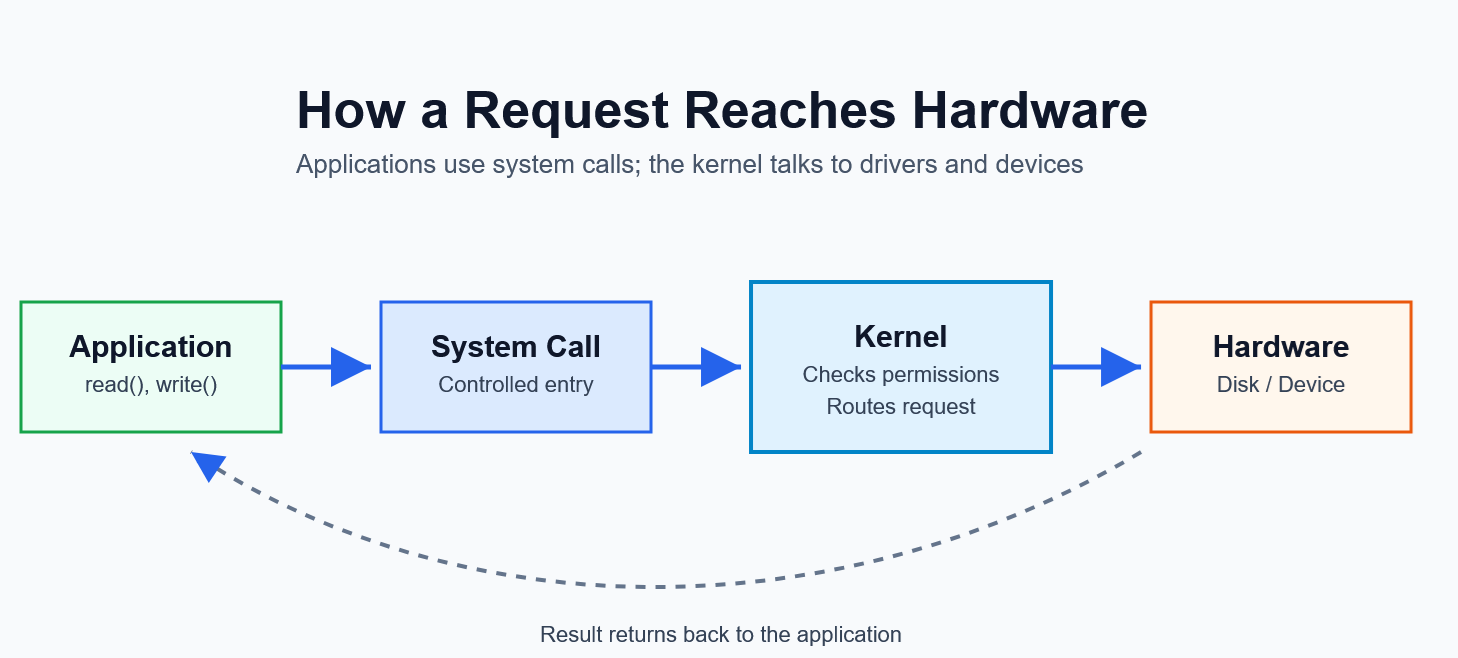
Step-by-step:
- Application calls
open() - Kernel receives request (system call)
- VFS determines file system
- Disk driver accesses storage
- Data returned to application
👉 Simple action → multiple kernel subsystems involved
8. Why Linux Kernel Matters
- Powers most of the internet (servers)
- Used in Android devices
- Core of embedded systems and IoT
- Highly customizable and efficient
9. Role of the Kernel in Resource Management
9.1) Why Resource Management Is Needed
In a modern computer system, multiple processes run at the same time:
- A browser
- A code editor
- Background services
- System tasks
Each process wants to use:
- CPU
- Memory
- Hardware devices
Without coordination, the system would become unstable:
- Programs would overwrite each other’s memory
- CPU usage would be chaotic
- Hardware access would conflict
So we need a central controller → the Kernel
9.2) How the Kernel Manages Resources
9.2.1) CPU Time Allocation (Process Scheduling)
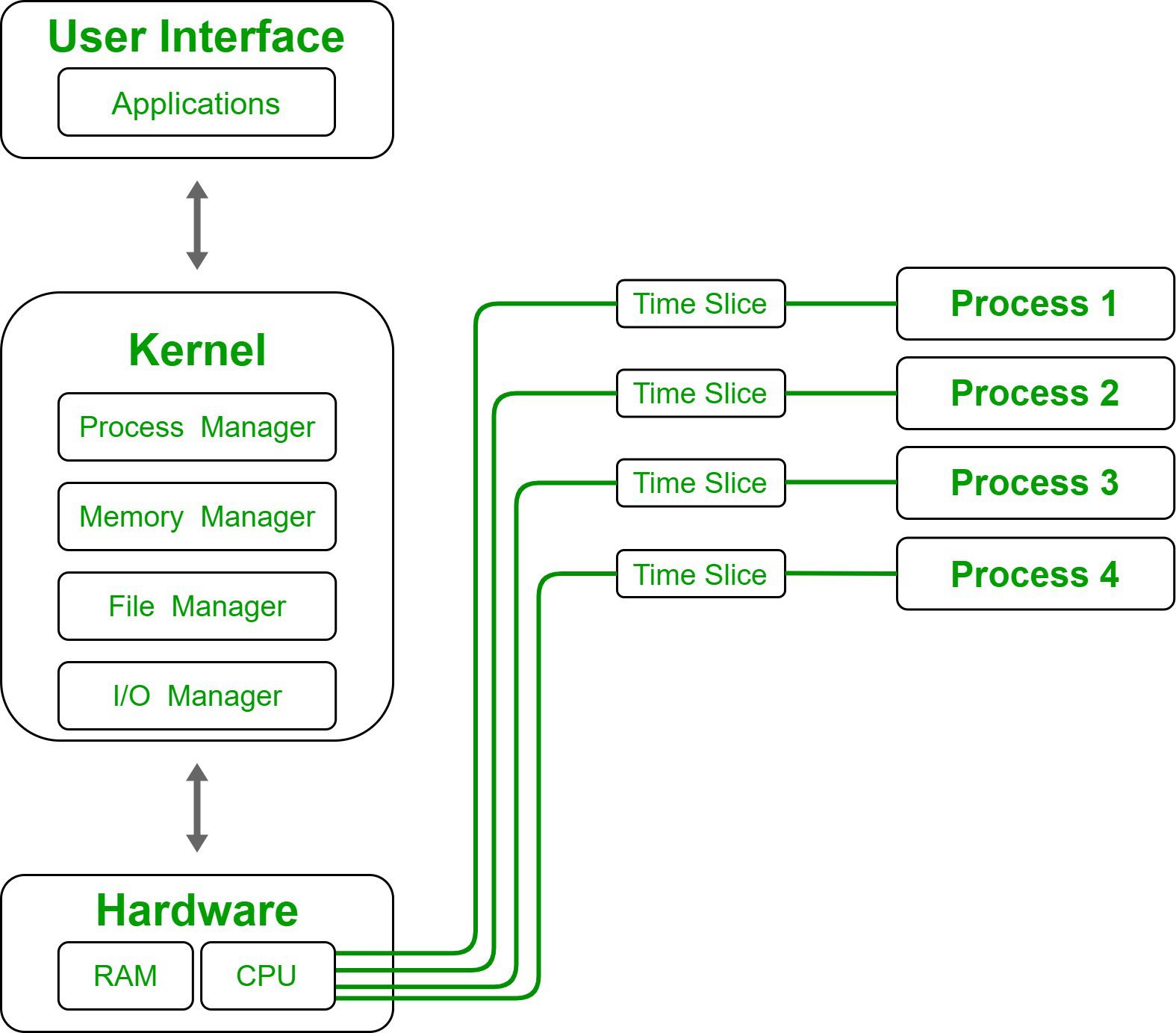
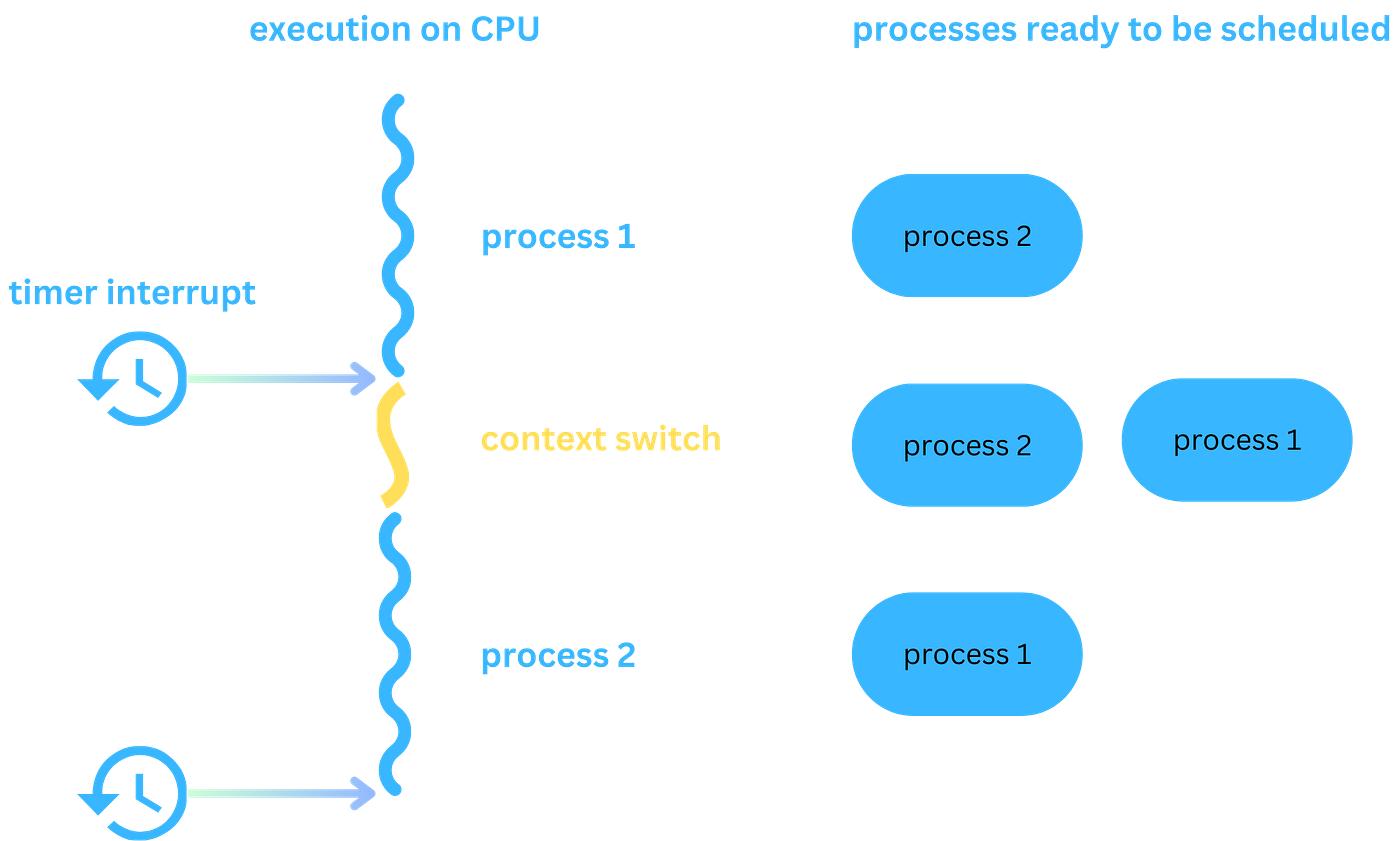
The kernel decides:
👉 Which process runs and for how long
Key concepts:
- Time slicing
- Context switching
Example:
Process A → Process B → Process C → Process A ...
👉 This creates the illusion of parallel execution.
9.2.2) Memory Management
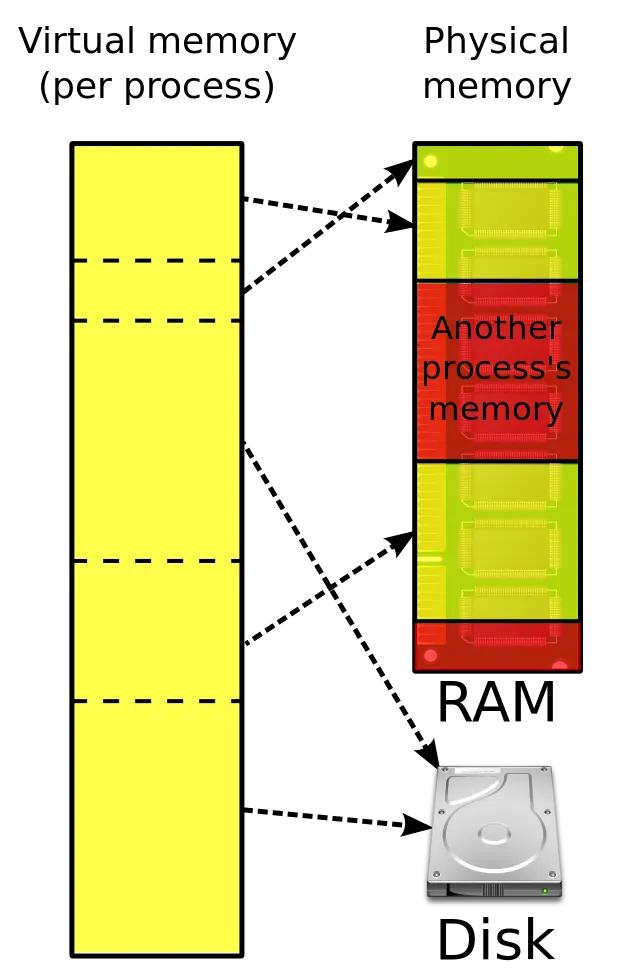
The kernel is responsible for:
- Allocating memory
- Freeing memory
- Protecting processes
Key concept:
👉 Virtual Memory
Each process sees:
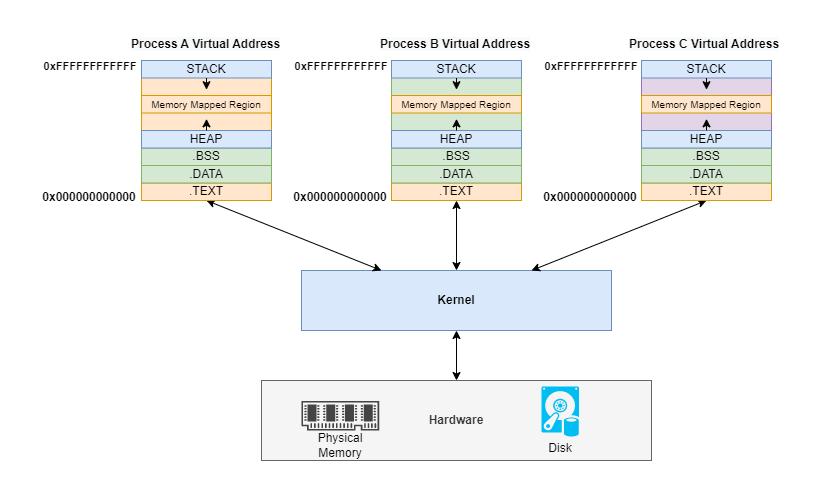
Even though physical memory is shared.
Benefits:
- Stability
- Security
- Efficiency
9.2.3) Hardware Access Control
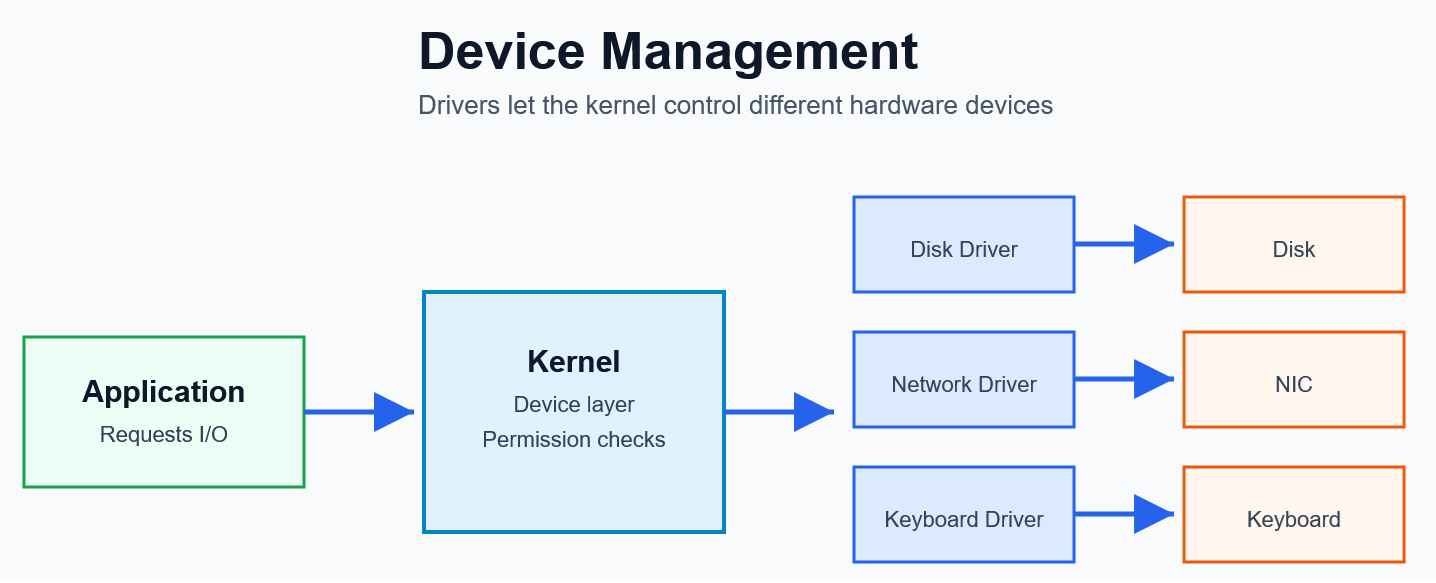
Applications cannot directly access hardware.
Instead:
The kernel:
- Manages disk operations
- Handles input devices
- Controls network interfaces
👉 It acts as a gatekeeper to hardware
9.2.4) Process Isolation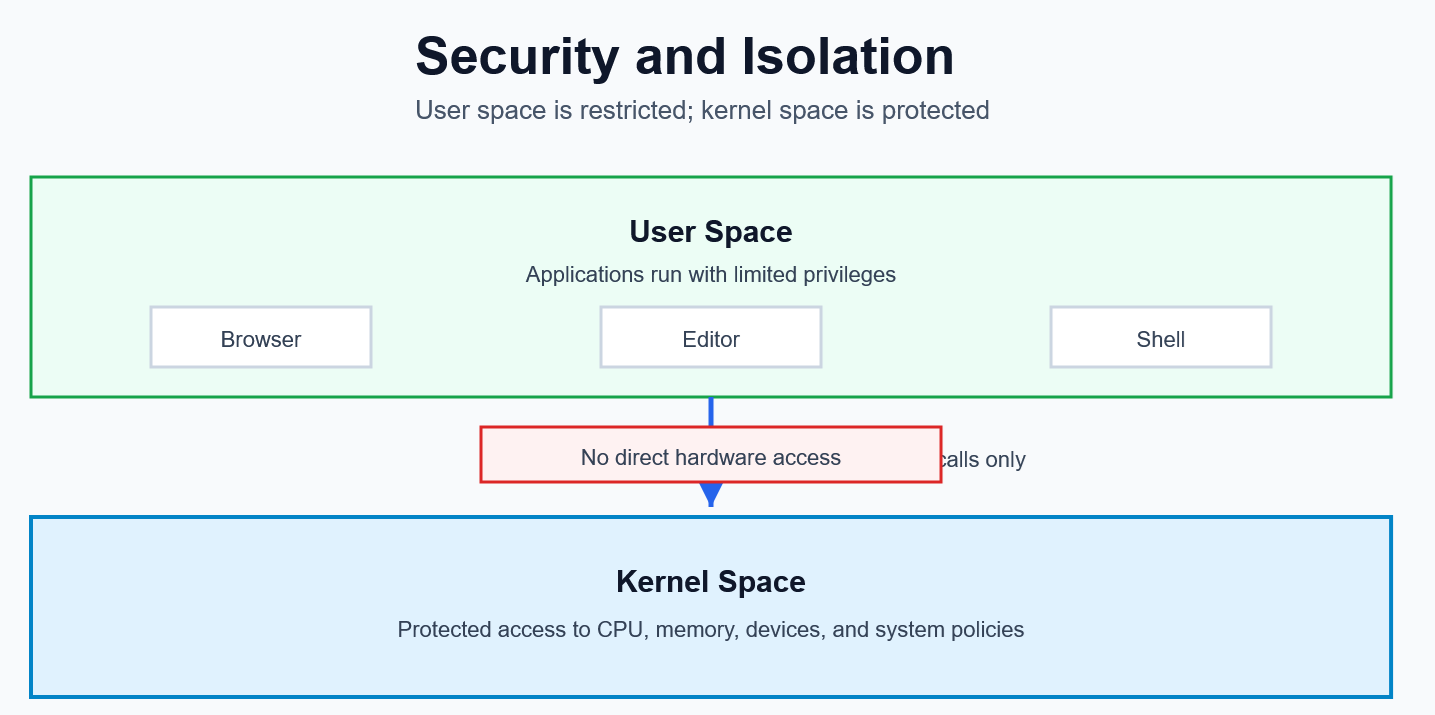
The kernel ensures:
- One process cannot access another’s memory
- Errors in one program do not crash the entire system
👉 Each process runs in its own protected environment.
9.2.5) Resource Abstraction
The kernel simplifies complex hardware into easy interfaces.
| Hardware | Kernel Abstraction |
|---|---|
| Disk | File |
| Network | Socket |
| CPU | Process/Thread |
| Memory | Address Space |
Developers interact with simple APIs instead of hardware.
9.3) One-Line Summary
The kernel is the system’s resource manager.
It controls:
- CPU time
- Memory usage
- Hardware access
- Process isolation
9.4) Simple Analogy
Think of the kernel as a building manager:
- Assigns rooms → Memory
- Schedules usage → CPU
- Controls equipment → Devices
- Prevents conflicts → Process isolation
Without the manager, everything breaks.
10. Summary
The Linux kernel is:
- The core of the operating system
- A resource manager
- A bridge between software and hardware
It handles:
- Processes
- Memory
- Files
- Devices
- Networking
👉 Without it, modern computing is impossible.
📚 Suggested Exercises
- Explain kernel vs operating system
- Draw a kernel architecture diagram
- List 5 system calls and their purpose
- Observe running processes using
top - Explain how memory isolation works