In Part 1, we learned how binary numbers work.
We saw that binary uses only two digits:
0 and 1
We also learned about bits, bytes, powers of two, unsigned integers, and binary addition.
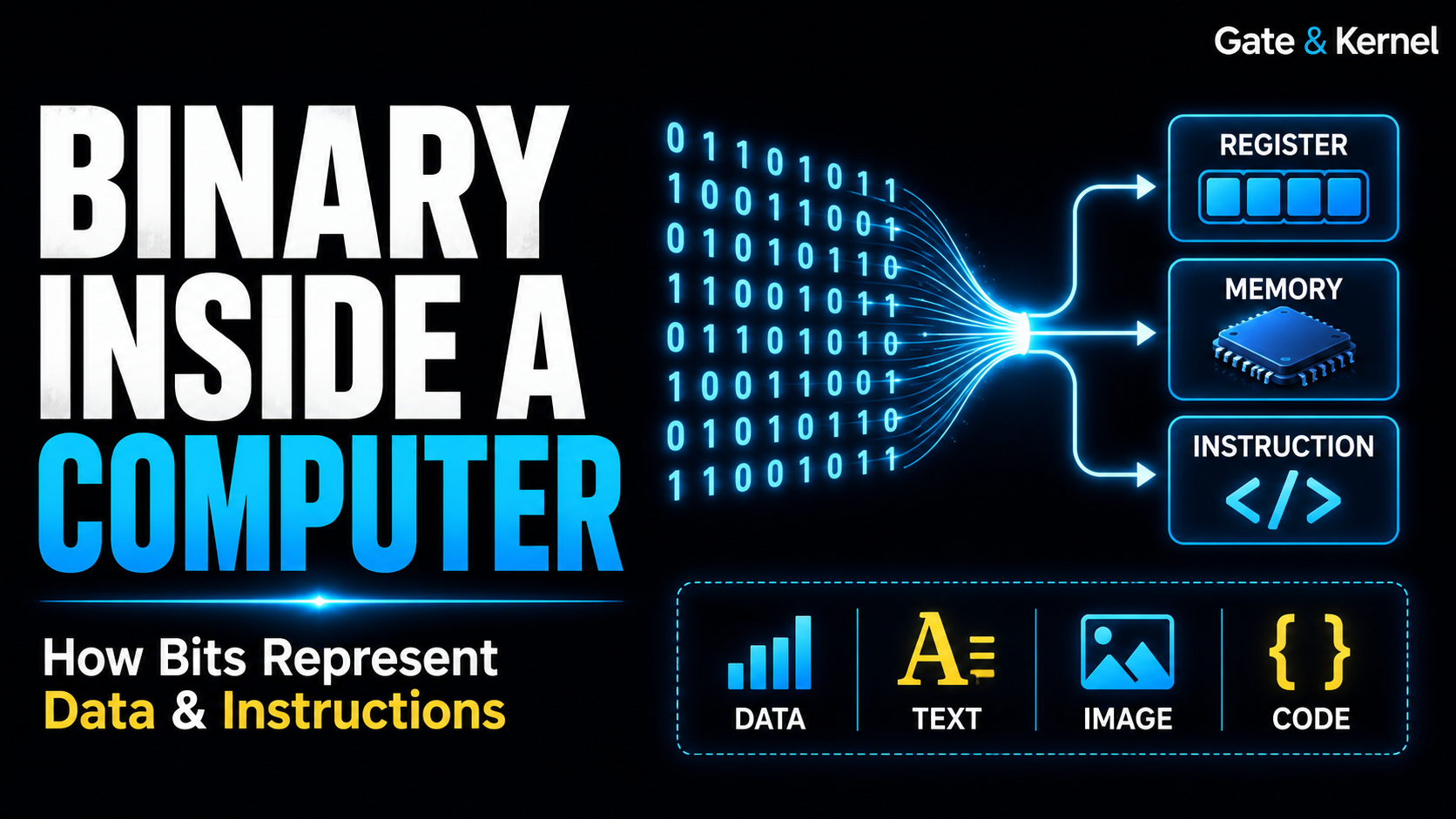
But this leads to a much more important question:
How can the same zeros and ones represent numbers, letters, images, memory addresses, and CPU instructions?
The answer is one of the most fundamental ideas in computing:
A computer stores patterns of bits. The meaning of those bits depends on how they are interpreted.
In this article, we will look at how binary data is actually used inside a computer.
We will examine:
- How registers store bits
- How memory stores binary data
- How the same bits can represent different things
- How computers represent text
- How images are stored
- How CPU instructions are encoded
- How binary values identify registers
- How negative numbers are represented
- Why hexadecimal is useful
- How binary data moves through a CPU
1. A Computer Stores Bit Patterns
Consider this 8-bit pattern:
01000001
What does it mean?
At first, you might say:
65
That is correct if the pattern is interpreted as an unsigned binary integer.
But that is not its only possible meaning.
The exact same eight bits can also represent:
A
in ASCII.
Or they could be:
- Part of a CPU instruction
- Part of a memory address
- Part of an image
- Part of an audio sample
- A field inside a network packet
- One byte inside a file
The bits themselves do not contain labels telling the computer what they mean.
They are simply a pattern:
01000001
The meaning comes from context.
2. Binary Inside CPU Registers
A CPU register is a small, extremely fast storage location inside the processor.
A 32-bit register stores exactly 32 bits.
For example:
00000000 00000000 00000000 00001101
If this bit pattern is interpreted as an unsigned integer, it represents decimal:
13
The register itself, however, does not contain the characters:
"13"
It contains only the binary pattern.
The CPU’s arithmetic and logic circuits operate directly on those bits.
A 64-bit processor commonly has general-purpose registers capable of storing 64-bit values.
For example:
00000000 00000000 00000000 00000000
00000000 00000000 00000000 00001101
is still the value 13, but stored inside a 64-bit field.
3. A Register Does Not Know What Its Bits Mean
This is an important concept.
Suppose a register contains:
00000000 00000000 00000000 01000001
The CPU might use this value as:
- The integer 65
- The character
A - A memory offset
- Part of an address
- A bit mask
- An instruction operand
The physical register does not know which interpretation is correct.
Software and instructions determine how the stored bits are used.
This principle appears everywhere in computing.
4. Binary Inside Memory
Main memory, or RAM, also stores binary information.
Memory can be viewed conceptually as a large collection of bytes.
Each byte contains eight bits.
For example, three consecutive bytes might contain:
01000001
01000010
01000011
If interpreted as unsigned integers, they represent:
65
66
67
If interpreted using ASCII, they represent:
A
B
C
The physical memory does not know that these bytes form text.
It simply stores the patterns.
Software determines their meaning.
5. Memory Addresses Are Binary Too
Every location in memory must be identified somehow.
That identifier is called a memory address.
Memory addresses are also binary numbers.
For example, a simplified address might look like:
00010110
which represents decimal 22.
In real systems, memory addresses are much larger.
A 32-bit address contains 32 bits.
A 64-bit architecture can use much larger address values.
Conceptually:
CPU
 |
 | memory address
 v
RAM
 |
 | stored data
 v
01000001
Both the address used to locate the data and the data itself are represented using bits.
6. Binary and Text
Computers must represent letters and symbols numerically.
One early and important character encoding is ASCII.
For example:
A = 65
B = 66
C = 67
Decimal 65 is:
01000001
in 8-bit binary.
So the character:
A
can be stored as:
01000001
Similarly:
B → 01000010
C → 01000011
This is how text can ultimately become binary data.
7. Modern Text Uses Unicode
ASCII is useful, but it supports only a limited set of characters.
Modern computers need to represent many languages and symbols.
For this reason, modern systems usually use Unicode.
One of the most common Unicode encodings is:
UTF-8
UTF-8 uses one or more bytes to encode a character.
English letters can often use one byte.
Other characters may require multiple bytes.
But the basic principle remains unchanged:
Character
    ↓
Character encoding
    ↓
Bytes
    ↓
Bits
Text on the screen eventually becomes patterns of zeros and ones in memory.
8. Binary and Images
Digital images are also stored using numbers.
A typical color image is made from pixels.
Each pixel may contain three color components:
Red
Green
Blue
A common system uses 8 bits for each component.
This gives each color channel values from:
0 to 255
For example, bright red may be represented as:
Red   = 255
Green = 0
Blue  = 0
In binary:
Red   = 11111111
Green = 00000000
Blue  = 00000000
So one pixel can ultimately be stored as a collection of bits.
Millions of pixels create millions of numerical values.
Those numerical values become the image we see.
9. Binary and Audio
Digital audio works in a similar way.
A microphone converts sound into an electrical signal.
The system measures that signal repeatedly.
Each measurement becomes a numerical value called a sample.
Conceptually:
Sound
  ↓
Electrical signal
  ↓
Samples
  ↓
Numbers
  ↓
Binary
An audio file therefore contains large numbers of binary values representing sound measurements over time.
Again, the computer is storing bits.
Software interprets those bits as audio.
10. Binary and CPU Instructions
Computer programs must eventually become instructions that the CPU can execute.
A processor does not directly execute source code such as:
a = b + c;
Instead, the program is translated into machine instructions.
Machine instructions are encoded as binary patterns.
A simplified instruction may contain several fields:
Operation | Source | Source | Destination
Each field is represented using bits.
For example:
001000 01001 01010 01000
Different bit fields might tell the processor:
- What operation to perform
- Which register contains the first operand
- Which register contains the second operand
- Where to store the result
The exact encoding depends on the processor architecture.
11. Binary Selects CPU Registers
Suppose a processor has 32 registers.
How many bits are needed to identify one register?
We need enough binary patterns to represent 32 possibilities.
Four bits give:
2^4 = 16
That is not enough.
Five bits give:
2^5 = 32
So five bits can identify registers numbered:
0 through 31
The binary patterns range from:
00000
to:
11111
For example:
00000 → Register 0
00001 → Register 1
00010 → Register 2
...
01000 → Register 8
...
11111 → Register 31
This is why a processor architecture with 32 registers can use a 5-bit register field.
12. Binary Fields Control Hardware
Binary values are not only data.
They can also control hardware.
Consider a CPU instruction.
Some bits may select a register.
Other bits may tell the ALU what operation to perform.
For example, a control field might conceptually mean:
000 → ADD
001 → SUBTRACT
010 → AND
011 → OR
The actual encoding depends on the processor.
The important idea is that binary values can act as control signals.
Bits can therefore represent both:
- Data
- Decisions about what hardware should do
This is one of the reasons binary is so powerful.
13. Signed and Unsigned Values
The same bit pattern can also represent different numbers depending on whether it is treated as signed or unsigned.
Consider:
11111111
As an unsigned 8-bit integer, this is:
255
But in the most common signed representation, called two’s complement, the same pattern represents:
-1
Nothing about the physical bits changed.
The interpretation changed.
So:
11111111
can mean:
255
or:
-1
depending on how the program and CPU treat it.
14. Why Signed Numbers Need a Rule
Binary naturally represents positive numbers.
But computers must also work with negative values.
One possible idea would be to use one bit as a sign:
0 → positive
1 → negative
However, modern processors usually use a representation called:
For an 8-bit signed integer, the range is:
-128 to +127
For example:
00000001 = +1
while:
11111111 = -1
Two’s complement makes arithmetic hardware simpler because the same binary adder can perform much of both signed and unsigned arithmetic.
Two’s complement deserves its own detailed article.
15. The Same Bits Can Mean Different Numbers
Consider again:
10000000
As an unsigned 8-bit number:
128
As an 8-bit two’s complement signed number:
-128
The bit pattern is exactly the same.
Only the interpretation differs.
This leads to a general rule:
Bits have no meaning by themselves. Meaning comes from how they are interpreted.
16. Binary and Hexadecimal
Binary is ideal for computers, but long binary numbers are difficult for humans to read.
Consider:
11011110101011011011111011101111
It is easy to make mistakes when reading such a long sequence.
Programmers and hardware engineers therefore often use hexadecimal.
Hexadecimal is base 16.
It uses:
0 1 2 3 4 5 6 7 8 9 A B C D E F
Each hexadecimal digit represents exactly four binary bits.
For example:
Binary   Hex

0000      0
0001      1
0010      2
...
1010      A
1011      B
1100      C
1101      D
1110      E
1111      F
17. Why Hexadecimal Fits Binary So Well
Because one hexadecimal digit represents four bits, binary can be converted into hexadecimal very easily.
For example:
1101 1110 1010 1101 1011 1110 1110 1111
can be grouped into four-bit sections:
1101 → D
1110 → E
1010 → A
1101 → D
1011 → B
1110 → E
1110 → E
1111 → F
So the complete value becomes:
0xDEADBEEF
The prefix:
0x
is commonly used to indicate hexadecimal.
Hexadecimal does not change what is stored inside the computer.
It is simply a convenient way for humans to write binary values.
18. Binary Inside the CPU Data Path
Now we can connect all of these ideas to the processor.
Suppose the CPU executes an addition instruction.
First, the instruction itself is stored as binary.
The CPU reads the instruction.
Some of its bits identify registers.
The register file outputs binary values.
Those values travel to the arithmetic logic unit, or ALU.
The ALU performs binary addition.
The binary result may then be written back into a register.
Conceptually:
Machine Instruction
        ↓
Instruction Decode
        ↓
Register File
        ↓
Binary Operands
        ↓
ALU
        ↓
Binary Result
        ↓
Register
At every stage, the processor is working with binary signals.
19. A Simple CPU Example
Imagine two registers contain:
Register 1:
00000101
and:
Register 2:
00000011
These represent:
5
and:
3
The CPU sends both bit patterns into the ALU.
The ALU adds them:
00000101
+
00000011
-----------
00001000
The result:
00001000
represents decimal:
8
The CPU may then store this result in another register.
The entire operation happens using electrical signals representing binary values.
20. Instructions Are Data Too
There is another important idea.
A machine instruction is itself stored in memory.
That means instructions are also just binary data.
For example:
Memory
 |
 +-- data
 |
 +-- instructions
Both ultimately consist of bits.
The CPU knows which bytes to treat as instructions because of how program execution is organized.
This leads to one of the central ideas of modern computer architecture:
program instructions and program data can both be stored in memory.
This is a major principle of stored-program computers.
21. Does the Computer Really “Understand” Binary?
People often say:
Computers understand only zeros and ones.
This is useful shorthand, but it is not physically literal.
Inside a real processor, there are no tiny printed zeros and ones.
The hardware contains physical states such as:
- Voltage levels
- Electrical charge
- Transistor states
Engineers interpret these physical states as logical values.
For example:
Low  → 0
High → 1
Binary is an abstraction.
It allows extremely complicated digital systems to be built using simple logical states.
22. From Physical States to Software
We can think of a computer as several layers.
At the bottom are physical electronic states.
Above them are binary values.
Above binary are larger structures such as numbers and instructions.
Above those are software concepts.
Conceptually:
Physical Electronics
        ↓
Bits
        ↓
Bytes
        ↓
Numbers and Instructions
        ↓
Programs
        ↓
Applications
At each level, humans create useful abstractions.
A programmer may work with:
int x = 10;
But many layers below that line of code, the hardware is ultimately storing and manipulating bits.
23. Binary Connects Software and Hardware
Binary is one of the places where software and hardware meet.
A program may contain:
42
A compiler may place that value into an instruction.
The processor may load the value into a register.
The register stores a binary pattern:
00101010
The ALU may then operate on it.
So a high-level software value eventually becomes a physical pattern inside digital hardware.
This path can be simplified as:
Source Code
    ↓
Machine Instructions
    ↓
Binary
    ↓
Registers and Memory
    ↓
Digital Circuits
24. One Pattern, Many Possible Meanings
Consider one final example:
01000001
Depending on context, this might represent:
An unsigned number
65
An ASCII character
A
Part of an instruction
01000001
Pixel or image data
It may be one byte among many bytes describing a color.
Part of an address
It may form one portion of a larger memory address.
File data
It may simply be one byte inside a larger file format.
Nothing about the bits themselves tells us which interpretation is correct.
The surrounding system provides the meaning.
25. The Core Idea
If there is one idea to remember from this article, it is this:
Computers store patterns of bits. Those bits gain meaning only when hardware or software interprets them.
The computer does not fundamentally store a letter.
It stores bits.
It does not fundamentally store a photograph.
It stores bits.
It does not fundamentally store a CPU instruction as an English word such as ADD.
It stores bits.
What changes is the interpretation.
Conclusion
Binary numbers are much more than a way of writing numbers using zeros and ones.
Inside a computer, binary patterns can represent:
- Integers
- Negative numbers
- Characters
- Memory addresses
- CPU registers
- Machine instructions
- Pixels
- Audio samples
- Files
- Network data
A CPU register stores bits.
Memory stores bits.
Machine instructions are encoded as bits.
Even the control information that tells hardware what to do can be represented using binary fields.
Most importantly, the same bit pattern can have different meanings.
For example:
01000001
can represent decimal 65 or the character A.
And:
11111111
can represent unsigned 255 or signed -1.
The bits themselves do not change.
The interpretation changes.
This is one of the most fundamental ideas in computer architecture:
Computers do not inherently store numbers, letters, pictures, or instructions. They store and manipulate patterns of bits.
Once this idea is understood, topics such as CPU registers, machine instructions, memory, data types, hexadecimal, and computer architecture become much easier to understand.
The next useful topic is two’s complement, which explains in detail how modern computers represent and calculate with negative integers.