Computers can process text, images, video, programs, websites, games, and artificial intelligence.
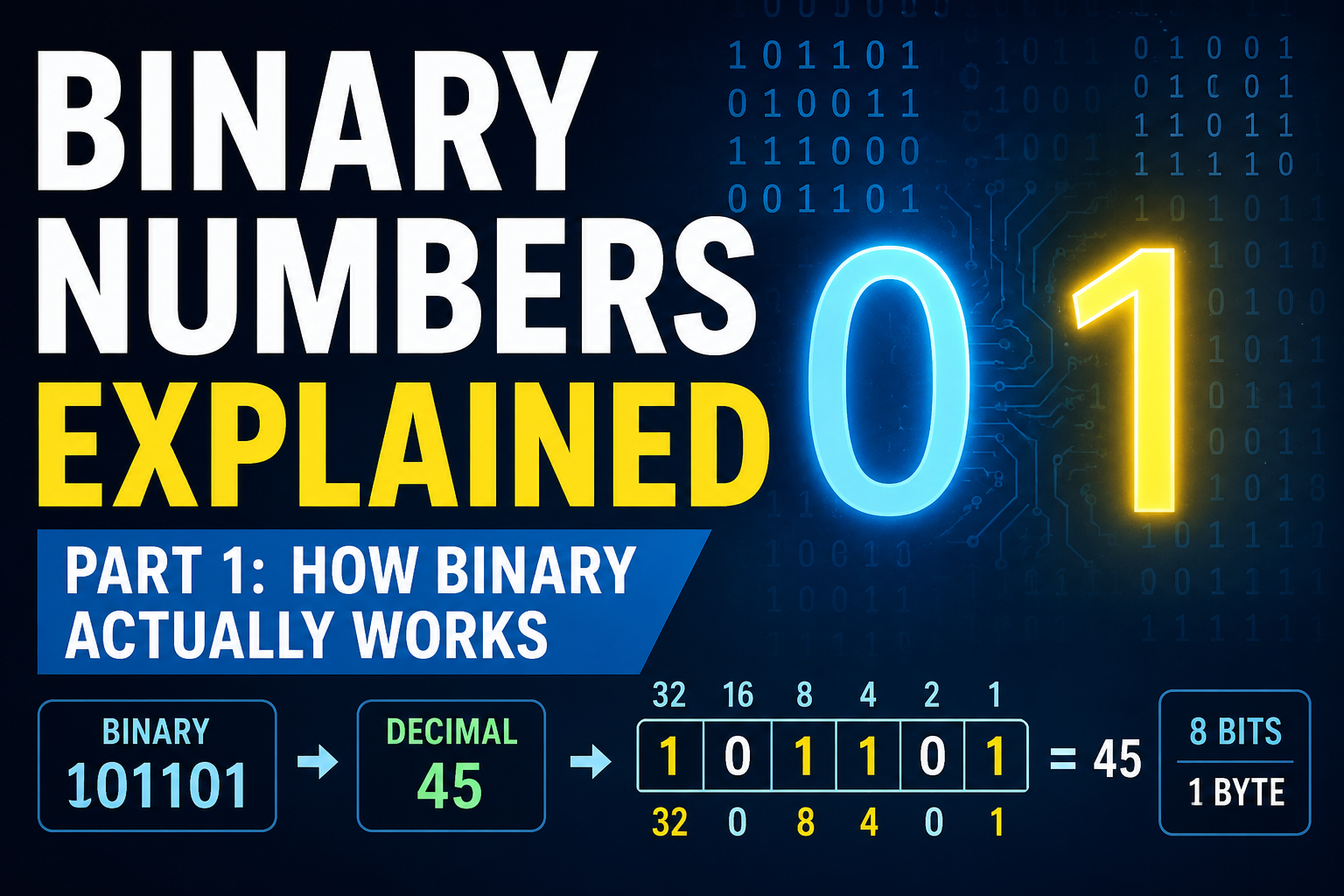
But underneath all of this complexity is a surprisingly simple idea:
binary.
Binary is a number system that uses only two digits:
0
1
These two digits are the foundation of digital computing.
Processor registers contain bits. Memory stores bits. CPU instructions are encoded using bits. Files and network data are ultimately stored and transmitted as patterns of bits.
Before learning how CPUs, memory, and digital circuits work, it is important to understand what binary numbers actually are.
In this article, we will focus on the fundamentals:
- What binary numbers are
- Why computers use binary
- What bits and bytes are
- How binary place values work
- How to convert binary to decimal
- How to convert decimal to binary
- How many values a group of bits can represent
- How unsigned binary integers work
- How binary addition works
In Part 2, we will look at how computers use these binary patterns to represent real data inside memory and processors.
1. What Is a Binary Number?
Most people normally use the decimal number system.
Decimal is also called base 10 because it uses ten digits:
0 1 2 3 4 5 6 7 8 9
Binary is different.
Binary uses only two digits:
0 1
For this reason, binary is called base 2.
A binary number may look like this:
1101
At first, this may seem strange.
But binary follows the same basic positional principle as decimal.
Each digit has a value depending on its position.
The difference is that decimal positions are based on powers of 10, while binary positions are based on powers of 2.
2. Why Do Computers Use Binary?
Why do computers use only 0 and 1?
Why not simply use decimal numbers internally?
The main reason comes from electronic hardware.
Digital circuits can reliably distinguish between two logical states.
For example:
Low voltage  → 0
High voltage → 1
A transistor can also be used as part of a circuit that behaves like an electronic switch.
Conceptually, we can think of two states:
OFF → 0
ON  → 1
Real digital electronics are more complicated than a simple switch, but the two-state model is extremely useful.
It is much easier to build reliable circuits that distinguish between two voltage ranges than circuits that must distinguish between ten different levels.
Binary therefore provides a natural foundation for digital electronics.
From these two states, engineers can build:
- Logic gates
- Adders
- Registers
- Memory cells
- CPUs
- Complete computers
Binary is not simply a mathematical choice.
It is closely connected to how digital hardware is physically built.
3. What Is a Bit?
The smallest basic unit of digital information is the bit.
The word bit comes from:
binary digit
A bit can contain only one of two values:
0
or:
1
One bit can therefore represent two possible states.
For example:
0 → OFF
1 → ON
Or:
0 → False
1 → True
Or:
0 → No
1 → Yes
The meaning depends on the system.
The important point is that a single bit has exactly two possible states.
4. More Bits Create More Possible Patterns
One bit gives us two possible patterns:
0
1
Two bits give us four:
00
01
10
11
Three bits give us eight:
000
001
010
011
100
101
110
111
Every time we add another bit, the number of possible patterns doubles.
The general rule is:
n bits = 2^n possible patterns
For example:
| Number of Bits | Possible Patterns |
|---|---|
| 1 | 2 |
| 2 | 4 |
| 3 | 8 |
| 4 | 16 |
| 5 | 32 |
| 8 | 256 |
| 16 | 65,536 |
| 32 | 4,294,967,296 |
This relationship is extremely important in computing.
For example, five bits provide:
2^5 = 32
different patterns.
Eight bits provide:
2^8 = 256
different patterns.
The number of available bit patterns determines how many different values can be represented.
5. Understanding Decimal Place Values First
Before looking at binary place values, consider an ordinary decimal number:
527
The digits do not all have the same value.
The 7 is in the ones position.
The 2 is in the tens position.
The 5 is in the hundreds position.
So:
527
really means:
5 × 100
+
2 × 10
+
7 × 1
Or:
5 × 10^2
+
2 × 10^1
+
7 × 10^0
The place values are:
100 10 1
Moving one position to the left multiplies the place value by 10.
That is why decimal is called base 10.
6. Binary Place Values
Binary works in exactly the same general way.
But instead of multiplying each place by 10, we multiply by 2.
The binary place values are:
... 128 64 32 16 8 4 2 1
These correspond to powers of two:
2^7 2^6 2^5 2^4 2^3 2^2 2^1 2^0
Notice what happens as we move left:
1
2
4
8
16
32
64
128
256
...
Each place value is twice the value of the position to its right.
This is the key to understanding binary numbers.
7. How to Read a Binary Number
Consider the binary number:
1101
There are four bits.
Their place values are:
8 4 2 1
Now place the binary digits above those values:
Binary:      1 1 0 1
Place value: 8 4 2 1
A 1 means that place value is included.
A 0 means that place value is not included.
Therefore:
1101
means:
8 + 4 + 0 + 1
which equals:
13
So:
1101₂ = 13₁₀
The small subscript 2 means binary.
The small subscript 10 means decimal.
8. Another Binary-to-Decimal Example
Consider:
10110
This is a five-bit binary number.
The place values are:
16 8 4 2 1
Now match the bits:
Binary:      1 0 1 1 0
Place value:16 8 4 2 1
The positions containing 1 are:
16
4
2
So:
16 + 4 + 2 = 22
Therefore:
10110₂ = 22₁₀
9. Powers of Two You Should Recognize
You do not need to memorize enormous binary numbers.
But recognizing some common powers of two makes computer architecture much easier.
Useful values include:
2^0  = 1
2^1  = 2
2^2  = 4
2^3  = 8
2^4  = 16
2^5  = 32
2^6  = 64
2^7  = 128
2^8  = 256
2^9  = 512
2^10 = 1024
You will see numbers such as these repeatedly in computing.
That is not an accident.
They appear naturally because computers are based on binary.
10. Converting Decimal to Binary
Now suppose we want to convert decimal 13 into binary.
Start with the binary place values:
8 4 2 1
Can 13 contain 8?
Yes.
So the first bit is:
1
Subtract 8:
13 - 8 = 5
Can 5 contain 4?
Yes.
So the next bit is:
1
Subtract 4:
5 - 4 = 1
Can 1 contain 2?
No.
So that bit is:
0
Can 1 contain 1?
Yes.
So the final bit is:
1
The answer is:
1101
Therefore:
13₁₀ = 1101₂
11. Decimal to Binary Using Repeated Division
There is another common method for converting decimal numbers into binary.
Repeatedly divide the number by 2 and record the remainder.
For decimal 13:
13 ÷ 2 = 6 remainder 1
 6 ÷ 2 = 3 remainder 0
 3 ÷ 2 = 1 remainder 1
 1 ÷ 2 = 0 remainder 1
Now read the remainders from bottom to top:
1101
So again:
13₁₀ = 1101₂
Both methods produce the same result.
For understanding computer hardware, however, becoming comfortable with powers of two is especially useful.
12. What Is a Byte?
A single bit is very small.
Computers therefore commonly organize bits into groups.
A group of eight bits is called a byte.
1 byte = 8 bits
For example:
01000001
contains eight bits, so it is one byte.
Eight bits can produce:
2^8 = 256
different patterns.
The smallest pattern is:
00000000
The largest binary pattern is:
11111111
If these patterns are interpreted as unsigned integers, they represent values from:
0 to 255
13. Why Eight Bits Give 256 Values but Only Go to 255
This is an important detail.
Eight bits provide:
2^8 = 256
possible patterns.
So why is the largest unsigned value 255 instead of 256?
Because zero is one of the possible values.
The range is:
0
1
2
3
...
255
That is 256 different numbers.
Therefore:
Number of values = 256
Maximum value    = 255
In general, the maximum unsigned value represented by n bits is:
2^n - 1
14. Unsigned Binary Integers
An unsigned integer represents only zero and positive values.
For example, with four bits:
0000 = 0
0001 = 1
0010 = 2
0011 = 3
...
1111 = 15
Four bits provide:
2^4 = 16
different values.
The range is therefore:
0 to 15
because:
2^4 - 1 = 15
For eight bits:
0 to 255
For sixteen bits:
0 to 65,535
For thirty-two bits:
0 to 4,294,967,295
The general rule is:
Unsigned n-bit range:

0 to 2^n - 1
15. Bits and Larger Data Sizes
Computers commonly work with several standard bit widths.
For example:
8 bits  = 1 byte
16 bits = 2 bytes
32 bits = 4 bytes
64 bits = 8 bytes
A 32-bit value contains exactly 32 binary digits.
For example:
10110100 00101101 11100010 00010111
The spaces are only there to make the value easier for humans to read.
The computer can treat the entire sequence as one 32-bit pattern.
As the number of bits increases, the number of possible values grows very quickly.
Thirty-two bits provide:
2^32
possible patterns.
Sixty-four bits provide:
2^64
possible patterns.
This enormous growth is one reason bit width matters so much in computer systems.
16. Binary Addition
Computers do not only store binary values.
They also perform arithmetic on them.
Binary addition works much like decimal addition.
There are only four basic cases:
0 + 0 = 0
0 + 1 = 1
1 + 0 = 1
1 + 1 = 10
The last rule is the important one.
In decimal:
9 + 1 = 10
We write 0 and carry 1 into the next column.
Binary works the same way, but binary only has the digits 0 and 1.
So when:
1 + 1
produces decimal 2, binary writes:
10
The zero stays in the current position.
The one is carried into the next binary position.
17. A Simple Binary Addition Example
Consider:
  0101
+ 0011
------
First convert the numbers to decimal to see what we expect:
0101₂ = 5
0011₂ = 3
So the result should be 8.
Now add them in binary:
  0101
+ 0011
------
  1000
And:
1000₂ = 8₁₀
So:
0101₂ + 0011₂ = 1000₂
The same arithmetic is happening.
Only the number system is different.
18. Binary Addition with Carry
Consider another example:
  0111
+ 0001
------
Starting from the right:
1 + 1 = 10
Write 0 and carry 1.
Then:
1 + carried 1 = 10
Again, write 0 and carry 1.
The same thing happens in the next position.
The result becomes:
  0111
+ 0001
------
  1000
In decimal:
7 + 1 = 8
This carrying process is important because digital circuits inside processors use the same basic principle when performing addition.
19. Why Binary Addition Matters
Binary addition may look like a small mathematical topic, but it connects directly to computer hardware.
Inside a processor, arithmetic circuits called adders combine binary inputs and produce binary outputs.
At a very low level, an adder must determine two things:
- The result bit
- Whether a carry must be passed to the next position
Logic gates can be combined to perform these operations.
Larger groups of these circuits can add 8-bit, 32-bit, or 64-bit values.
Binary arithmetic therefore forms a bridge between number representation and digital hardware.
20. The Least Significant and Most Significant Bits
When reading binary numbers, two terms are used frequently.
The rightmost bit is called the:
Least Significant Bit, or LSB.
The leftmost bit is called the:
Most Significant Bit, or MSB.
For example:
10110010
^      ^
MSB    LSB
In an unsigned 8-bit value, the LSB represents:
2^0 = 1
The MSB represents:
2^7 = 128
That is why changing a bit near the left side usually changes the numerical value much more than changing a bit near the right side.
21. Binary Is About Patterns
When first learning binary, it is tempting to think only about numbers.
But the deeper idea is that a group of bits creates a pattern.
For example:
01000001
is one 8-bit pattern.
There are 256 possible 8-bit patterns.
Whether that pattern represents a number, a character, part of an instruction, or something else depends on how the computer interprets it.
For now, we are treating binary patterns as unsigned numbers.
In Part 2, we will see that exactly the same bits can represent many different kinds of information inside a computer.
22. A Quick Review
The binary number system uses only:
0 and 1
Each binary digit is called a:
bit
A group of eight bits is called a:
byte
Binary place values are powers of two:
1, 2, 4, 8, 16, 32, 64, 128...
The number of patterns available with n bits is:
2^n
The largest unsigned number that can be stored in n bits is:
2^n - 1
And binary arithmetic follows the same positional idea as decimal arithmetic, including carrying values into the next position.
Conclusion
Binary numbers are one of the most important foundations of computing.
Unlike decimal, which uses ten digits, binary uses only:
0 and 1
A single binary digit is called a bit.
Combining multiple bits creates increasingly large numbers of possible patterns.
The value of each binary position is a power of two:
1, 2, 4, 8, 16, 32, 64...
This makes it possible to convert easily between binary and decimal once the place values are understood.
Eight bits form one byte, and an unsigned n-bit binary number can represent values from:
0 to 2^n - 1
Binary addition also follows simple rules, including the important case:
1 + 1 = 10
These ideas may look simple, but they form the mathematical foundation for much of digital hardware.
In Part 2: Binary Inside a Computer, we will move beyond basic numbers and examine how the same patterns of zeros and ones can represent:
- Negative numbers
- Characters
- Memory values
- CPU registers
- Machine instructions
- Addresses
- Images
- Other forms of digital data
The key idea is that computers do not simply store “numbers.”
They store patterns of bits.
Understanding how those patterns gain meaning is the next step.