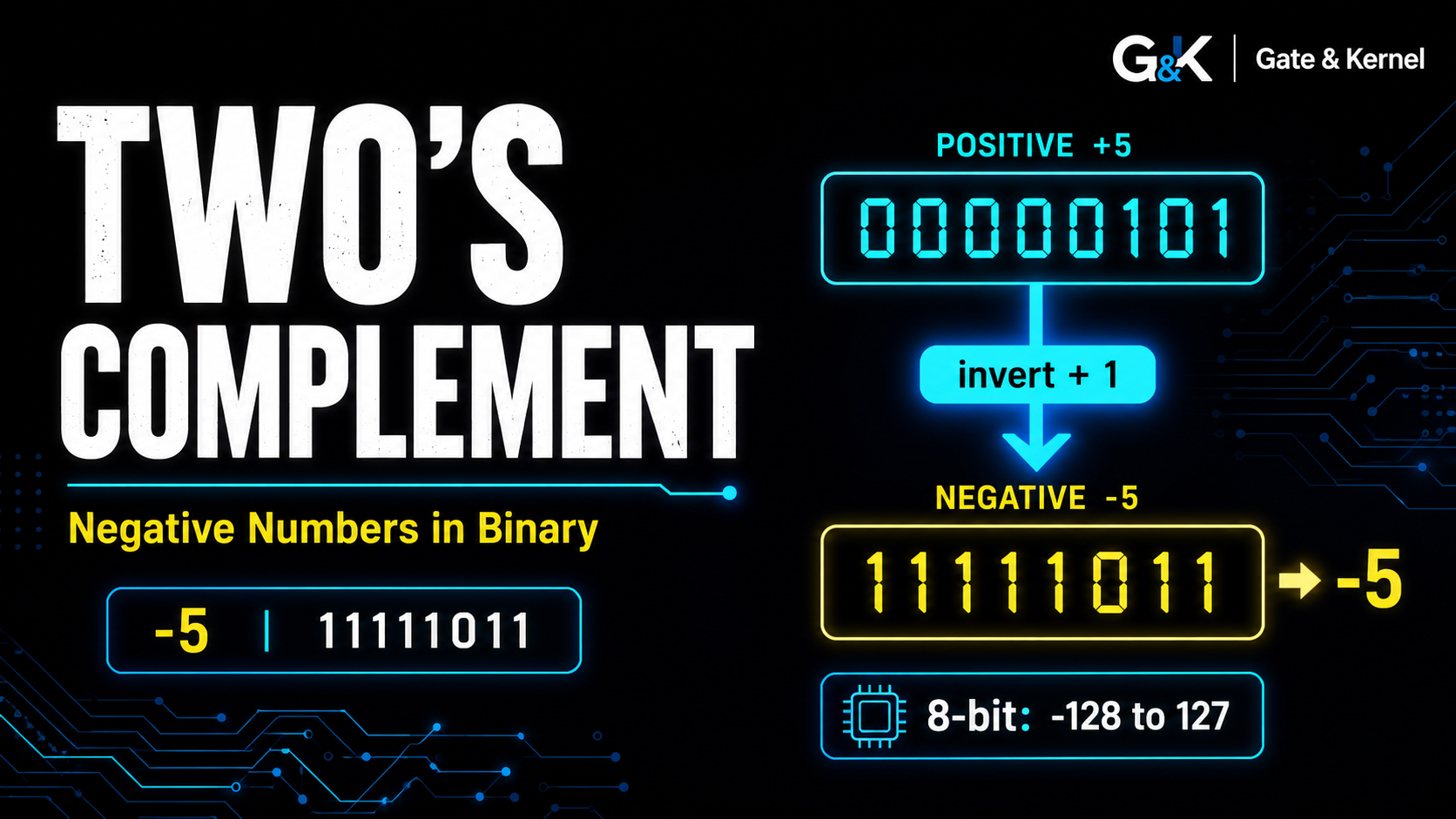
Computers naturally store patterns of bits.
For unsigned integers, this is straightforward.
With 8 bits, for example:
00000000 = 0
00000001 = 1
00000010 = 2
...
11111111 = 255
But computers also need to represent negative numbers.
How should an 8-bit processor store values such as:
-1
-5
-100
Modern computers normally solve this problem using a representation called two’s complement.
Two’s complement is one of the most important ideas in computer arithmetic because it allows positive and negative integers to use the same binary addition hardware.
In this article, we will explain:
- Why negative numbers need a special representation
- Why simply adding a sign bit causes problems
- How two’s complement works
- How to convert positive numbers into negative numbers
- Why
11111111represents-1 - Why an 8-bit signed integer ranges from
-128to127 - How signed and unsigned values can use exactly the same bits
- How addition and subtraction work
- What overflow means
- Why modern CPUs use two’s complement
1. The Problem: Binary Naturally Represents Positive Numbers
Suppose we have four bits.
The possible patterns are:
0000
0001
0010
0011
0100
...
1111
If we interpret them as unsigned integers, they represent:
0 through 15
The rule is simple:
4 bits → 2^4 = 16 values
and:
maximum unsigned value = 2^4 - 1 = 15
But this representation gives us no negative numbers.
If a computer must calculate:
5 - 8
the result should be:
-3
We therefore need a way to use some binary patterns to represent negative values.
2. Why Not Just Use One Sign Bit?
A simple idea would be to use the leftmost bit as a sign.
For example:
0 → positive
1 → negative
Then an 8-bit number might look like:
Sign | Magnitude
For example:
00000101 = +5
10000101 = -5
This representation is called sign-and-magnitude.
It seems reasonable.
But it creates several problems.
One problem is that it gives us two versions of zero:
00000000 = +0
10000000 = -0
That is awkward.
Arithmetic circuits also become more complicated because the CPU must treat positive and negative values differently.
Two’s complement solves these problems much more elegantly.
3. The Basic Idea of Two’s Complement
In two’s complement, positive numbers look exactly like ordinary binary numbers.
For example, in 8 bits:
00000001 = +1
00000010 = +2
00000101 = +5
01111111 = +127
Negative numbers use patterns where the most significant bit is 1.
For example:
11111111 = -1
11111110 = -2
11111011 = -5
10000000 = -128
Notice something important:
The leftmost bit is related to whether the number is negative, but two’s complement is not simply sign-and-magnitude.
The other bits must be interpreted differently as well.
4. How to Create a Negative Number
To convert a positive binary number into its negative two’s complement form, use two steps:
- Invert every bit
- Add 1
This is sometimes summarized as:
invert + 1
Let us convert:
+5
into:
-5
using 8 bits.
First, write positive 5:
00000101
Invert every bit:
11111010
Then add 1:
11111010
+       1
----------
11111011
Therefore:
11111011 = -5
in 8-bit two’s complement.
5. Another Example: Representing -1
Start with positive 1:
00000001
Invert all bits:
11111110
Add 1:
11111110
+       1
----------
11111111
Therefore:
11111111 = -1
This pattern appears frequently in low-level programming.
For example:
0xFF
is:
11111111
in binary.
As an unsigned 8-bit value, it represents:
255
As a signed 8-bit two’s complement value, it represents:
-1
The bits are identical.
Only the interpretation changes.
6. The Same Bits Can Mean 255 or -1
Consider:
11111111
The hardware stores exactly those eight bits.
If software treats the value as unsigned:
11111111 = 255
If software treats the same bits as signed two’s complement:
11111111 = -1
This is extremely important.
There is no special physical “negative bit pattern” stored in memory.
Memory only contains bits.
A data type, instruction, or program determines how those bits should be interpreted.
For example:
11111111
can mean either:
255
or:
-1
depending on context.
7. Why Does Two’s Complement Work?
To understand the idea, consider an 8-bit system.
Eight bits provide:
2^8 = 256
possible patterns.
Binary arithmetic naturally wraps around after 256.
For example:
11111111
+       1
----------
00000000
The ninth carry bit is discarded in an 8-bit system.
In decimal terms:
255 + 1 → 0
when only the lowest 8 bits are retained.
Two’s complement takes advantage of this wraparound behavior.
The bit pattern:
11111111
is effectively one step below zero.
So it represents:
-1
Then:
11111110
represents:
-2
and so on.
8. A Useful Way to Think About Negative Values
For an n-bit two’s complement value, a negative bit pattern can also be interpreted using:
unsigned value - 2^n
For 8 bits:
2^8 = 256
Consider:
11111111
As unsigned:
255
Now subtract 256:
255 - 256 = -1
So:
11111111 = -1
Consider:
11111011
As unsigned, this is:
251
Then:
251 - 256 = -5
Therefore:
11111011 = -5
This is another way to understand two’s complement.
9. Why an 8-Bit Signed Integer Ranges from -128 to 127
Eight bits provide:
256
possible bit patterns.
For unsigned values, they represent:
0 to 255
For signed two’s complement values, roughly half are used for non-negative values and half for negative values.
The positive and zero range is:
00000000 = 0
...
01111111 = 127
The negative range is:
10000000 = -128
...
11111111 = -1
Therefore the complete range is:
-128 to +127
In general, an n-bit signed two’s complement integer has the range:
-2^(n-1) to 2^(n-1) - 1
For 8 bits:
-2^7 to 2^7 - 1
which gives:
-128 to 127
10. Why Is There One More Negative Number?
You may notice that the range is not perfectly symmetrical.
There are:
128 negative values
but only:
127 positive values
plus zero.
Why?
Because two’s complement has only one representation of zero:
00000000
Unlike sign-and-magnitude, there is no separate negative zero.
That leaves one extra bit pattern available for a negative number.
So in 8 bits:
10000000 = -128
but there is no positive:
+128
because:
01111111 = 127
is already the largest positive value.
11. How to Read a Negative Two’s Complement Number
Suppose we see:
11110110
and know it is an 8-bit signed value.
Because the most significant bit is 1, the value is negative.
To find its magnitude, we can reverse the two’s complement process.
First invert every bit:
11110110
↓
00001001
Then add 1:
00001001
+       1
----------
00001010
This is decimal:
10
Therefore:
11110110 = -10
12. A Faster Method
There is another way.
Treat:
11110110
as an unsigned value first.
It equals:
246
Because this is an 8-bit signed value, subtract:
256
So:
246 - 256 = -10
Therefore:
11110110 = -10
Both methods give the same result.
13. Two’s Complement Makes Addition Easy
The major advantage of two’s complement is that the same binary adder can work with both positive and negative values.
Consider:
5 + (-3)
In 8 bits:
5 = 00000101
Now create -3.
Positive 3:
00000011
Invert:
11111100
Add 1:
11111101
So:
-3 = 11111101
Now perform normal binary addition:
  00000101
+ 11111101
----------
1 00000010
The carry beyond the eighth bit is discarded.
The remaining result is:
00000010
which equals:
2
Exactly as expected:
5 + (-3) = 2
The binary adder did not need a completely different procedure for negative numbers.
14. Subtraction Becomes Addition
Two’s complement also provides an elegant way to perform subtraction.
Instead of building completely separate hardware for:
A - B
the processor can calculate:
A + (-B)
And -B can be generated using two’s complement.
For example:
7 - 3
can become:
7 + (-3)
In binary:
7  = 00000111
-3 = 11111101
Add:
  00000111
+ 11111101
----------
1 00000100
Discard the extra carry:
00000100
which is:
4
So:
7 - 3 = 4
This ability to reuse addition hardware is one of the main reasons two’s complement became so important.
15. Positive Plus Negative
Let us try:
3 + (-5)
Positive 3:
00000011
Negative 5:
11111011
Add:
  00000011
+ 11111011
----------
  11111110
The result:
11111110
is:
-2
So:
3 + (-5) = -2
Again, ordinary binary addition produces the correct signed result.
16. The Most Significant Bit
In two’s complement, the leftmost bit is called the most significant bit, or MSB.
For an 8-bit signed integer:
0xxxxxxx
indicates a non-negative number.
For example:
00000101 = 5
01111111 = 127
A pattern beginning with 1 represents a negative number:
1xxxxxxx
For example:
11111111 = -1
11111011 = -5
10000000 = -128
It is common to call the MSB the sign bit in this context.
However, remember that two’s complement is not simply storing a sign separately from the magnitude.
The entire bit pattern participates in the number representation.
17. The Leftmost Bit Has a Negative Weight
There is another useful mathematical way to read a two’s complement number.
For an 8-bit signed value, the bit weights are:
-128 64 32 16 8 4 2 1
Notice that the leftmost bit has weight:
-128
rather than:
+128
Consider:
11111011
Using signed weights:
-128 + 64 + 32 + 16 + 8 + 0 + 2 + 1
which equals:
-5
This method directly evaluates a two’s complement number without first inverting it.
18. What Is Signed Overflow?
A fixed-width binary number cannot represent unlimited values.
For example, an 8-bit signed integer can only represent:
-128 to 127
Suppose we calculate:
127 + 1
127 is:
01111111
Add 1:
  01111111
+ 00000001
----------
  10000000
But:
10000000
represents:
-128
not 128.
The mathematical result is outside the range that an 8-bit signed integer can represent.
This is called signed overflow.
19. Another Overflow Example
Consider:
100 + 50
Both numbers fit inside an 8-bit signed integer.
But their sum is:
150
which does not.
The maximum signed value is only:
127
The hardware result therefore cannot represent the true mathematical answer using only 8 bits.
Processors often contain an overflow flag that can indicate when this occurs.
20. Carry and Overflow Are Not the Same Thing
Carry and signed overflow are related to arithmetic, but they are not the same concept.
A carry out of the most significant bit is particularly useful for unsigned arithmetic.
Overflow concerns whether a signed result falls outside the available signed range.
For example:
127 + 1
causes signed overflow even though understanding the carry alone is not enough to describe what happened.
This distinction becomes important when studying CPU status flags and arithmetic instructions.
21. Sign Extension
Suppose we have the 8-bit signed value:
11111011
which is:
-5
What happens if we want to store it in a 16-bit register?
We cannot simply add zeros on the left:
00000000 11111011
because that would produce a positive number.
Instead, signed values use sign extension.
The sign bit is copied into the new high-order positions:
11111111 11111011
This still represents:
-5
So for negative two’s complement numbers, widening the value usually means filling the new upper bits with 1s.
For positive values, the upper bits are filled with 0s.
22. Zero Extension vs Sign Extension
Consider:
11111111
If it is an unsigned 8-bit value:
255
extending it to 16 bits uses zero extension:
00000000 11111111
The value remains:
255
But if the same original bits represent signed:
-1
sign extension produces:
11111111 11111111
which remains:
-1
Once again, the same original bits can behave differently depending on whether the value is signed or unsigned.
23. Signed and Unsigned in C
Programming languages expose this distinction directly.
For example, C provides types such as:
int8_t
uint8_t
An int8_t is a signed 8-bit integer.
Its typical range is:
-128 to 127
A uint8_t is unsigned.
Its range is:
0 to 255
Suppose the stored bits are:
11111111
As:
uint8_t
they represent:
255
As:
int8_t
they represent:
-1
This is a practical example of how data type interpretation changes the meaning of the same binary pattern.
24. Why CPUs Prefer Two’s Complement
Two’s complement became dominant because it has several important advantages.
Only One Zero
There is only:
00000000
for zero.
No separate negative zero is required.
Addition Works Naturally
Positive and negative values can use the same binary addition circuitry.
Subtraction Becomes Addition
The processor can compute:
A - B
as:
A + two's complement of B
Sign Extension Is Straightforward
Negative numbers can be widened by copying the sign bit.
Hardware Is Simpler
Many arithmetic operations can share the same underlying circuitry.
These properties make two’s complement extremely well suited to digital processors.
25. Two’s Complement in Modern CPUs
Modern CPU architectures use two’s complement for signed integer arithmetic.
Whether the processor is working with:
8-bit
16-bit
32-bit
64-bit
integers, the same basic idea applies.
For a 32-bit signed integer, the range is:
-2,147,483,648
to
2,147,483,647
For an unsigned 32-bit integer, the same 32 bits can represent:
0
to
4,294,967,295
The hardware bits do not change.
Their interpretation changes.
26. A Quick Two’s Complement Table
Here is a small 4-bit example:
| Binary | Unsigned | Signed Two’s Complement |
|---|---|---|
0000 |
0 | 0 |
0001 |
1 | 1 |
0010 |
2 | 2 |
0011 |
3 | 3 |
0100 |
4 | 4 |
0101 |
5 | 5 |
0110 |
6 | 6 |
0111 |
7 | 7 |
1000 |
8 | -8 |
1001 |
9 | -7 |
1010 |
10 | -6 |
1011 |
11 | -5 |
1100 |
12 | -4 |
1101 |
13 | -3 |
1110 |
14 | -2 |
1111 |
15 | -1 |
This table clearly shows the central idea:
The binary patterns stay the same. Only their interpretation changes.
27. The Key Rules to Remember
For an n-bit two’s complement integer:
Signed range
-2^(n-1) to 2^(n-1) - 1
Create a negative number
Invert all bits
Then add 1
Convert a negative value back
Invert all bits
Then add 1
to find its positive magnitude.
Another way to interpret a negative pattern
unsigned value - 2^n
Sign extension
Copy the sign bit into the new higher-order bits.
Conclusion
Two’s complement is the standard way modern computers represent signed integers.
Positive values use ordinary binary representation.
Negative values are created by:
invert all bits
+
add 1
For example:
+5 = 00000101
Invert:
11111010
Add 1:
11111011
So:
11111011 = -5
Two’s complement provides only one representation of zero and allows the same binary adder to perform arithmetic with both positive and negative numbers.
An 8-bit signed integer therefore ranges from:
-128 to 127
while the same eight bits interpreted as unsigned range from:
0 to 255
This demonstrates one of the most important ideas in computer architecture:
Bits do not inherently know whether they are signed or unsigned. The same bit pattern can represent different values depending on how the hardware or software interprets it.
Understanding two’s complement makes it much easier to understand CPU arithmetic, integer data types, overflow, sign extension, assembly language, and the ALU.
The next step is to look more closely at binary addition, half adders, full adders, and how logic gates are combined to build the arithmetic circuits inside a CPU.