Introduction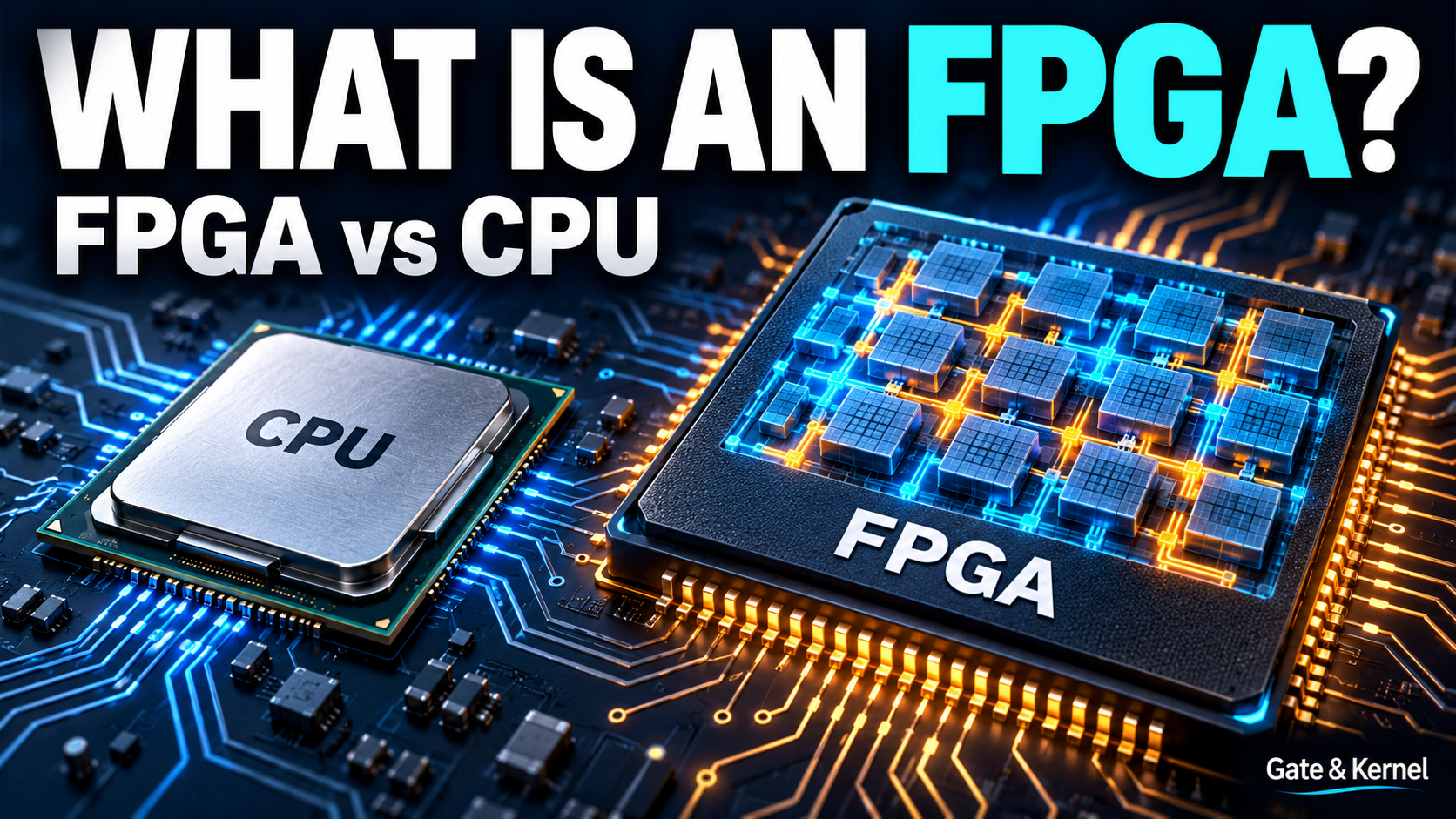
What if you could change the digital circuit inside a chip after buying it?
A normal software update changes the instructions a processor executes. An FPGA offers another kind of flexibility: you can configure its digital resources to implement a different hardware design.
The same FPGA might first contain a simple LED controller, then a communication interface, and later a small processor. The chip itself stays on the board, but the circuit implemented within its programmable resources changes.
This makes FPGAs useful for learning digital electronics, developing hardware prototypes, connecting unusual interfaces, and processing streams of data.
However, an FPGA is not automatically faster than a CPU, and it cannot become any imaginable electronic device. To understand its value, we need to look at what it contains, how it works, and what makes it different from a processor running software.
Chapter 1: What Does FPGA Mean?
FPGA stands for Field-Programmable Gate Array.
“Field-programmable” means the device can be configured after manufacturing. Configuration can happen in a laboratory, in a factory, or—when the product supports it—after installation.
“Gate array” refers to its programmable digital logic. Modern FPGAs contain much more than basic logic gates, but configurable logic remains central to their operation.
The manufacturer builds the physical chip, including its transistors, logic resources, memory, and wiring infrastructure. The designer uses development tools to determine how those existing resources implement a particular circuit.
This does not create new transistors or physically move components around. It changes the functions and connections selected by the chip’s configuration.
A useful comparison is a construction set with a fixed collection of pieces. You can build different structures, but each structure must fit the pieces and connections available.
An FPGA works within similar limits. Its logic capacity, memory, electrical interfaces, and operating speed are determined by the actual device.
An FPGA Is Not the Same as a Development Board
The FPGA is the chip.
A development board places that chip alongside the supporting components needed to use it. These commonly include power supplies, an oscillator, programming connections, and simple input and output devices.
A beginner board may provide switches, buttons, LEDs, and a seven-segment display. More capable boards may add external memory, network connections, or other interfaces.
When you connect a development board to a computer, you are using the board to configure and interact with the FPGA. The board does not disappear when you change the FPGA design, and its physical connections remain the same.
Chapter 2: How Can a Chip Become Different Digital Circuits?
Digital circuits work with binary values: zero and one.
A circuit might combine two inputs, compare numbers, count events, or decide what should happen next. These operations can be built from logic and storage elements.
For example, an AND operation produces one only when both inputs are one. An OR operation produces one when either input—or both inputs—is one. A NOT operation reverses a binary value.
Now imagine a simple indicator controlled by two switches.
In the first design, the indicator turns on only when both switches are on. That is an AND function.
In the second design, the indicator turns on when either switch is on. That is an OR function.
On a suitable FPGA development board, the same switches and indicator can support both demonstrations. Loading a different configuration changes the logic connecting the inputs to the output.
For this simple example, no board rewiring is necessary.
Larger designs apply the same general idea to more complex functions. Instead of one Boolean operation, the FPGA might implement counters, communication controllers, arithmetic circuits, and memory interfaces.
The important change is the hardware behavior implemented inside the programmable device.
Chapter 3: What Is Inside an FPGA?
Most mainstream FPGA architectures combine configurable logic, storage elements, programmable connections, and dedicated resources.
You do not need to memorize their detailed structure to begin. Four ideas explain most of the foundation.
Look-Up Tables Implement Logic
A look-up table, or LUT, is a configurable resource that implements a Boolean function.
Think of it as a small truth table. Different input combinations select the corresponding output value.
For a two-input AND function, the output values for inputs 00, 01, 10, and 11 are 0, 0, 0, and 1.
Change those stored values to 0, 1, 1, and 1, and the function becomes OR.
Actual FPGA LUTs can have more inputs and additional capabilities. The beginner’s takeaway is that configuration determines which logic function a resource performs.
Registers Store State
Logic calculates values. Registers remember values.
A register is built from storage elements called flip-flops. In a typical synchronous design, these elements capture values at a particular clock edge and hold them between updates.
A counter needs this stored state because its next value depends on its previous value.
A controller also needs state to remember whether it is waiting for a command, receiving data, or sending a response.
Programmable Routing Connects the Circuit
Logic and storage elements become useful when signals can travel between them.
An FPGA contains a programmable interconnection network. Configuration selects connections among resources, allowing them to form a larger circuit.
These connections have physical limits and propagation delays. The tools must find an implementation that fits the device and meets the design’s timing requirements.
Dedicated Blocks Handle Common Tasks
Many FPGAs also contain dedicated memory and arithmetic resources.
Block RAM provides on-chip storage. Digital signal processing blocks, usually called DSP blocks, support operations such as multiplication and accumulation.
Other features can include clock-management circuits, high-speed communication resources, and hardened interface controllers.
The exact combination depends on the device. Not every FPGA has the same features.
Chapter 4: FPGA vs. CPU—What Is the Difference?
A CPU and an FPGA can sometimes solve the same problem, but they approach the work differently.
A CPU has an established processor architecture. Software supplies instructions that tell that processor what operations to perform.
An FPGA provides configurable hardware resources. A hardware design determines the circuits and data paths implemented using those resources.
Consider a system that receives measurements, filters them, checks a threshold, and generates an output.
A CPU can perform these tasks by running software, often with help from peripherals and specialized instructions.
An FPGA can implement separate hardware stages for receiving, filtering, comparing, and generating the output. Those stages can operate concurrently as data moves through the system.
This is especially useful when the processing structure matches a continuous stream of data.
Parallel Hardware Does Not Mean CPUs Are Purely Sequential
It would be misleading to say that a CPU does only one thing at a time.
Modern CPUs use pipelines, multiple execution units, multiple cores, and vector instructions. They can perform substantial work in parallel.
The FPGA distinction is the ability to build a custom arrangement of processing and control hardware within the available programmable resources.
You can decide which operations have separate circuits, how they connect, and how data passes between them.
Is an FPGA Faster Than a CPU?
Sometimes, for a particular task and implementation.
An FPGA can offer advantages when custom parallel processing, precise interface timing, or a specialized data path matches the problem.
However, CPUs are highly optimized, operate at high clock frequencies, and handle complex software efficiently. A small software task may not justify creating a hardware implementation.
Moving data into and out of the FPGA can also become a bottleneck.
The useful question is not “Which chip is always faster?” It is “Which architecture best satisfies this system’s requirements?”
Chapter 5: FPGA, Microcontroller, GPU, and ASIC
Understanding a few neighboring technologies makes the FPGA’s role clearer.
Microcontrollers: Convenient Embedded Control
A microcontroller combines a processor, memory, and peripherals in a device intended for embedded applications.
It is often a practical choice for reading sensors, controlling equipment, handling buttons, and communicating with other devices.
Its timers, communication peripherals, and direct memory access hardware can perform useful work without constant software intervention.
If a microcontroller already satisfies the timing, performance, and interface requirements, an FPGA may add unnecessary complexity.
GPUs: Large-Scale Parallel Computation
A GPU provides many processing resources designed for high-throughput workloads.
Graphics, scientific computing, and many AI applications benefit from this architecture.
An FPGA offers a different form of flexibility: the designer can implement custom data paths, interfaces, and processing structures.
That flexibility does not automatically make it a better choice for AI or other numerical workloads. Software support, memory bandwidth, development effort, and the complete system all matter.
ASICs: A Circuit Fixed During Manufacturing
An ASIC is an application-specific integrated circuit.
Its hardware implementation is established during chip manufacturing rather than configured using an FPGA fabric.
For a suitable design and production volume, an ASIC can provide better area and energy efficiency than a comparable FPGA implementation.
However, creating and manufacturing a custom chip requires substantial investment. Correcting a hardware mistake can also require another fabrication cycle.
An FPGA lets a team develop and revise its hardware design without manufacturing a new chip each time.
This makes FPGAs valuable for prototyping and for products whose flexibility or production volume justifies programmable hardware.
Chapter 6: How Do You Design an FPGA Circuit?
FPGA development happens on a computer, using software tools. You describe the circuit, test its behavior, and use the tools to turn that description into a configuration for a particular FPGA.
The basic process has four stages: describe, simulate, implement, and configure.
Describe the Circuit
Designers commonly use hardware description languages, or HDLs, such as Verilog, SystemVerilog, and VHDL. These languages describe circuit inputs, outputs, logic, and stored state.
Let us return to our two switches and an LED. We want the LED control signal to become one only when both switch inputs are one.
Here is a complete Verilog module describing that relationship:
module switch_and (
    input  wire switch_a,
    input  wire switch_b,
    output wire led
);

    assign led = switch_a & switch_b;

endmodule
The module is named switch_and. It has two one-bit inputs, switch_a and switch_b, and one one-bit output, led.
The line beginning with assign describes the logic connecting them. The & symbol performs a bitwise AND operation. Because these signals are each one bit wide, the output is one only when both inputs are one.
This describes combinational logic. It does not instruct a processor to repeatedly read the switches in a software loop. In the implemented circuit, input changes propagate through the logic to the output.
No clock or register is needed for this simple function. Later designs will add stored state and clocked behavior to build counters, controllers, and other circuits.
The names in this module do not automatically connect it to physical switches or an LED. Those connections must be specified for the selected development board. The board’s LED circuitry also determines whether a high or low electrical signal turns the actual light on.
Simulate the Behavior
Before configuring a physical FPGA, you can test a model of the circuit in a simulator.
For this example, the test is straightforward. Apply the input combinations zero-zero, zero-one, one-zero, and one-one. The expected output values are zero, zero, zero, and one.
A graphical logic simulator lets you explore this behavior by clicking inputs. An HDL simulator tests the Verilog description itself, usually with a separate testbench that supplies inputs and checks outputs.
A waveform viewer can display how those signals change over simulated time. More complex designs also require tests for clocks, resets, and sequences of events. Our simple AND circuit does not require a clock.
Simulation checks the model’s behavior. It does not, by itself, prove that the implemented circuit meets physical timing requirements or is connected correctly to external devices.
Build the Implementation
Once the behavior is correct, the design tools must build an implementation for the selected FPGA.
Synthesis translates the hardware description into logic structures. For our example, the tools can map the AND function into a suitable logic resource, such as a LUT.
Placement assigns the required resources to locations within the chip. Routing selects the programmable connections that carry signals between them.
The tools also need constraints: information about the physical connections, electrical requirements, and timing of the design.
For a development board, these include the package pins connected to the switches and LED, together with the appropriate I/O standards. Clocked designs also need clock definitions, and external interfaces may need additional timing requirements.
Timing analysis checks the implemented paths against the specified requirements. A successful simulation and a successful physical implementation answer different questions; both matter.
Later tutorials will introduce these steps individually using a specific development board.
Configure the FPGA
The tools then produce a device-specific configuration image, commonly called a bitstream.
A supported programming connection or startup mechanism transfers that image to the FPGA. The configuration establishes how its programmable resources implement the circuit.
For our example, the configured logic connects the two switch input signals to the LED control output through an AND function.
After configuration, the circuit can operate without the development computer continuously running the design tools, provided the board supplies the required power and other operating resources.
Whether that configuration survives a power cycle depends on the FPGA technology and the board’s startup arrangement. That is the next part of the story.
Chapter 7: What Happens When the Power Is Turned Off?
Many FPGAs use volatile SRAM cells for configuration.
These cells lose their contents when power is removed. The FPGA must therefore receive its configuration again at startup.
A common development-board arrangement stores the configuration image in nonvolatile Flash memory. At startup, the board’s configuration mechanism loads that image into the FPGA.
During development, it is also common to configure the FPGA directly from a computer without first updating the startup Flash.
These are different operations. A temporary configuration may disappear after power is removed.
Not every FPGA uses the same technology. Nonvolatile FPGA families can retain their configuration without following the conventional external-Flash-to-SRAM startup process.
For now, remember that the FPGA’s configuration, the memory storing its startup image, and memory used by your circuit are different concepts.
Chapter 8: What Are FPGAs Used For Today?
FPGA applications range from small interface functions to large processing systems.
In communications equipment, programmable hardware can process data streams and implement specialized interfaces.
In industrial systems, it can coordinate multiple signals, generate precisely timed outputs, and connect devices with different communication requirements.
In imaging and scientific instruments, it can process incoming samples while data continues arriving.
In hardware development, it lets engineers test digital designs before committing to a custom chip.
Education is another important use. Students can build counters, controllers, communication interfaces, and processors, then observe those designs operating in real hardware.
Modern Devices Can Combine Processors and Programmable Logic
An FPGA-based system does not always require choosing between software and hardware.
Some devices integrate dedicated processor cores with programmable logic. Software handles suitable control and application tasks, while the programmable logic implements selected interfaces or processing functions.
A processor can also be built within the programmable fabric. This is called a soft processor because its implementation uses configurable resources rather than a dedicated processor block.
More advanced devices may include specialized compute engines and sophisticated interconnects. These are family-specific features, not capabilities shared by every FPGA.
The foundation remains the same: select the appropriate resources and connect them into a system that meets the application’s needs.
Conclusion
An FPGA is a chip containing digital resources that can be configured to implement a hardware design after manufacturing.
LUTs implement logic functions. Registers store state. Programmable routing connects the circuit. Dedicated memory and arithmetic resources support larger designs.
A CPU executes software using an established processor architecture. An FPGA lets a designer create a custom arrangement of digital hardware within the chip’s limits. Both approaches are useful, and many systems combine them.
You do not need to start with a complex accelerator or processor. A pair of switches, an indicator, and a simple logic function are enough to begin understanding programmable hardware.
From there, the next step is to explore the basic logic operations that form digital circuits—and then describe and test your first design.
Further Reading
- AMD: FPGA Architecture
- Intel: FPGA Architecture Overview
- Microchip: What Is an FPGA?
- Altera: Why FPGAs?
- AMD: Adaptive SoCs