🚀 RV32I Tutorial #2: What is a Register File? Why Every CPU Needs It
If RV32I defines what a CPU can do,
then the next question is:
👉 Where does the data live?
The answer:
👉 Register File
Most people think variables live in memory.
Wrong.
Inside a CPU, everything happens in registers.
A Register File is just:
→ 32 tiny, ultra-fast storage units
→ sitting inside the CPU
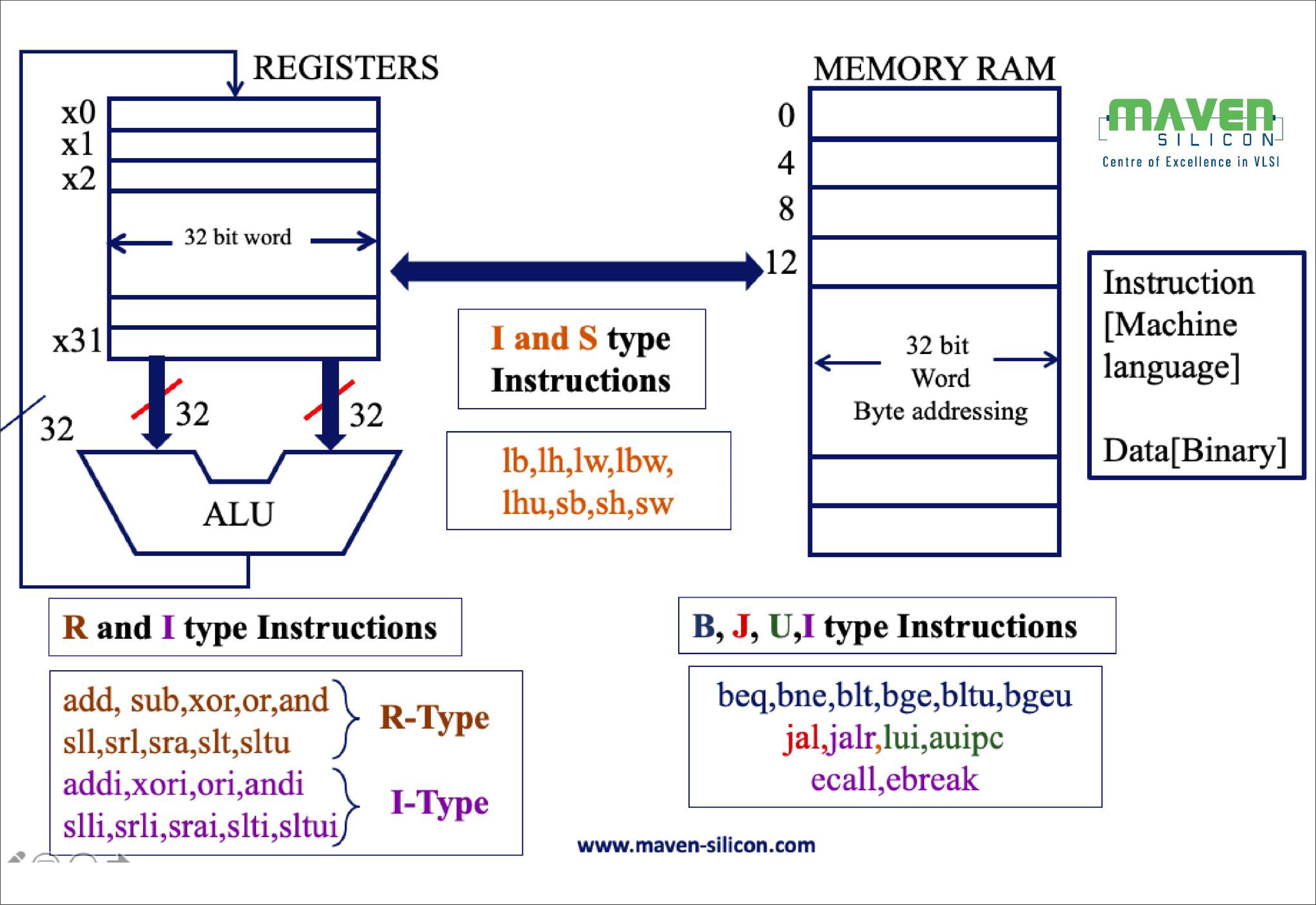
Every instruction:read → compute → write back
Memory is too slow.
Registers are… pic.twitter.com/qC23LHHhDX
— IC and CS Tutorial (@riscvprogram) April 17, 2026
🧠 1. What is a Register File?
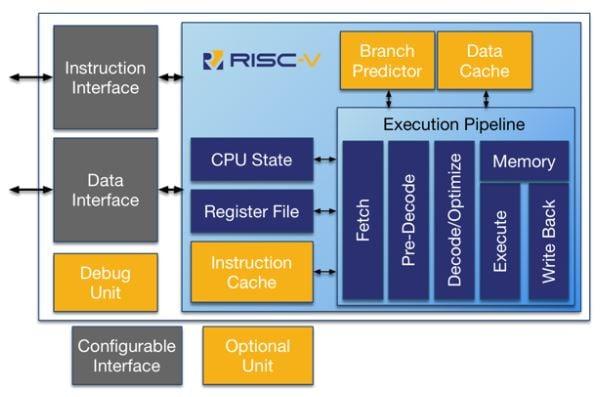
A Register File is the fastest storage inside a CPU.
It is a small set of registers used to hold data during execution.
👉 In RV32I:
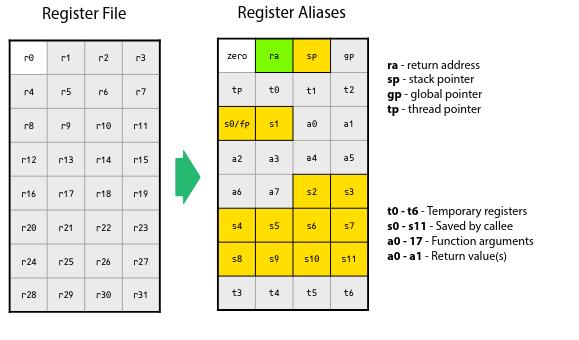
- There are 32 registers
- Named:
x0→x31 - Each is 32 bits wide
👉 Think of it as:
The CPU’s working memory
⚡ 2. Why Not Just Use RAM?
Because RAM is slow.
⏱️ Speed comparison:
- Register → ~1 cycle
- Cache → a few cycles
- RAM → 100+ cycles
👉 If every instruction used RAM:
❌ The CPU would spend most of its time waiting
👉 So instead:
Data is kept in registers for fast access
🧩 3. How Registers Are Used
Every instruction works with registers.
Example:
ADD x3, x1, x2
The CPU does:
- Read
x1 - Read
x2 - Compute result
- Write result to
x3
👉 No variables
👉 No memory access
👉 Just registers
🔒 4. Special Register: x0
RV32I has a special rule:
x0 = 0 (always)
👉 You can read from it
👉 But writing to it does nothing
Example:
ADD x1, x0, x2
👉 This just copies x2 into x1
👉 Very useful trick
⚙️ 5. Inside a Register File
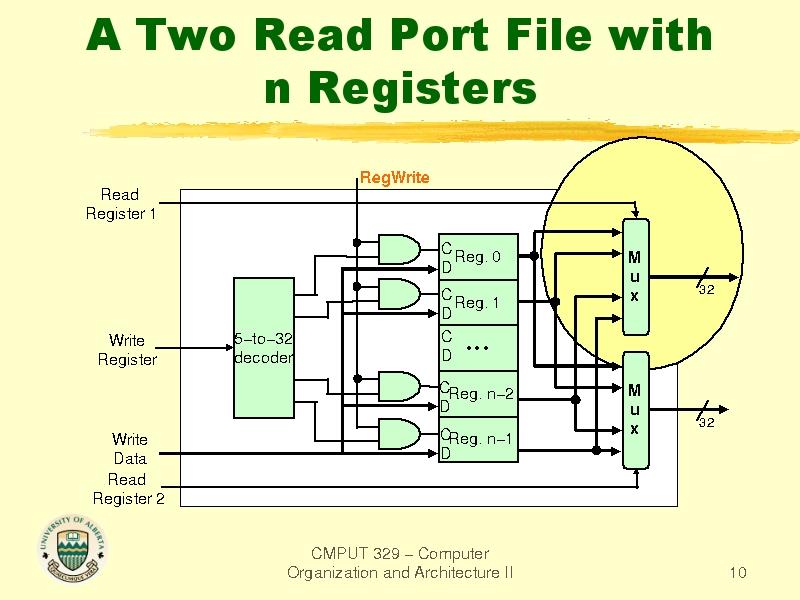
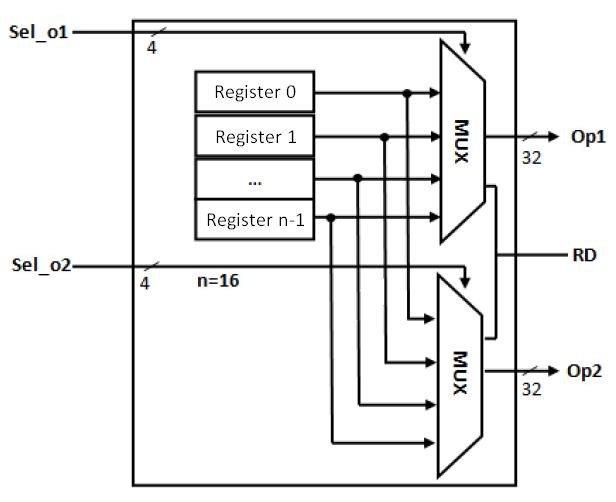
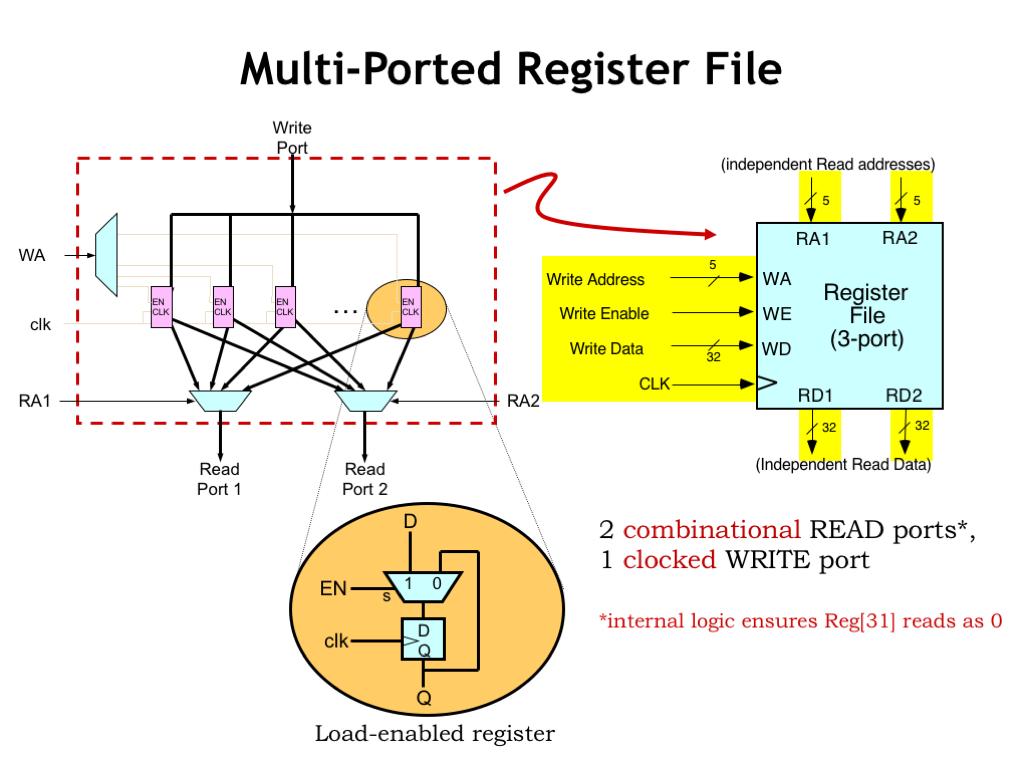
A typical Register File has:
- 2 read ports
- 1 write port
👉 Meaning:
- You can read 2 registers at once
- And write 1 result per cycle
👉 This matches most instructions:
A + B → Result
🔄 6. Read and Write Behavior
Read (Combinational)
Input address → Output data immediately
👉 No clock needed
Write (Synchronous)
On clock edge → data is stored
👉 Controlled by a signal like reg_write
💻 7. Simple Verilog Example
Here is a minimal Register File:
module register_file (
    input clk,
    input reg_write,
    input [4:0] rs1, rs2, rd,
    input [31:0] write_data,
    output [31:0] read_data1,
    output [31:0] read_data2
);

reg [31:0] regs [31:0];

// Read (combinational)
assign read_data1 = (rs1 == 0) ? 0 : regs[rs1];
assign read_data2 = (rs2 == 0) ? 0 : regs[rs2];

// Write (synchronous)
always @(posedge clk) begin
    if (reg_write && rd != 0)
        regs[rd] <= write_data;
end

endmodule
🔥 8. Key Design Rules
✅ x0 must always be 0
Never allow writing to register 0
✅ Reads are fast
No clock → instant output
✅ Writes happen on clock
Keeps data stable
✅ Two reads, one write
Matches ALU usage
🚨 9. Common Mistakes
- ❌ Forgetting to block writes to x0
- ❌ Making reads synchronous (slows design)
- ❌ Mixing up rs1 / rs2 / rd
🧠 10. Most Important Insight
Most beginners think:
Data lives in memory
But in a CPU:
👉 Data lives in registers
👉 Computation happens here:
Registers → ALU → Registers
🚀 11. What’s Next?
Now you know:
- where data lives
- how it’s accessed
👉 Next question:
👉 How is computation actually done?
👉 Next Tutorial:
RV32I Tutorial #3: What is an ALU?
📌 Summary
- Register File = CPU’s fastest storage
- 32 registers in RV32I
- x0 is always 0
- 2 reads + 1 write per cycle
- All instructions use registers
👉 One sentence:
Registers are where computation begins and ends