Part 1: The Mystery of Forgetful RAM and Long-Term SSD Memory
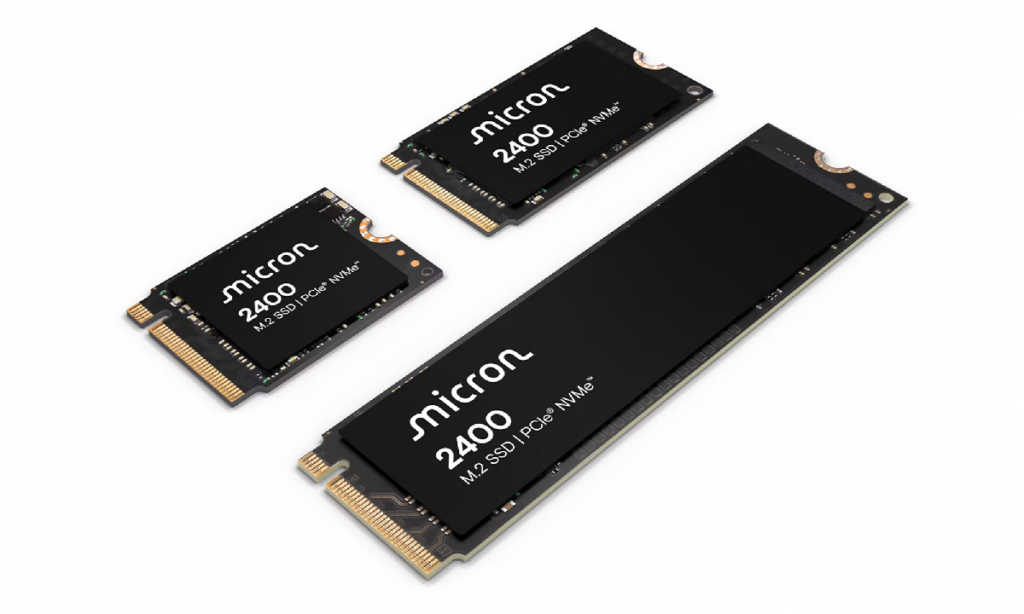
Have you ever noticed a strange contradiction inside your computer?
Your RAM and your SSD are both made from silicon chips.
Both store digital information.
Both work with electrical signals.
And yet, the moment you turn off your computer, everything stored in RAM disappears.
But the files on your SSD remain.
Your photos are still there.
Your games are still installed.
Your operating system still knows how to start.
You could remove the SSD, leave it unplugged in a drawer for months or even years, and in normal conditions, much of its data would still be there.
So why does RAM behave like a goldfish with an extremely short memory, while an SSD behaves more like a locked library?
The answer is not that SSDs somehow keep a tiny battery running inside them.
They do not.
Instead, engineers discovered a way to trap electrical charge inside microscopic structures built directly into silicon.
Welcome back to Gate and Kernel.
Today, we are travelling into the microscopic world inside a solid-state drive.
We will see how electrons can be trapped, how those trapped electrons represent data, why SSDs eventually wear out, and what Linux TRIM actually does.
You do not need a degree in semiconductor physics.
We are going to explain everything using buckets, vaults, doors and a tiny amount of quantum physics.
Let us begin with the forgetful memory: DRAM.
Part 2: DRAM — The Leaky Bucket
Most of the main memory inside a modern computer is a type of RAM called D-RAM, or Dynamic Random Access Memory.
Inside DRAM, one bit of information is stored using a tiny transistor and a tiny electrical capacitor.
A capacitor is a device that can temporarily hold electrical charge.
Imagine that capacitor as a microscopic bucket.
To represent one state, the system places charge inside the bucket.
To represent the other state, it removes the charge.
The exact electronic details are more complicated, but the bucket analogy gives us the basic idea.
There is one major problem.
The bucket leaks.
Not because the chip is broken, but because no real electrical capacitor is perfectly isolated.
The charge gradually escapes.
To prevent the data from disappearing, the memory controller must repeatedly read and restore the charge.
This process is called memory refresh.
It happens automatically, many times every second, while the computer is running.
That is why the word “dynamic” appears in Dynamic Random Access Memory.
The information must continually be refreshed.
Now imagine unplugging the computer.
The refreshing immediately stops.
The remaining electrical charge leaks away, and the stored information disappears.
DRAM is therefore called volatile memory.
It needs electrical power to preserve its contents.
An SSD faces the same basic challenge.
It must use electrical states to represent data.
But it needs those states to remain even when there is no power.
So instead of building a better bucket, NAND flash memory builds something closer to a sealed vault.
Part 3: The Microscopic Electron Vault
The storage chips inside most SSDs use a technology called NAND flash memory.
A NAND flash chip contains an enormous grid of microscopic memory cells.
Each cell is based on a special kind of transistor.
Ordinary transistors use an electrical signal to control whether current can flow through them.
A flash memory transistor adds another important structure: an electrically isolated region that can hold charge.
Depending on the NAND design, this region may be called a floating gate, a charge trap or part of a replacement-gate structure.
For our analogy, imagine it as a tiny room surrounded by insulating walls.
There is no normal electrical wire leading directly into this room.
That is important.
If there were a normal wire, the charge could simply flow back out when power was removed.
Instead, engineers use a strong electrical field to move electrons across the insulating barrier.
Depending on the flash-memory design and operation, this can involve a quantum effect called tunnelling.
In everyday life, a ball cannot pass through a solid wall.
But electrons do not behave exactly like tiny classical balls.
They also have wave-like properties.
At extremely small scales, there is a probability that an electron can cross an energy barrier that classical physics says it should not cross.
This does not mean the electron literally teleports across the chip.
It means quantum mechanics allows it to pass through an extremely thin insulating barrier under the correct electrical conditions.
Once electrons have been moved into the isolated storage region, the programming voltage is removed.
Now the insulating material prevents the electrons from easily escaping.
The cell can therefore retain its electrical state without continuous power.
But how does the SSD read that state?
The trapped electrons change the behaviour of the transistor.
More specifically, they change the threshold voltage: the amount of voltage needed to switch the transistor on.
The SSD applies a test voltage and observes whether the transistor conducts.
From that response, it estimates how much charge is stored inside the cell.
In the simplest kind of NAND, called S-L-C, each cell stores one bit.
The cell needs only two distinguishable voltage ranges.
One range represents one binary value.
The other range represents the other binary value.
Modern consumer SSDs usually store more than one bit in each cell.
T-L-C NAND stores three bits per cell.
That requires the controller to distinguish between eight different voltage ranges.
Q-L-C NAND stores four bits per cell.
That requires sixteen different voltage ranges.
So a modern SSD cell is not always simply empty or full.
It may be more like a measuring cup with several carefully controlled fill levels.
The more levels engineers place inside one cell, the more data they can store in the same physical space.
But those levels also become harder to distinguish.
That creates challenges for speed, reliability and endurance.
Part 4: Erasing Data and Why SSDs Wear Out
Now we reach another question.
If the electrons are trapped behind insulating material, how can the SSD erase or change the data?
The answer is another carefully controlled electrical field.
The NAND circuitry applies the required voltages to remove charge from the storage region.
Electrons are moved back across the insulating barrier, returning the cell to an erased state.
But NAND flash has an important limitation.
It generally cannot overwrite individual pieces of data in place the same way RAM can.
NAND is normally programmed in units called pages, but erased in much larger units called blocks.
Imagine an apartment building containing many rooms.
You may be able to place furniture into one room at a time.
But when you want to reset the building, you may have to clear an entire floor.
When the SSD needs to update data inside a partially used block, its controller may have to copy the still-valid pages somewhere else, erase the entire block, and then write the required data again.
This background process is called garbage collection.
Every program-and-erase cycle places electrical stress on the cell’s insulating material.
Think of repeatedly pushing objects through a flexible barrier.
The barrier may survive many repetitions, but it does not remain perfect forever.
Over time, tiny defects accumulate.
The cell may become less capable of holding charge, and its voltage levels may become harder to distinguish.
This is why NAND flash has limited write endurance.
The exact endurance depends on the NAND technology, manufacturing process, temperature, workload and controller design.
S-L-C NAND generally offers higher endurance because it distinguishes only two voltage ranges.
T-L-C and Q-L-C NAND store more bits per cell, providing greater capacity at lower cost, but their voltage ranges are closer together.
Fortunately, the SSD controller has several ways to protect the NAND.
It uses error-correcting codes to detect and repair many bit errors.
It keeps spare storage capacity to replace damaged blocks.
And it uses wear levelling to avoid repeatedly writing to the same physical cells.
Instead of allowing one group of cells to wear out early, the controller spreads writes across the available NAND.
The result is that an SSD can survive a large amount of normal computer use.
But it is not immortal.
And it should not be treated as the only permanent archive for important files.
Part 5: What TRIM Actually Does
There is one final problem the SSD must solve.
When you delete a file, the operating system usually removes its entry from the file system.
But the SSD controller may not immediately know that the underlying storage pages are no longer needed.
From the SSD’s point of view, those pages may still contain valid information.
This is where TRIM comes in.
TRIM is a message from the operating system to the SSD.
It tells the drive:
“These logical blocks are no longer being used. You may treat their contents as disposable.”
TRIM does not directly spread writes across the drive.
That job belongs to wear levelling inside the SSD controller.
Instead, TRIM helps the controller perform garbage collection more efficiently.
It reduces the amount of unnecessary data that may need to be copied when blocks are reorganized and erased.
On many modern Linux systems, TRIM runs automatically through a scheduled service.
We can check that service with:
systemctl status fstrim.timer
We can also manually ask Linux to trim unused blocks on the root filesystem with:
sudo fstrim -v /
The command does not reach into individual cells and immediately erase every electron trap.
It sends discard information through the file system and storage stack to the SSD controller.
The controller then decides how and when to perform its internal cleanup.
And that brings us back to our original mystery.
DRAM stores information as temporary electrical charge that must constantly be refreshed.
Remove the power, and the charge disappears.
NAND flash stores information by placing charge inside electrically isolated structures.
That trapped charge changes the threshold voltage of a transistor.
The SSD reads those voltage levels and converts them back into digital information.
No tiny battery.
No spinning disk.
Just silicon, electric fields, insulating materials, sophisticated controllers and a little quantum mechanics.
That is how an SSD remembers data without power.
If you enjoyed this plain-English journey into computer hardware, hit the Like button and subscribe to Gate and Kernel.
Thanks for watching, and I will see you in the next episode.